Top 5 AI-Powered Gadgets You Didn't Know Existed

Top 5 AI-Powered Gadgets You Didn’t Know Existed

Discover 5 mind-blowing AI-powered gadgets you’ve never heard of that are changing everyday life. Ready to be amazed?

Introduction

Let’s face it — AI is no longer just a tech buzzword. It’s everywhere now. From your phone’s voice assistant to those eerily smart product recommendations online. But did you know AI has quietly invaded the world of gadgets in ways you never imagined?

Yep, we’re not talking about robots taking over the world (yet). We’re talking about gadgets you can actually use today — ones that make life easier, smarter, and just plain cooler. So buckle up, because we’re diving into five mind-blowing AI-powered gadgets you probably didn’t know existed.

1. AI-Powered Smart Mirror

What Is a Smart Mirror?

Imagine looking into a mirror that not only reflects your face but also gives you the weather, your calendar, health stats, and even personalized skincare advice. Sounds like sci-fi? Welcome to the era of smart mirrors.

How AI Elevates It

AI in smart mirrors goes beyond face value (pun intended). It can analyze your skin condition, recommend products, detect signs of fatigue, and even help with your makeup routine by tracking lighting conditions.

Unique Features You’ll Love

  • Facial recognition
  • Skin diagnostics
  • Voice and gesture control
  • Daily briefings (weather, traffic, reminders)

Who Is It For?

Anyone who loves smart home gadgets, skincare junkies, beauty vloggers, or even productivity enthusiasts will appreciate this little piece of AI magic in their routine.

2. AI-Driven Pet Feeders

Making Pet Parenting Easier

Forget those frantic calls to your neighbor asking them to feed your cat. AI pet feeders take that stress off your shoulders.

Feeding on Schedule, Intelligently

These feeders learn your pet’s eating habits and adjust the portions and feeding times accordingly. No more overfeeding (or underfeeding).

Health Monitoring Built-In

Some even monitor your pet’s weight and eating speed — alerting you to any changes that might need a vet visit.

Real-Time Updates on Your Phone

With an app synced to the feeder, you get notifications, live camera feeds, and control — all at your fingertips.

3. AI Sleep Robots

Meet Your New Bedtime Buddy

Sleep robots like Somnox are designed to cuddle with you. Yes, cuddle. They mimic breathing rhythms to calm your nervous system.

Mimics Breathing to Help You Sleep

AI adjusts the rhythm based on your body, helping you drift off faster by syncing your breath to a relaxing pattern.

Tracks Sleep Patterns with AI

It also records and analyzes your sleep quality. You’ll get reports that help improve your sleep habits.

Ideal for Insomniacs and Light Sleepers

Struggle with stress or racing thoughts at night? These AI gadgets are designed just for you.

🏋4. AI Fitness Coach Earbuds

Personalized Workouts via AI

Forget one-size-fits-all fitness plans. These earbuds use AI to tailor workouts to your performance and goals.

Real-Time Voice Coaching

Like having a personal trainer whispering in your ear — correcting your posture, pushing your pace, and motivating you.

Tracks Your Form and Posture

Using sensors and real-time data, it ensures you’re working out smarter, not harder.

Perfect for Fitness Lovers on the Go

No gym? No problem. These earbuds are your gym buddy, coach, and accountability partner — all rolled into one.

atomization technology

5. AI-Powered Language Translators

Instant Conversations Across Languages

Speak into it, and it instantly translates — making real-time conversations in foreign languages effortless.

Offline Functionality Powered by Machine Learning

Some devices now work offline, using preloaded AI models that continue to improve accuracy over time.

Real-World Use Cases

Whether you’re traveling, doing international business, or just trying to understand your favorite K-drama, this tool is gold.

Must-Have for Travelers

Gone are the days of awkward hand gestures and language barrier struggles. These devices are like having a UN translator in your pocket.

How These Gadgets Use AI in Practice

Machine Learning at the Core

They don’t just follow rules — they learn. With every interaction, AI gathers more data, gets smarter, and serves you better.

Sensors, Cameras, and Data Processing

From infrared cameras in mirrors to motion sensors in earbuds, AI works with hardware to understand context and make decisions.

Constantly Getting Smarter

Many devices get over-the-air updates, improving functionality over time without needing replacement.

The Unexpected Impact on Everyday Life

Saving Time and Effort

Set it and forget it — AI automates tasks you didn’t even realize took up so much of your day.

Boosting Comfort and Convenience

From better sleep to smarter workouts, AI is quietly enhancing your quality of life without shouting about it.

Enhancing Lifestyle Without You Realizing It

Most of these gadgets blend so well into daily life that you forget they’re high-tech. That’s the beauty of AI — working in the background.

Are These Gadgets Worth It?

Pricing and Accessibility

Prices vary. Some are surprisingly affordable (like smart pet feeders), while others (like AI mirrors) are a splurge.

Real User Experiences

User reviews often highlight how these gadgets actually solve real problems — not just gimmicks.

Do They Deliver on Their Promises?

Most do. But like anything tech, it depends on your needs. If it fits your lifestyle, chances are it’s worth every penny.

Final Thoughts on AI Gadgets

AI is no longer reserved for the tech elite. It’s crawling into the most unexpected corners of our lives — and we love it. These gadgets might not be household names yet, but they’re paving the way toward a future where life is a little easier, smarter, and more enjoyable.

So if you’re someone who loves gadgets, or just wants life to feel a bit more “Jetsons” and a bit less “Flintstones,” give one of these AI-powered gems a shot. You might just wonder how you ever lived without them.

FAQs

1. Can AI gadgets be hacked?

Yes, like all smart devices, AI-powered gadgets can be vulnerable. Always keep firmware updated and use secure Wi-Fi networks.

2. Are AI-powered devices safe for kids and pets?

Most are designed with safety in mind, but always check manufacturer recommendations before use around kids or animals.

3. Do AI gadgets work without the internet?

Some do, especially language translators and sleep robots. However, others may need internet for full functionality.

4. How do these gadgets protect my data?

Look for devices with strong privacy policies, encryption, and the ability to opt out of data sharing.

5. Where can I buy these gadgets?

Most are available online via Amazon, Best Buy, or directly from the manufacturers’ websites.

Read Now: Galaxy Watch 8 Breakthrough Features and Full Review

Snapdragon 8 Gen 4

Snapdragon 8 Gen 4 Leak: What You Need to Know

Snapdragon 8 Gen 4 leaks reveal major performance upgrades, AI features, and powerful new Nuvia cores. Here’s everything you need to know!

Introduction

The smartphone world is buzzing — and it’s not just your notifications. Qualcomm’s next big thing, the Snapdragon 8 Gen 4, has been leaked, and the early whispers are making serious waves. Whether you’re a mobile gamer, Android enthusiast, or someone just hunting for the next top-tier phone, this chip is shaping up to be a game-changer. Let’s break it all down, one leak at a time.

The Snapdragon Legacy

How Qualcomm Changed the Game

Before we jump into Gen 4, let’s appreciate where it all began. Qualcomm’s Snapdragon series has powered countless Android devices over the years, consistently pushing performance boundaries and setting the bar for mobile innovation.

Evolution from Gen 1 to Gen 3

Snapdragon 8 Gen 1 was about power. Gen 2 brought efficiency and thermal improvement. Gen 3 was the all-rounder — blending AI, gaming, and power like never before. Now, Gen 4 aims to leap ahead, not just step forward.

What’s New with Snapdragon 8 Gen 4?

Leaked Specifications at a Glance

Here’s a sneak peek from trusted insiders:

  • Custom Oryon CPU cores (based on Nuvia tech)
  • TSMC 3nm manufacturing process
  • Adreno 830 GPU
  • Improved AI engine
  • Up to 4.0GHz peak clock speed

Yup, it’s sounding monstrous already.

Performance Boosts You Can Expect

CPU Upgrades

This time around, Qualcomm is ditching the classic ARM cores for custom-built Nuvia Oryon cores. That means faster processing, smoother multitasking, and huge gains in power efficiency.

GPU Enhancements

Expect graphics that make mobile gaming look like console-quality. The new Adreno 830 is reportedly offering up to 40% better performance than the last-gen chip.

AI Engine Overhaul

Smartphones will be… well, smarter. From on-device translation to camera processing, the AI engine is poised to take over tasks in real-time without chugging battery.

Snapdragon 8 Gen 4

Nuvia Cores: The Game Changer

What Are Nuvia Cores?

Nuvia was a startup acquired by Qualcomm a few years back. It was started by ex-Apple engineers — the same folks who helped design Apple’s powerful M-series chips. Now that tech is being injected into Snapdragon. Excited yet?

Why Everyone’s Talking About Them

Early tests suggest Snapdragon 8 Gen 4 may outperform Apple’s A17 Bionic in some CPU tasks. That’s a massive statement in the Android vs. Apple war.

Benchmarks and Early Performance Leaks

How It Compares with Snapdragon 8 Gen 3

Snapdragon 8 Gen 4 reportedly scores over 10,000 on Geekbench multicore, a significant bump from Gen 3’s scores in the 7,000s. That’s next-level power.

Geekbench and AnTuTu Results

Benchmark leaks hint at:

  • Geekbench: 2,700 (Single Core) / 10,200 (Multi-Core)
  • AnTuTu: Over 2.3 million points

These aren’t just numbers — they’re performance dreams for power users.

Battery Efficiency and Thermal Management

Better Battery Life?

Thanks to the 3nm node, Snapdragon 8 Gen 4 is designed to sip power instead of guzzling it. Expect noticeable battery gains, even on power-hungry flagship phones.

Cooling and Heat Control

Heat throttling is the bane of gamers everywhere. This chip reportedly manages heat better, meaning less lag and no more burning your hand during long sessions.

Snapdragon 8 Gen 4

AI and Machine Learning Capabilities

Snapdragon’s Next-Level AI Integration

AI is at the heart of Gen 4. It’ll help with photo editing, speech recognition, and even dynamic performance tuning — in real time.

Real-World Use Cases

Imagine your phone knowing when to boost graphics while gaming or dim background processes while streaming. That’s AI in action, saving power and enhancing UX.

Gaming on Snapdragon 8 Gen 4

Frame Rate and Latency Improvements

You can kiss lag goodbye. With higher FPS support and ultra-low latency rendering, competitive gamers will love what Gen 4 brings to the table.

Mobile Gaming Experience Redefined

Think of this chip like your pocket-sized gaming rig — no exaggeration. Paired with better cooling and power handling, mobile gaming is reaching new heights.

5G and Connectivity Upgrades

Modem Improvements

Snapdragon X75 modem is expected, bringing faster 5G with less power draw. Download speeds? Through the roof.

Wi-Fi 7 and Beyond

With support for Wi-Fi 7, you’ll enjoy faster, more stable connections — perfect for streaming 4K content or cloud gaming.

Snapdragon 8 Gen 4

Devices Expected to Launch with Snapdragon 8 Gen 4

Samsung, OnePlus, Xiaomi – Who’s First?

Leaks suggest Xiaomi 15 and OnePlus 13 will likely be the first to rock Gen 4. Samsung may follow with a custom-tuned version in the Galaxy S25 Ultra.

Expected Launch Timeline

October 2025 is when we expect Qualcomm to officially unveil it. Devices should start launching by late Q4 2025.

Powering the Future of Android

What It Means for Android Flagships

Snapdragon 8 Gen 4 isn’t just about raw speed. It’s about transforming user experiences across AI, gaming, battery, and camera tech.

Long-Term Ecosystem Impacts

With Google and other OEMs likely to optimize Android for this chip, expect smoother, smarter, and faster Androids all around.

Industry Reaction and Hype

Developers’ Expectations

Developers are already testing apps and games to leverage the upgraded AI and GPU. Expect optimized apps to drop with the chip’s debut.

Consumer Anticipation

Let’s just say… the hype is real. Android fans are itching for a true Apple competitor in performance — and this may finally be it.

Should You Wait for Snapdragon 8 Gen 4 Devices?

To Upgrade or Not to Upgrade?

If your phone’s running anything older than Gen 2, waiting might be worth it. You’ll get cutting-edge everything.

Who Will Benefit the Most?

Gamers, content creators, and power users will get the best bang for their buck with Gen 4. For average users? It’s still a nice performance leap.

Conclusion

The Snapdragon 8 Gen 4 leak is more than just a specs sheet — it’s a glimpse into the next era of mobile computing. With custom cores, AI innovation, and huge performance strides, Qualcomm is aiming high. Whether you’re team Android or just curious about the tech revolution in your pocket, this chip is one to watch. Get ready — the future of smartphones is heating up, and Snapdragon 8 Gen 4 might just be the spark.

FAQs

1. What makes Snapdragon 8 Gen 4 different from Gen 3?

It introduces custom Oryon CPU cores, better GPU, and a more efficient 3nm process.

2. When will Snapdragon 8 Gen 4 be officially released?

It’s expected to be announced in October 2025 and appear in devices shortly after.

3. Will Snapdragon 8 Gen 4 beat Apple’s latest chip?

Early benchmarks suggest it could outperform Apple’s A17 in some areas.

4. Which phones will use Snapdragon 8 Gen 4 first?

Xiaomi 15, OnePlus 13, and possibly Samsung’s next Ultra device.

5. Is it worth upgrading for Snapdragon 8 Gen 4?

If you’re a gamer or heavy user — definitely. For casual users, it’s a strong future-proof option.

Read More: Galaxy Watch 8 Breakthrough Features and Full Review

iPhone 17 Release Date and Expected Features

iPhone 17 Release Date and Expected Features

iPhone 17 release date, rumored features, design, and more—find out when Apple’s next big thing is dropping and what to expect.

Introduction

Why Everyone’s Buzzing About the iPhone 17

You know the feeling when Apple teases a new iPhone – the internet breaks, leaks fly everywhere, and rumors spread like wildfire. The iPhone 17 is no different. Everyone from tech bloggers to casual fans is eager to know one thing: When is it coming out?

A New Chapter in Apple’s Legacy

Every iPhone launch marks a new chapter in Apple’s story. With the iPhone 17, Apple is expected to push boundaries once again. But before we dive into features, let’s talk timing.

iPhone Release History: A Pattern You Can Trust

Typical iPhone Launch Timelines

Since the iPhone 5, Apple has stuck with a predictable annual release cycle – usually in September. Only a few exceptions (like the SE models or pandemic delays) have disrupted this flow.

September: The Month of iPhones

Think about it – September is back-to-school season, the start of fall, and now the unofficial “new iPhone season.” Apple loves patterns, and this one has stuck for over a decade.

What Past Patterns Tell Us About iPhone 17

Based on this trend, it’s highly likely that the iPhone 17 will launch in September 2025, with an announcement event in the first or second week and pre-orders shortly after.

iPhone 17 Expected Release Date

The Most Likely Release Window

If Apple keeps to tradition, the announcement will likely happen on Tuesday, September 9 or 10, 2025, with pre-orders opening that Friday and devices hitting shelves by September 19 or 20.

Rumored Announcement Dates

Some industry insiders hint at September 10, 2025, as the keynote date. Though not confirmed, it aligns perfectly with past Apple events.

Pre-order and Shipping Timeline

Expect this typical schedule:

  • Announcement: Early September
  • Pre-orders: 3 days later
  • Shipping: One week after pre-orders

iPhone 17 Design Rumors

A Fresh Look or Familiar Feel?

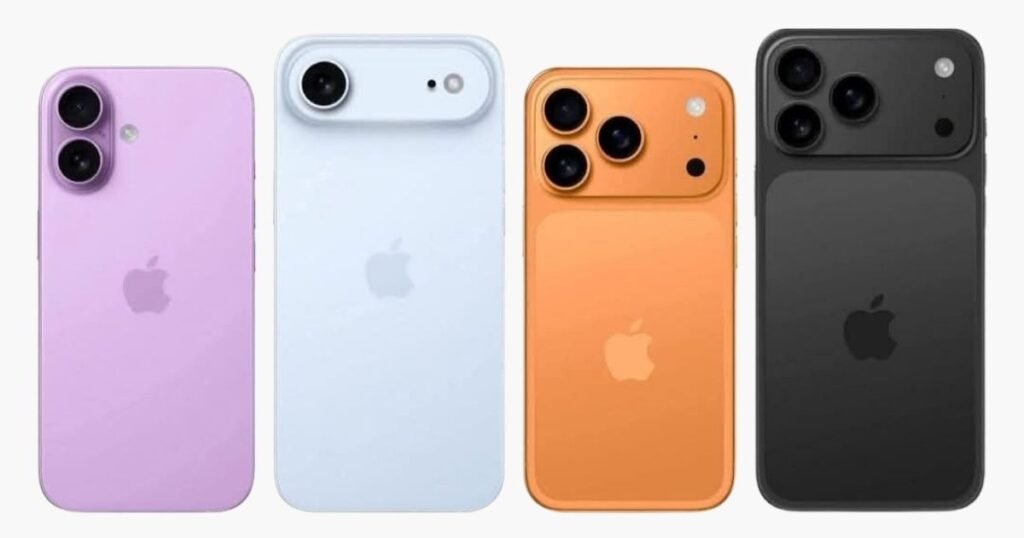
Design-wise, Apple may finally shake things up. Rumors suggest a new titanium build across all models – not just Pro versions.

Possible Under-Display Camera

Leakers say Apple is working on an under-display front camera for a true full-screen experience. Could this be the model to finally pull it off?

Slimmer Bezels and New Materials

Say goodbye to the notch? Maybe. Thinner bezels, rounded edges, and even graphene materials for better heat dissipation are being tested.

Display and Size Expectations

LTPO OLED and Higher Refresh Rates?

The iPhone 17 lineup will likely continue with LTPO OLED displays, offering smoother 120Hz ProMotion tech. But this time, we might see it on all models – not just the Pros.

Screen Size Variants – Still Mini, Plus, and Pro?

Expect the usual suspects:

  • iPhone 17
  • iPhone 17 Plus
  • iPhone 17 Pro
  • iPhone 17 Pro Max (or possibly “Ultra”)

Performance Upgrades: A Powerhouse in Your Pocket

A19 Chipset – Rumor or Reality?

Apple’s rumored A19 Bionic chip could offer next-level performance with energy-efficient architecture and machine learning boosts.

RAM and Battery Life Expectations

Word on the street is 8GB RAM across the board and further tweaks to battery efficiency. Apple wants your phone to last longer and run cooler.

Efficiency and AI Optimization

With Apple leaning more into on-device AI, the iPhone 17 could see smarter camera enhancements, Siri improvements, and dynamic screen adaptation.

Camera Enhancements: More Than Just Megapixels

Upgraded Front Camera

The selfie game might level up with improved low-light performance and AI background editing – goodbye photo bombs.

Periscope Lens Coming to Standard Models?

Apple could finally bring the periscope zoom from the Pro Max to lower-tier models. That means crisp, far-away shots without needing a Pro.

AI-Driven Photography Features

Think real-time object removal, smart lighting adjustments, and cinematic-quality video stabilization.

iOS 19 – The Perfect Software Companion

Exclusive Features for iPhone 17?

Apple often holds back a few shiny new features for its latest hardware. Expect iOS 19 to include lock screen widgets, interactive wallpapers, and smarter app suggestions.

Smarter Siri and Customization Tools

Could Siri finally feel like a true assistant? iOS 19 aims to make voice control more natural and less robotic.

Connectivity and Charging Improvements

Wi-Fi 7 and 5G Upgrades

With Wi-Fi 7 support and faster 5G chips, downloading a 4K movie in seconds might become your new normal.

Wireless Charging Boost and USB-C Continuation

Apple is sticking with USB-C, and wireless charging is expected to be faster, safer, and finally universal with more third-party support.

Battery Life and Thermal Management

Better Cooling Systems

Rumors point to graphene-based cooling, a game-changer for gamers and video editors.

All-Day Battery – Finally?

Could this be the iPhone that finally delivers true all-day battery life, even under heavy use? Fingers crossed.

Pricing Expectations

Will Apple Raise the Bar (and the Price)?

Inflation and new tech might push prices higher. Some sources predict:

iPhone 17: $799

iPhone 17 Pro Max: $1,199+

Comparing Prices with iPhone 16 Series

Expect about a $50–$100 price bump compared to last year’s models.

Global Availability

Which Countries Will Get It First?

The U.S., U.K., Canada, Australia, and select EU nations will likely see first-day availability. Other markets may follow within weeks.

Apple’s Expansion into New Markets

Expect Apple to expand further into India, Brazil, and Africa, thanks to better supply chains and localized production.

Should You Wait for the iPhone 17?

iPhone 17 vs. iPhone 16

If you’re rocking an iPhone 14 or earlier, waiting makes sense. The leap in power and camera tech will be significant.

Is the Upgrade Worth It?

If Apple delivers what the leaks suggest, the iPhone 17 could be a game-changer – especially for creatives and tech lovers.

Final Thoughts

The iPhone 17 might not just be another annual upgrade – it could be Apple’s biggest leap since the iPhone X. From under-display cameras to massive performance upgrades and AI smarts, this one might be worth the hype. Mark your calendars for September 2025 – the countdown is on.

FAQs About iPhone 17 Release

Q1: When is the iPhone 17 expected to be announced?

A: Most likely in the first or second week of September 2025.

Q2: Will the iPhone 17 have an under-display camera?

A: It’s rumored, but not confirmed. Apple is reportedly testing the tech.

Q3: Is the iPhone 17 getting USB-C or staying with Lightning?

A: Apple is expected to continue with USB-C.

Q4: What chip will power the iPhone 17?

A: Rumors suggest the A19 Bionic chip with improved AI and performance.

Q5: Will there be an iPhone 17 Mini?

A: Probably not – the Mini line was discontinued after the iPhone 13 series.

Read More: Explore the Sony RX1R III Compact Powerhouse

Galaxy Watch 8 Breakthrough Features and Full Review

Explore Galaxy Watch 8’s top features, design, performance, AI tools, and more in this in-depth, human-written review.

Introduction to the Galaxy Watch 8

A New Era in Smartwatches

If you thought smartwatches had peaked—think again. The Galaxy Watch 8 is here, and it’s rewriting the rules. With Samsung’s latest AI integrations, upgraded hardware, and polished design, the Galaxy Watch 8 is more than just a timepiece—it’s your new personal assistant, health coach, and digital companion.

Why the Buzz Around Galaxy Watch 8?

Everyone’s talking about it—and for good reason. This smartwatch is smarter, faster, and more intuitive than anything before it. It’s not just a marginal update; it’s a leap forward.

Design and Build Quality

Sleek Yet Rugged

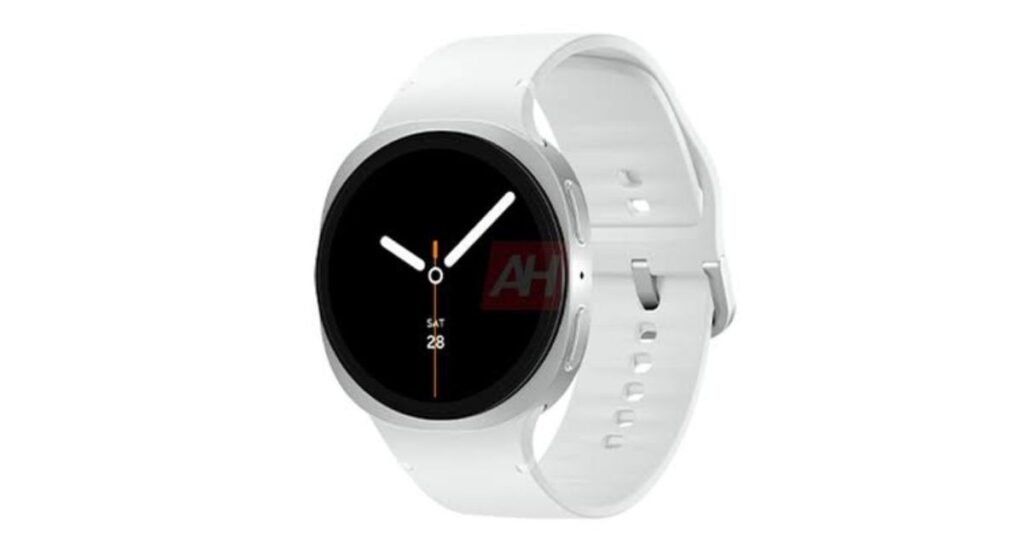
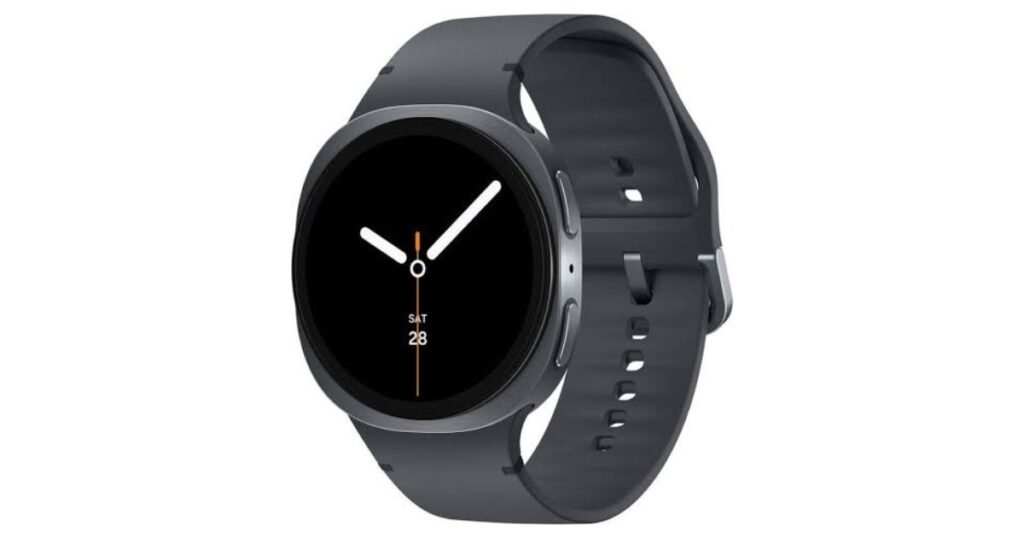
The Galaxy Watch 8 keeps things classy with a thinner bezel, slimmer body, and smoother curves. But don’t let the elegance fool you—it’s tougher than ever.

New Materials and Color Options

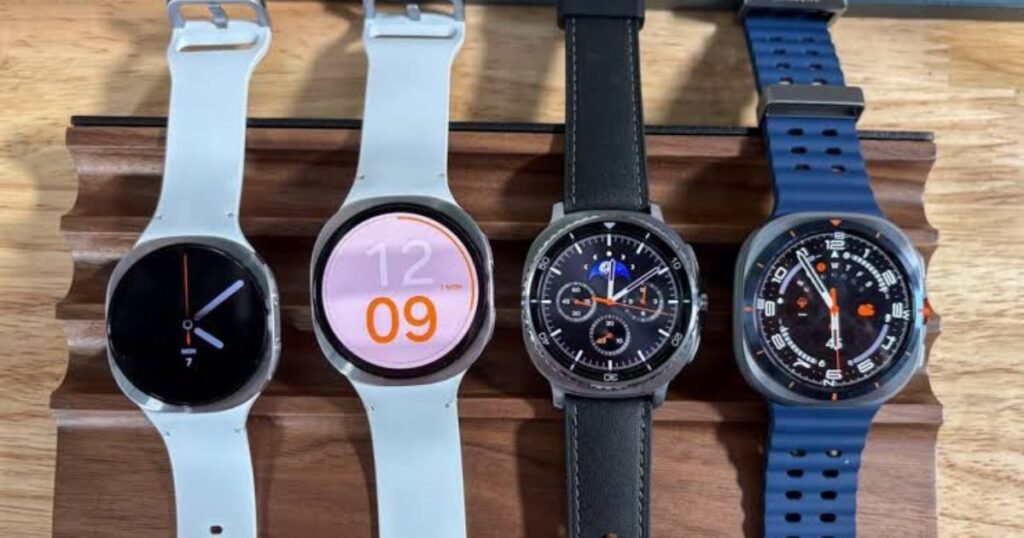
Samsung’s added new eco-conscious materials like recycled aluminum, plus stunning color choices like Arctic Silver, Sapphire Black, and Rose Gold.

Comparison with Galaxy Watch 7 Design

Visually, it’s sleeker. Functionally, it’s sharper. It’s lighter on the wrist yet packs more punch under the hood.

Display Improvements

Brighter, Sharper, Smarter

Thanks to its new Super AMOLED panel, the Galaxy Watch 8 delivers deeper blacks and insane brightness. Sunlight? No problem.

Always-On Display Enhancements

The Always-On display now uses less power, thanks to smarter AI-controlled dimming.

Performance and Hardware

Powered by Exynos W1000 Chip

Say goodbye to lag. The new Exynos W1000 is built on a 3nm process, offering blazing-fast performance with higher efficiency.

RAM & Storage Upgrade

With 2GB of RAM and up to 32GB storage, you can load more apps, music, and data without a hiccup.

Real-World Speed Tests

Swiping through tiles, launching apps, and switching workouts—it’s all silky smooth.

Wear OS 5 Integration

What’s New in Wear OS 5

Wear OS 5 brings fluid gestures, upgraded animations, and better Google app integration—finally!

Seamless Google Ecosystem Experience

You can easily control your Pixel phone, navigate with Google Maps, and even use Google Wallet right from your wrist.

Health and Fitness Tracking

More Than Just Steps and Sleep

The Galaxy Watch 8 tracks over 100 workouts, plus it detects workouts automatically.

Skin Temperature and Sleep Apnea Monitoring

Sleep apnea detection? Yes. Real-time skin temperature tracking? Also yes.

Galaxy AI for Personalized Health Tips

It’s like having a coach on your wrist. The AI monitors your patterns and gives actionable tips.

Battery Life and Charging

Longer Battery, Faster Charging

Thanks to improved battery tech, you can get up to 48 hours on a single charge. And it juices up from 0 to 100 in under an hour.

Wireless Charging and Eco-Charging Modes

Eco-charging mode reduces degradation and extends your battery’s lifespan.

AI-Powered Features

Galaxy AI for Fitness & Messaging

The AI summarizes long messages, offers smart replies, and even adjusts your workout plan based on how you’re feeling.

Smart Replies and AI Summaries

Long email? TL;DR? Your Galaxy Watch 8 gets it done in a flash.

Connectivity and Smart Features

LTE Support and Dual-Bluetooth

LTE lets you go phone-free. Dual-Bluetooth gives you more stable, clearer connections with wireless earbuds.

SmartThings, Find My Device, and More

Control your home, find your phone, or unlock your car—right from your wrist.

Durability and Water Resistance

Military-Grade Protection

MIL-STD-810H certification means this watch can take a beating.

Swim-Ready and Dustproof

It’s 5ATM and IP68-rated, so yes—you can swim with it, dive with it, or just wear it in the rain.

Customization and Watch Faces

New Watch Face Studio

Design your own watch face? Yup. Watch Face Studio makes it easy.

Themes, Widgets, and Complications

Everything is customizable—from calendar views to workout shortcuts.

Price and Availability

Global Launch Details

The Galaxy Watch 8 starts at $399 for the Bluetooth version and $449 for the LTE version. Launching globally in late July.

Galaxy Watch 8 vs. Competitors

It’s ahead of the Apple Watch in battery, ahead of Garmin in smart features, and edges out Fitbit in accuracy.

Who Should Buy the Galaxy Watch 8?

Fitness Enthusiasts

Track everything from yoga to HIIT with pinpoint accuracy.

Business Professionals

Reply to emails, check your schedule, or take a call without touching your phone.

Everyday Smartwatch Users

It’s got something for everyone—from casual users to tech geeks.

Pros and Cons

The Highlights

Excellent display

Stellar battery life

Advanced health features

Seamless Google integration

What Could Be Better?

Slightly higher price point

No rotating bezel (missed that!)

Final Verdict

Is It Worth the Upgrade?

Absolutely. Whether you’re coming from an older Galaxy Watch or another brand, the Galaxy Watch 8 feels like a complete package. Samsung didn’t just polish what was already there—they reimagined it.

Long-Term Value

With advanced AI, better health monitoring, and long battery life, it’s built to last and evolve with you.

FAQs

Q1: Does the Galaxy Watch 8 work with iPhones?

Yes, but you’ll miss out on some exclusive Samsung features.

Q2: Can I use the Galaxy Watch 8 without a phone?

Yes, the LTE model supports standalone use.

Q3: Is the Galaxy Watch 8 waterproof?

It’s 5ATM and IP68-rated—safe for swimming and showers.

Q4: Does it support wireless charging?

Yes, and it charges faster than ever.

Q5: Can I install third-party apps?

Absolutely! It supports the full Play Store catalog for Wear OS.

Read More: The Future of AI and What It Means for All of Us

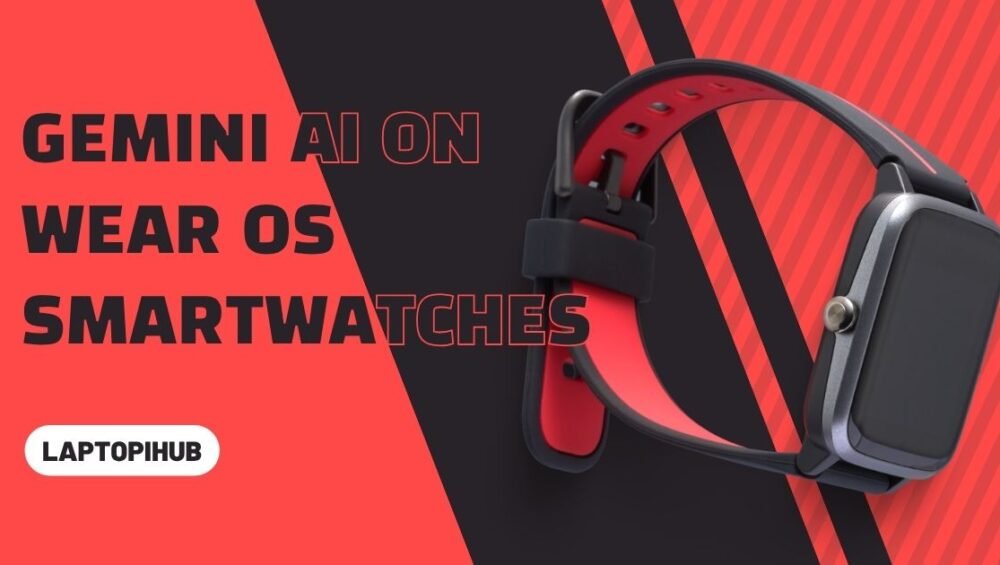
Gemini AI on Wear OS smartwatches

Discover how Gemini AI transforms Wear OS smartwatches with smart replies, productivity, and on-wrist AI intelligence.

Introduction

The Rise of AI on Wearables

Smartwatches have evolved from simple step trackers to sophisticated tech companions. Now, with the arrival of Gemini AI on Wear OS, things are about to get a whole lot smarter—think of it as putting a tiny genius on your wrist.

Why Gemini AI on Wear OS Matters

Wear OS has long leaned on Google Assistant. But Gemini? It’s not just a step up—it’s a leap forward. We’re talking multimodal intelligence packed into a wearable device, helping users live more efficiently without even pulling out their phones.

What Is Gemini AI?

Overview of Google’s Gemini AI

Gemini AI is Google’s latest and most advanced artificial intelligence model. It’s the successor to Bard and integrates deep learning with multimodal capabilities, allowing it to handle text, voice, images, and more—all in one go.

Difference Between Gemini and Google Assistant

Unlike the simpler Google Assistant, Gemini isn’t just reactive—it’s proactive. Think less “OK Google” and more “Here’s what you might need next.” It understands context better, offers layered responses, and makes smarter decisions on your behalf.

Gemini’s Multimodal Magic

Whether you’re asking it to summarize a PDF, draft a message, or analyze an image, Gemini gets it. Now, imagine all that—right on your wrist.

Wear OS and Its AI Evolution

Brief History of Wear OS

Wear OS has come a long way since it launched as Android Wear. From clunky interfaces to sleek and intuitive designs, Google’s wearable OS has matured—but AI was always the missing piece.

AI Integration Before Gemini

Sure, we had voice replies, fitness tracking, and Google Assistant. But those features lacked true intelligence. They followed commands—they didn’t predict needs.

How Gemini AI Enhances Wear OS

Smarter Voice Commands

“Remind me to pick up my dry cleaning… when I’m near the shop.” With Gemini, that’s not just doable—it’s natural. Commands are more fluid, conversational, and smart.

On-Wrist Productivity Boosters

Need to summarize a doc? Translate a message? Or brainstorm blog ideas? Gemini turns your smartwatch into a mini AI co-pilot.

Personalized Suggestions on the Go

Running late? Gemini can suggest alternate routes, auto-message your contact, and even adjust calendar invites—all without you lifting a finger.

Context-Aware Responses

Gemini knows where you are, what you’re doing, and what you might need next. It’s like having a mind-reader (but less creepy and way more helpful).

Key Features of Gemini AI on Smartwatches

Multimodal Input (Text, Voice, Image)

Talk, type, or snap a picture—Gemini understands them all. That’s what sets it apart. Multimodal input means you interact with your watch the way you want.

Real-Time Assistance

Ask a question, get an answer—faster than ever. Gemini leverages Google’s large language models for instant and accurate help.

App Integration and Control

Gemini plays well with others. Expect deep integration with Gmail, Maps, Calendar, and even third-party apps. Say goodbye to tapping through endless menus.

Language Understanding on a New Level

Got slang? Gemini gets it. Accents? No problem. Complex sentences? Bring them on. This is natural language processing in top gear.

Supported Devices and Rollout

Which Watches Get Gemini First?

Pixel Watch 2 is the flagship launch device. But others will follow—including premium models from Samsung and Fossil (watch out for updates!).

Update Timeline

Google’s rolling out Gemini in phases. Expect full deployment across newer Wear OS devices by end of this year, with possible opt-ins for older models.

Practical Use Cases for Users

Fitness and Health Coaching

From AI-generated workouts to wellness reminders based on your habits—Gemini transforms your smartwatch into a personal coach.

Travel and Navigation

Lost in Tokyo? No worries. Gemini helps with live translations, location recommendations, and smart Maps navigation—all from your wrist.

Smart Notifications and Summaries

Tired of endless pings? Gemini filters, summarizes, and even replies for you. It’s like an inbox assistant—only on your wrist.

AI-Assisted Messaging

Whether you’re crafting a thoughtful reply or auto-responding with flair, Gemini makes messaging smarter, faster, and more you.

Gemini AI vs. Other Smartwatch AI Assistants

Apple Siri vs Gemini

Siri is good, but Gemini is Google’s powerhouse—it understands context better and offers deeper integration with services.

Bixby vs Gemini

Samsung’s Bixby struggles with nuance. Gemini thrives on it. Case closed.

Alexa vs Gemini

Alexa works well for smart homes, but lacks wrist-based AI depth. Gemini owns that space now.

Privacy and Security Considerations

Data Handling and Consent

You’re in control. Gemini asks before accessing sensitive data, and you can customize what it knows and remembers.

On-Device vs Cloud Processing

Most tasks run in the cloud, but Google is shifting some AI features to happen on-device for faster response and better privacy.

Future of Gemini AI on Wearables

Potential Features Coming Soon

Imagine gesture-based controls, real-time language translation in conversations, or AI mood detection—these aren’t sci-fi; they’re just around the corner.

Developer and Third-Party App Ecosystem

Google plans to open APIs so developers can create Gemini-powered smartwatch apps. Think custom AI for everything—from workouts to workflows.

User Experience and First Impressions

What Early Adopters Are Saying

Initial reactions? Mostly wow. Users love the conversational tone, response speed, and smarter suggestions.

Pros and Cons Shared by Users

Pros: Context awareness, intuitive design, smarter replies

Cons: Occasional bugs, limited app support (for now), battery drain under heavy use

Is It Worth the Hype?

Who Benefits Most from Gemini on Wear OS?

If you’re a productivity geek, tech lover, or someone constantly on the move—yes, Gemini is your new best friend.

Should You Upgrade Now?

If your current watch is Gemini-compatible—go for it. The AI upgrade is game-changing.

Conclusion

Gemini AI on Wear OS isn’t just an update—it’s a revolution. With smarter interactions, deeper context understanding, and an AI that actually gets you, your smartwatch just leveled up big time. It’s like carrying a mini Google Brain—right on your wrist. And honestly? That’s the kind of future we’ve all been waiting for.

FAQs

1. What can Gemini AI do that Google Assistant can’t?

Gemini understands context, offers multimodal input, and provides smarter, more personalized responses than Google Assistant.

2. Will older Wear OS watches get Gemini AI?

Some might, but performance depends on hardware. Newer models are prioritized.

3. Is Gemini AI always listening?

No. It activates on command and respects privacy settings you control.

4. Can I disable or customize Gemini AI?

Yes, you can control permissions and adjust how Gemini responds or interacts with your device.

5. Does Gemini AI drain battery faster?

Slightly, during heavy use. However, Google is optimizing for better on-device performance in future updates.

Read More: Mastering Cloudflare for Speed, Security, and Success

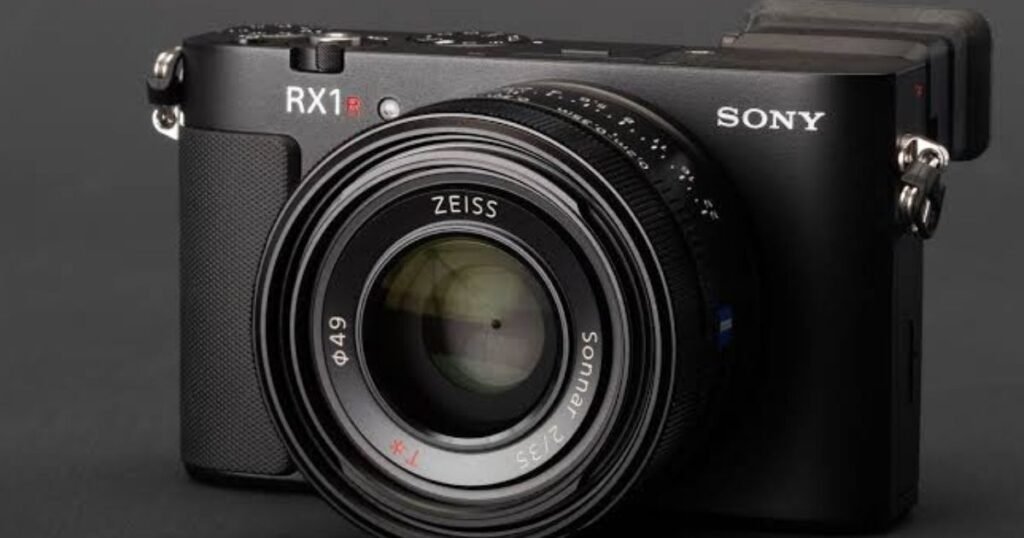
Explore the Sony RX1R III Compact Powerhouse

Discover the Sony RX1R III—a compact full-frame camera with pro features, Zeiss lens, and unbeatable image quality.

Introduction to the Sony RX1R III

If you thought powerful full-frame cameras had to be bulky, think again. Meet the Sony RX1R III—a compact beast that redefines what’s possible in a palm-sized package. It’s sleek, fast, and sharp enough to make professional photographers drool.

The Legacy of the RX1 Series

Sony’s RX1 line has always been a trailblazer. The original RX1 was the world’s first full-frame compact. Then came the RX1R II with better resolution and improved processing. Now, the RX1R III aims to push boundaries even further, combining performance and portability like never before.

What Makes the RX1R III Different

This new version isn’t just an upgrade—it’s a statement. The RX1R III includes a new processor, improved autofocus system, better video features, and a fresh electronic viewfinder (EVF). All this without compromising its pocketable charm.

Design and Build Quality

Premium Compact Construction

From the moment you hold it, you’ll feel the premium materials. Magnesium alloy body? Check. Rugged yet refined? Absolutely.

Portability Without Compromise

It’s light enough to slip into a jacket pocket but tough enough to survive a city shoot. Whether you’re hiking, traveling, or shooting on the go—it won’t weigh you down.

Aesthetic Meets Functionality

Classic design meets modern tech. Minimalist dials, tactile buttons, and a leather-like grip offer both form and function. It’s the kind of camera that feels as good as it looks.

Sensor and Image Quality

Full-Frame Sensor in a Pocket-Sized Body

Here’s the kicker: it’s rocking a 35mm full-frame sensor. That means jaw-dropping detail, vibrant colors, and incredible control over depth of field—all in your palm.

Color Science and Dynamic Range

Sony has dialed in their color game. Skin tones look natural, landscapes pop, and highlights and shadows retain detail beautifully, even in high-contrast scenes.

Low-Light Performance

ISO performance is solid, with usable shots up to 12800 ISO and beyond. Whether you’re shooting city streets at midnight or candlelit portraits, you’ll love the results.

Lens Features

Built-in Zeiss 35mm f/2 Lens

A camera is only as good as its lens—and this one is a Zeiss Sonnar T* 35mm f/2. Razor-sharp, bright, and tuned for perfection.

Sharpness and Bokeh

Tack-sharp wide open, creamy bokeh when you want it. Backgrounds melt away, making your subject pop with cinematic clarity.

Fixed Lens Benefits

No lens swapping, no dust on the sensor. Just grab and shoot. Perfect for those who value speed, spontaneity, and consistency.

Autofocus and Performance

Speed and Accuracy

Thanks to Sony’s BIONZ XR engine, the autofocus is both lightning-fast and tack-sharp. It locks on your subject with minimal hunting—even in dim light.

Real-Time Tracking and Eye AF

Real-time Eye AF for both humans and animals? Yes, please. Whether you’re shooting portraits or furry friends, it nails focus every time.

Performance in Motion and Street Photography

It’s practically built for the streets. Silent shutter, fast AF, and a compact footprint let you capture moments without interrupting them.

Video Capabilities

4K Shooting and Frame Rates

Need video? It’s got it. 4K at 30fps, and Full HD at up to 120fps for slow-motion magic. This little camera punches well above its weight.

Audio Options and Video Assist Tools

External mic support, focus peaking, and zebra patterns help make sure your video’s not just good—but professional-grade.

Who Should Use the RX1R III for Video

While not a dedicated cinema cam, vloggers, documentarians, and hybrid shooters will find plenty to love here.

Usability and Handling

Controls and Interface

Sony’s menus are cleaner than ever, and customizable buttons mean your favorite settings are just a tap away.

EVF and LCD Improvements

Pop-up EVF now with higher resolution and faster refresh. The LCD screen? Tiltable and bright, even outdoors.

Ergonomics for Everyday Use

It fits snugly in hand. One-handed operation? Easy. And you’ll actually want to carry it everywhere.

Battery Life and Storage

How Long Can You Shoot?

Battery life is decent—expect around 300-350 shots per charge. USB-C charging keeps you juiced on the go.

Storage Formats and Speed

Dual SD card slots would’ve been nice, but the single UHS-II compatible slot handles burst shooting and 4K with ease.

Connectivity and Sharing

Wi-Fi, Bluetooth, and Remote Control

Transfer images wirelessly, control the shutter remotely, or connect to your smartphone—all standard fare.

USB-C and Charging on the Go

USB-C is a blessing. Fast data, fast charging, and future-proof connections.

Comparison with Competitors

vs Fujifilm X100VI

The Fuji may win on price and film simulations, but it’s got an APS-C sensor. The RX1R III flexes full-frame muscle.

vs Leica Q3

Leica gives luxury and minimalism—but at nearly double the price. Sony gives you similar IQ and autofocus wizardry for less.

Where the RX1R III Shines

Full-frame quality. Pocket size. Pro performance. There’s just nothing else quite like it.

Ideal Use Cases

Travel Photography

Leave the DSLR at home. With this, you get stunning image quality and won’t break your back doing it.

Street and Documentary Work

Silent, stealthy, and spontaneous. It’s a street shooter’s dream.

Everyday Carry for Creators

Light enough for daily use. Powerful enough for passion projects. What more could you ask for?

Pricing and Availability

Expected Price Tag

Don’t expect it to be cheap. Early estimates suggest around $3,500 USD—but for what it offers, it’s worth every cent.

Value for Money

If image quality and portability matter to you, this camera delivers a punch that’s hard to rival.

Pros and Cons

What’s Great About It

  • Full-frame sensor in a tiny body
  • Stunning Zeiss 35mm lens
  • Pro-level autofocus and video
  • Beautiful build quality

Where It Might Fall Short

  • Fixed lens limits versatility
  • Pricey for a compact
  • No built-in image stabilization

Final Verdict

The Sony RX1R III is the rare kind of camera that photographers dream of but rarely find—a perfect blend of power, portability, and image quality. If you value convenience without compromise, this is the one to watch.

Conclusion

The RX1R III isn’t just a camera—it’s a statement. For those who want full-frame performance in their pocket and don’t want to fuss with multiple lenses or bulky gear, it’s a dream come true. It’s sleek, smart, and ready for any adventure. So if you’re chasing the perfect shot with zero baggage, this might just be your new favorite companion.

FAQs

Is the Sony RX1R III weather-sealed?

No official word yet, but like its predecessor, it may not be fully weather-sealed. A little care in bad weather is advised.

Can you change the lens on the RX1R III?

Nope. It has a fixed 35mm f/2 Zeiss lens—which is a trade-off for ultimate image quality in a compact size.

Does the RX1R III support USB charging?

Yes, it charges via USB-C, making on-the-go top-ups simple and fast.

Is it suitable for beginners?

It’s user-friendly, but due to the price and advanced features, it’s best suited for enthusiasts or pros.

What’s the difference between RX1R II and RX1R III?

Expect better autofocus, faster processing, updated EVF, and improved video in the RX1R III. It’s a major leap forward.

Read More: What is Gemini CLI

Meet Spacetop G1 The AR Laptop

Meet Spacetop G1: The AR Laptop

Experience the future of laptops with Spacetop G1, an AR-powered device with no physical screen—just a 100-inch virtual display in your glasses.

Introduction to Spacetop G1

Why the Tech World Is Buzzing

Say goodbye to physical screens. The Spacetop G1 by Sightful is here, and it’s changing the rules of what a laptop can be. Instead of a traditional display, this groundbreaking device uses AR glasses to project a massive 100-inch virtual screen in front of you—wherever you go. Sounds like sci-fi? Well, it’s real, and it’s here.

What Sets It Apart from Traditional Laptops

Unlike conventional laptops, the Spacetop G1 is screenless, offering a clutter-free and portable experience with full privacy. It’s built specifically for the modern-day digital wanderer who doesn’t want to sacrifice power for portability.

A New Era of Computing with Augmented Reality

What Is Augmented Reality (AR)?

AR overlays digital content onto the real world. In this case, instead of you staring at a physical screen, Spacetop G1’s AR glasses create a virtual workspace only visible to you—hovering in your field of vision.

How AR Is Reshaping Laptop Design

It liberates us from bulky screens. The future of laptops isn’t about thinner bezels—it’s about no bezels. Spacetop G1 pioneers this transition, showing how AR can eliminate the limitations of space.

Design and Build

Compact and Minimalist Form Factor

This device is sleek—about the size of a small keyboard tray. Its simplicity is its strength, reducing visual clutter and making it incredibly bag-friendly.

What’s in the Box?

You get the main Spacetop unit, AR glasses, a USB-C charger, and a sleek carrying case. That’s it. No bulky screen, no extras.

Lightweight Yet Powerful

At under 3.1 pounds (1.4 kg), it’s lighter than most ultrabooks—despite packing serious hardware inside.

The AR Glasses: Your New Display

Virtual 100-Inch Display—No Physical Screen Needed

Imagine carrying around a 100-inch screen in your backpack. That’s the experience Spacetop delivers with its AR glasses, offering a crisp, private view in high resolution.

Privacy at Its Core

People around you can’t see what you’re working on. Whether you’re editing sensitive documents or watching videos, it’s all yours to see—nobody else.

Comfort and Usability for Daily Wear

Designed in partnership with AR optics company Xreal, the glasses are lightweight and rest comfortably even during extended use. They’re surprisingly forgettable—in a good way.

Performance and Hardware

What’s Under the Hood?

Powered by the Qualcomm Snapdragon XR2 Gen 1 chip, the Spacetop G1 runs like a pro. It includes 16GB RAM and 128GB storage—enough for multitasking, streaming, and office work.

Battery Life and Charging

Expect about 8 hours of battery life—enough for a full workday. USB-C fast charging means you’re back to full in under 90 minutes.

Processing Power for Multitaskers

This isn’t a toy—it’s a true productivity machine. Multitasking in an AR environment has never felt this smooth or immersive.

Custom-Built OS Experience

Sightful’s Spacetop OS

Forget Windows or macOS. Spacetop OS is built from the ground up for AR. It’s fluid, minimal, and purpose-built for distraction-free focus.

Smooth Workflow and App Compatibility

It runs web-based apps (Google Docs, Zoom, Slack, etc.) flawlessly, making it ideal for professionals who live in the cloud.

Keyboard and Touchpad Feel

You still get a tactile, full-size keyboard and a responsive trackpad, making the experience feel familiar and intuitive.

Use Cases That Make Sense

Remote Work and Digital Nomads

If you work remotely or travel frequently, Spacetop is a dream. You get a full-sized workstation setup anywhere—coffee shops, airports, parks—you name it.

Creative Professionals and Developers

Designers, coders, video editors—anyone who needs more screen space without the physical bulk—can benefit from the immersive display.

Frequent Flyers and Minimalists

Tired of opening a clunky laptop on a tray table? Spacetop frees you up. It’s the ultimate space-saver for life on the go.

Privacy-First Computing

Why This Device Is a Game-Changer for Security

Sensitive work, confidential documents, even banking—it’s all safe in your field of view. No more nosy neighbors peeking over your shoulder.

Eliminating Shoulder Surfing and Public Exposure

AR keeps your screen private in the most public of spaces—coworking spaces, trains, coffee shops—without needing a privacy filter.

Connectivity and Ports

WiFi, Bluetooth, and USB-C Galore

Expect modern connectivity: WiFi 6, Bluetooth 5.1, and multiple USB-C ports for all your accessories and charging needs.

AR Glasses Connection and Setup

Just plug and play. The glasses connect easily, no external drivers needed. Setup takes less than 5 minutes.

The Learning Curve and Usability

Getting Started with Spacetop G1

Even if you’re not a techie, you’ll be up and running quickly. Sightful designed the interface to be simple and intuitive.

User Experience After the First Week

Most users report a surreal but delightful adjustment period. Once you adapt, going back to a regular screen feels… archaic.

Limitations and Considerations

Who Might Not Love It

Gamers, heavy video editors, or those relying on legacy desktop apps might find the lack of native app support limiting.

Apps or Games That Don’t Play Nice

Anything requiring GPU-heavy rendering or native installs (like full Adobe suites) might not perform optimally on Spacetop G1.

Price Tag and Availability

How Much Does It Cost?

It retails for $1,900—comparable to high-end laptops. You’re paying for portability, privacy, and bleeding-edge innovation.

Where to Buy

Available via invitation through Sightful’s website for now. Wider release expected soon.

Comparison to Traditional Laptops

Screen Real Estate

100-inch virtual display > 15-inch laptop screen. No contest.

Mobility and Portability

It’s lighter, sleeker, and more discreet than most ultrabooks.

User Freedom

Work where you want, how you want—with full focus and privacy.

What People Are Saying

Early Reviews and Impressions

Reviewers call it “a bold step into the future” and praise its privacy and portability.

Tech Experts Weigh In

While still niche, experts agree it’s setting the standard for what’s next in mobile computing.

Future of AR Laptops

Is This the Beginning of the End for Screens?

Quite possibly. If Spacetop succeeds, expect more AR-based laptops and even AR desktops in the near future.

Sightful’s Roadmap Ahead

More hardware upgrades, native app support, and mass-market releases are in the pipeline.

Conclusion

Spacetop G1 isn’t just a laptop—it’s a vision of what computing will look like in the future. It’s sleek, private, powerful, and unlike anything else on the market. While it won’t replace all laptops (yet), it will definitely make you rethink what’s possible. So if you’re ready to ditch the screen and embrace the future, Spacetop G1 might just be your next workstation.

FAQs

1. Can I wear prescription glasses with Spacetop AR lenses?

Yes! The AR glasses are designed to fit comfortably over most prescription eyewear.

2. Is Spacetop G1 suitable for gaming?

Not really. It’s optimized for productivity, not high-end gaming or graphics-heavy applications.

3. Does it support external monitors?

Technically no, because the AR glasses are the monitor—but you won’t need another one!

4. What’s the warranty and return policy?

Sightful offers a standard 1-year warranty and a 14-day return policy for early buyers.

5. Is Spacetop G1 safe for extended use?

Yes. The glasses are designed for all-day use and meet health and safety standards for eye comfort and long-term wear.

Read More: Exploring Perplexity AI and Its Impact on the Future of Search

Top 10 Laptops That Are Totally Worth Your Money

Top 10 Laptops That Are Totally Worth Your Money

Discover the top 10 laptops of the year with expert reviews, specs, and buying tips. Perfect for students, gamers, and professionals alike.

Introduction

Why Choosing the Right Laptop Matters

Let’s face it—buying a new laptop can feel like trying to find the perfect cup of coffee in a world full of espresso machines. There are hundreds of models, price ranges, and specs that sound more like rocket science. But here’s the deal: the right laptop can supercharge your work, play, creativity, or studies. That’s why we’ve rounded up the top 10 laptops that are dominating 2025—and trust us, they’re worth every penny.

What Makes a Laptop “Top”?

Performance? Definitely. But we also look at battery life, build quality, design, display, value, and how well it meets real-world needs. Whether you’re a student, gamer, designer, or remote worker—we’ve got something for you on this list.

1. Apple MacBook Air M2

Ultra-Light Yet Ultra-Powerful

The MacBook Air M2 is like a whisper that can roar. It’s insanely thin, featherlight, and packs Apple’s custom M2 chip that breezes through tasks.

Who It’s Best For

Creative professionals, students, or anyone who wants speed without the bulk.

Key Specs

  • Chip: Apple M2
  • Battery: Up to 18 hours
  • Display: 13.6″ Liquid Retina
  • Weight: 2.7 lbs

2. Dell XPS 13 Plus

Premium Build Meets Performance

It’s Dell’s most luxurious ultraportable yet. With a minimalist design and edge-to-edge keyboard, the XPS 13 Plus screams modern.

What We Love

  • Gorgeous 3.5K OLED display
  • Snappy 12th Gen Intel CPUs

Ideal Use Cases

Professionals, students, designers who want beauty and brawn.

3. ASUS ROG Zephyrus G14

Gaming Beast in a Compact Shell

This isn’t your typical gaming laptop. It’s slim, stylish, and oh-so powerful. Think of it as a muscle car in a sports coupe body.

Who Needs It

Gamers, streamers, or creators who need top-tier graphics on the go.

Performance Breakdown

  • GPU: NVIDIA RTX 4070
  • CPU: AMD Ryzen 9
  • Refresh Rate: 165Hz

4. HP Spectre x360 14

2-in-1 That’s Sleek and Smart

HP’s flagship 2-in-1 nails the balance between elegance and muscle. It flips, bends, and flexes to suit your flow.

Top Features

  • OLED display
  • 3:2 aspect ratio for better productivity

Pros and Cons

✅ Excellent design

❌ Slightly pricey

5. Lenovo Yoga 9i

Flexibility at Its Finest

Lenovo’s Yoga 9i is a showstopper—whether it’s in laptop mode or tent mode. The performance and the soundbar hinge are hard to beat.

Display and Audio Quality

  • Vivid 4K screen
  • Rotating Bowers & Wilkins soundbar

User Experience

  • Comfortable keyboard
  • Built-in stylus included

6. Microsoft Surface Laptop 5

The Minimalist’s Dream

Sleek, simple, and satisfying. That’s Surface Laptop 5 for you. It’s not flashy—but it’s smooth as butter in performance.

Strengths and Weaknesses

✅ Great battery life

❌ Few ports

Best for Productivity

Students and professionals who want a clean, distraction-free machine.

7. Acer Swift X

Budget Laptop With Serious Performance

Acer has packed creator-level hardware in a budget-friendly machine. Yes, that’s a discreet NVIDIA GPU under the hood!

Perfect for Creators

Runs Adobe apps like a champ without breaking the bank.

Technical Highlights

  • CPU: Ryzen 7
  • GPU: RTX 3050
  • Weight: 3.06 lbs

8. Razer Blade 15

Premium Gaming and Creative Power

It’s sleek. It’s sharp. It’s got serious attitude. The Blade 15 is the kind of laptop that’s ready for war—be it games or 4K editing.

Standout Features

  • Up to RTX 4090 GPU
  • 240Hz QHD display

What to Expect

  • Desktop-level power
  • Premium price tag

9. Samsung Galaxy Book3 Pro

Thin, Light, and Beautiful

Samsung’s Galaxy Book3 Pro blends thin design with a stunning AMOLED screen. And it syncs flawlessly with Galaxy phones and tablets.

Connectivity and Ecosystem

  • Link to Windows
  • Samsung SmartThings integration

Display Perks

  • Vibrant AMOLED
  • 120Hz refresh rate

10. LG Gram 17

Big Screen, Featherweight Design

Imagine a 17-inch screen in a laptop that weighs less than 3 pounds. That’s the LG Gram magic—it’s all about productivity without bulk.

Portability vs. Power

Great for work-from-anywhere folks

Productivity Booster

  • Spacious keyboard
  • Long battery life

What to Consider Before Buying a Laptop

Performance vs. Portability

Ask yourself: do you need raw power for editing, or is lightweight travel-friendliness your thing?

Battery Life

If you’re always on the move, a long-lasting battery should be non-negotiable.

Price vs. Value

Don’t just chase specs—think about after-sales support, build quality, and actual day-to-day usability.

Final Thoughts on Choosing the Right Laptop

You don’t need to be a tech genius to find your perfect laptop. Just ask the right questions: How will I use it? Where will I take it? What can I spend? The laptops on this list all stand out in their own ways—whether it’s for sheer power, featherlight builds, or do-it-all versatility.

Conclusion

There you have it—our carefully curated list of the top 10 laptops of the year. From power-packed gaming rigs to elegant everyday performers, there’s something here for every lifestyle and budget. Ready to upgrade your digital life? These machines are calling your name.

FAQs

What is the best laptop for students?

The MacBook Air M2 and Acer Swift X are both excellent for students, depending on your budget.

Which laptop is best for gaming and work?

ASUS ROG Zephyrus G14 and Razer Blade 15 offer solid gaming and multitasking capabilities.

Are expensive laptops really worth it?

They can be—especially if you’re doing high-end tasks like video editing or gaming.

How often should I upgrade my laptop?

Every 4–5 years is average, unless your needs change drastically or your current one slows down.

What’s more important—RAM or processor?

Both matter, but for multitasking, prioritize RAM; for speed, the processor is king.

Read More: power of NVIDIA’s Blackwell GB200 Superchip

The Future of AI and What It Means for All of Us

Explore how AI will shape our lives, jobs, and future society—opportunities, risks, and everything in between.

Introduction to Artificial Intelligence

Artificial Intelligence (AI) isn’t some far-off, sci-fi dream anymore. It’s right here, right now, shaping how we work, shop, drive, and even learn. But what does the future of AI look like? And more importantly, how will it affect you?

A Quick Flashback to AI’s Origins

Back in the 1950s, AI was just an idea—like robots that could think. Fast forward to today, and AI is recognizing faces, recommending your next Netflix binge, and even beating humans at games like chess and Go. Pretty wild, right?

What AI Looks Like Today

Today’s AI can mimic human conversation, write code, paint pictures, and analyze huge chunks of data in seconds. Whether it’s ChatGPT or self-driving Teslas, AI is already part of the everyday.

The Key Drivers Behind AI’s Future

Massive Data Growth

Every click, swipe, and search you make adds to a massive pile of data. AI feeds on this data like fuel. More data = smarter AI.

Advances in Machine Learning and Neural Networks

Think of neural networks like digital brains. They’re now more powerful than ever—learning on their own, detecting patterns, and even writing poetry. Yeah, poetry!

Cloud Computing and Edge Technology

Thanks to powerful cloud servers and edge devices, AI can now run smoothly just about anywhere—even on your smartphone.

The Game-Changing Applications of AI

AI in Healthcare

Diagnosing Diseases with Accuracy

AI can detect tumors, read X-rays, and even spot rare diseases faster than many doctors.

Personalized Medicine

No more one-size-fits-all treatments. AI helps doctors craft care plans that match your unique genetic makeup.

AI in Finance

Fraud Detection

Banks now use AI to sniff out suspicious activity instantly. That weird transaction at 2 AM? AI caught it.

Robo-Advisors and Algorithmic Trading

Why hire a broker when AI can manage your money with razor-sharp precision?

AI in Education

Personalized Learning Paths

AI tailors learning material based on how you learn best—like a tutor that actually gets you.

Smart Tutors

Platforms like Khan Academy and Duolingo are adding AI tutors that guide you step by step.

AI in Entertainment

Deepfake Technology

Scary but fascinating—AI can create videos of people saying things they never said. It’s both a creative tool and a privacy concern.

AI-Generated Music, Art & Stories

Ever heard a song composed by AI? Or seen an AI-generated painting? It’s happening, and it’s impressive.

The Role of AI in Shaping Future Jobs

Automation vs. Augmentation

Yes, AI will replace some jobs. But it will also augment others—making workers more efficient and creative.

The Rise of New AI-Centric Careers

AI engineer, data ethicist, prompt designer—jobs that didn’t exist a few years ago are now in high demand.

Reskilling and Upskilling the Workforce

Want to stay relevant? Learn AI tools. Understand how machines learn. Future-proof your skills.

Ethical and Societal Concerns

Bias in Algorithms

AI isn’t perfect. If it’s trained on biased data, it can make unfair decisions—like denying loans or misidentifying people.

AI and Privacy

With great power comes… great responsibility. AI collects data. But how much is too much?

Autonomous Weapons and Warfare

From sci-fi nightmare to real-world debate—should AI control weapons? That’s a heavy question humanity must answer.

The Promise and Pitfalls of AGI (Artificial General Intelligence)

What Is AGI and How Close Are We?

AGI means an AI that can learn and think just like a human. We’re not quite there yet—but we’re getting close.

The “Control Problem” and Existential Risks

What happens if we build a superintelligent AI… and it doesn’t listen? That’s the scary side of the future we must prepare for.

How AI Will Impact Daily Life

Smart Homes and Virtual Assistants

From turning off lights to restocking your fridge, AI will run your home like a digital butler.

AI in Transportation and Autonomous Vehicles

Self-driving cars will soon become as normal as electric ones. Just sit back and let the car do the work.

Personalized Everything

From ads to healthcare, AI makes everything tailored to you. Convenience at its peak.

Government, Regulation, and Global Policies

Who Governs the Algorithms?

We need laws. We need oversight. Because without rules, AI can go rogue—fast.

AI and International Competition

Countries are racing to lead the AI revolution. Think of it like the space race, but with algorithms.

The Next Decade of AI — What to Expect

More Human-like AI

We’ll soon talk to AI that feels like chatting with a real person. Creepy? Maybe. Useful? Absolutely.

AI That Understands Emotions

Emotionally intelligent AI could help in therapy, customer support, and even relationships.

Full Integration with IoT

Imagine your car, phone, fridge, and watch all working together, predicting your needs before you even ask.

Conclusion: Embracing the AI Future with Caution and Curiosity

AI is changing our world faster than we ever imagined. But it’s not about fearing the future—it’s about understanding it, shaping it, and preparing for it. Whether AI becomes our most powerful tool or our biggest threat depends entirely on how we build, use, and regulate it.

FAQs

Q1: Will AI replace all jobs in the future?

Nope. It’ll replace some, sure—but it’ll also create new ones. Adaptability is key.

Q2: Can AI become conscious like humans?

Not yet—and maybe never. Consciousness is still a big mystery even for humans.

Q3: Is AI dangerous?

Like fire or electricity, it can be—if used irresponsibly. That’s why we need strong ethical frameworks.

Q4: How will AI change education?

It’ll make learning more personalized, interactive, and accessible to everyone.

Q5: How should we prepare for an AI-driven world?

Stay informed, keep learning, and embrace tech with a critical but open mind.

Read More: MacBook Air M3 Review Breaking the Limits

Mastering Cloudflare for Speed, Security, and Success

Boost site speed and security with Cloudflare. Learn how to use its CDN, firewall, caching, and analytics like a pro.

Introduction to Cloudflare

What Is Cloudflare?

Imagine your website as a digital house. Cloudflare is the powerful security guard and maintenance crew that keeps your house safe and running smoothly 24/7. At its core, Cloudflare is a web infrastructure and security company that offers services like content delivery network (CDN), internet security, and DDoS mitigation.

Brief History and Growth

Launched in 2010, Cloudflare has exploded in popularity, now powering over 25 million websites worldwide. From tiny blogs to tech giants, it’s become a go-to tool for keeping websites fast and secure.

Why Is It So Popular?

The short answer? It works. Cloudflare improves performance, boosts security, and offers many features for free. Combine that with an easy-to-use dashboard, and you’ve got a winner.

How Cloudflare Works

The Global Network Explained

Cloudflare’s magic lies in its globally distributed network of servers. These servers are strategically placed in over 300 cities, helping deliver your website content from the location closest to your user.

What Is a CDN (Content Delivery Network)?

A CDN is like a web content delivery expressway. Instead of sending every request back to your origin server, a CDN caches content at edge locations around the globe. This reduces load times and server strain.

DNS Management with Cloudflare

Cloudflare’s DNS (Domain Name System) is blazing fast. It translates your human-readable domain (like yourwebsite.com) into an IP address and does it in milliseconds.

Key Benefits of Using Cloudflare

Enhanced Website Performance

Want to cut your website loading time in half? Cloudflare’s CDN speeds up delivery with smart caching and fast routing, ensuring pages load lightning-quick.

Bulletproof Website Security

With DDoS protection, SSL encryption, and a Web Application Firewall (WAF), Cloudflare acts like a digital fortress, guarding your site against attacks 24/7.

Easy-to-Use Dashboard and Tools

No coding skills? No problem. Cloudflare’s interface is simple enough for beginners but robust enough for pros. Tweak performance settings, monitor traffic, or enable security features with just a few clicks.

Speed Optimization with Cloudflare

Caching Static Content

Cloudflare caches everything from HTML to images, reducing how often your server has to work. This makes your site not just faster, but also more stable under heavy traffic.

Image and Asset Optimization

Using tools like Polish and Mirage, Cloudflare compresses images and adjusts quality depending on the device, helping you deliver the best version to every user.

Browser and Edge Caching Features

Edge caching stores your content closer to visitors, while browser caching stores files locally on their device—resulting in instant repeat visits.

Security Features That Keep You Safe

DDoS Protection

Ever had your site go down from a traffic overload? DDoS attacks are common—but Cloudflare absorbs these attacks like a sponge, preventing crashes.

Web Application Firewall (WAF)

Cloudflare’s WAF blocks malicious bots, hackers, and exploit attempts before they can reach your website, keeping your data and users safe.

Bot Management and SSL

Identify harmful bots and let the good ones through. Plus, automatic SSL certificates ensure secure connections across the board.

Setting Up Cloudflare

Registering and Connecting Your Site

All it takes is creating an account, adding your domain, and following the step-by-step guide. Cloudflare does most of the work for you.

Updating DNS Records

To activate Cloudflare, you’ll update your nameservers to point to Cloudflare. Don’t worry, they guide you every step of the way.

Choosing the Right Plan (Free vs. Paid)

Free is fantastic for most users, but if you need advanced firewall rules or 24/7 support, the Pro or Business plans are worth a look.

Cloudflare Analytics and Reporting

Traffic Insights

See who’s visiting, where they’re from, and what pages they’re viewing—all in real-time.

Performance Reports

Understand how fast your pages load and what optimizations are making the biggest difference.

Security Alerts and Logs

Keep an eye on suspicious activity and review blocked threats with detailed logs and alerts.

Cloudflare Apps and Integrations

Built-in Tools and Add-ons

From analytics apps to marketing tools, Cloudflare’s app store offers plug-and-play solutions to supercharge your site.

Integrations with CMS like WordPress

Installing Cloudflare on WordPress? There’s a plugin for that! With just a few clicks, your blog becomes faster and safer.

Developer API Access

Tech-savvy? Use Cloudflare’s API to automate tasks, tweak settings, and integrate with third-party platforms.

Advanced Features You Should Know

Cloudflare Workers (Edge Computing)

Want to run code at the edge without servers? Workers let you create fast, scalable web applications—right inside the network.

Argo Smart Routing

Argo picks the fastest, least-congested path for your traffic, improving latency and reliability.

Load Balancing and Zero Trust

Keep apps online, even during heavy load or server issues, and protect internal apps with Zero Trust Access.

Common Mistakes to Avoid

Misconfigured DNS Settings

If your DNS records aren’t set right, your site may go offline. Always double-check entries when setting up.

Over-caching Dynamic Content

Dynamic pages like carts or dashboards shouldn’t be cached the same way as static ones. Use page rules wisely.

Ignoring Page Rules

Page Rules are Cloudflare’s secret sauce. Use them to bypass cache, force HTTPS, or redirect traffic.

When You Should Use Cloudflare

For E-commerce Stores

Speed and uptime are critical for online sales—Cloudflare ensures both.

For Blogs and Content Sites

Faster load times = more readers and better SEO rankings.

For Enterprise Websites

Need enterprise-level protection and performance? Cloudflare scales to meet demand.

Cloudflare Pricing Breakdown

Free Plan

Great for hobby sites, personal blogs, or testing things out. Includes basic CDN, DNS, and DDoS protection.

Pro and Business Plans

More features like image optimization, advanced firewall rules, and 24/7 support.

Enterprise Options

Custom SLAs, load balancing, Argo routing, and Zero Trust security for high-traffic or mission-critical sites.

Real-World Success Stories

Small Business Transformation

A local bakery tripled its website speed and cut bounce rate in half by switching to Cloudflare.

How Cloudflare Saved a Site from Downtime

During a DDoS attack, a gaming forum stayed online thanks to Cloudflare’s protection.

Case Study: Speed Gains in Action

A media company saw 35% faster load times just by enabling Cloudflare’s caching.

Pros and Cons of Cloudflare

The Good Stuff

  • Free to start
  • Global CDN
  • Amazing DDoS protection
  • Fast DNS

The Not-So-Good Stuff

  • Some advanced features behind a paywall
  • Learning curve for edge features like Workers

Conclusion

Cloudflare is like having a digital superhero for your website—defending it from threats, speeding it up, and keeping it online when things go wild. Whether you’re a blogger, business owner, or developer, Cloudflare offers tools that grow with your needs. Don’t just build a website—fortify it with Cloudflare.

FAQs

Is Cloudflare free to use?

Yes, Cloudflare offers a completely free plan with CDN, basic security, and DNS services.

Does Cloudflare replace hosting?

Nope. Think of Cloudflare as a performance and security layer on top of your existing hosting.

Will Cloudflare slow down my site?

Actually, the opposite! Cloudflare speeds up your site using global caching and smart routing.

How secure is Cloudflare?

Very secure. It offers DDoS protection, firewalls, SSL, and bot filtering, even on the free plan.

Can I use Cloudflare with WordPress?

Absolutely. There’s a dedicated Cloudflare WordPress plugin to make setup even easier.

Read More: Apple News Redefined: Stay Updated the Smart Way