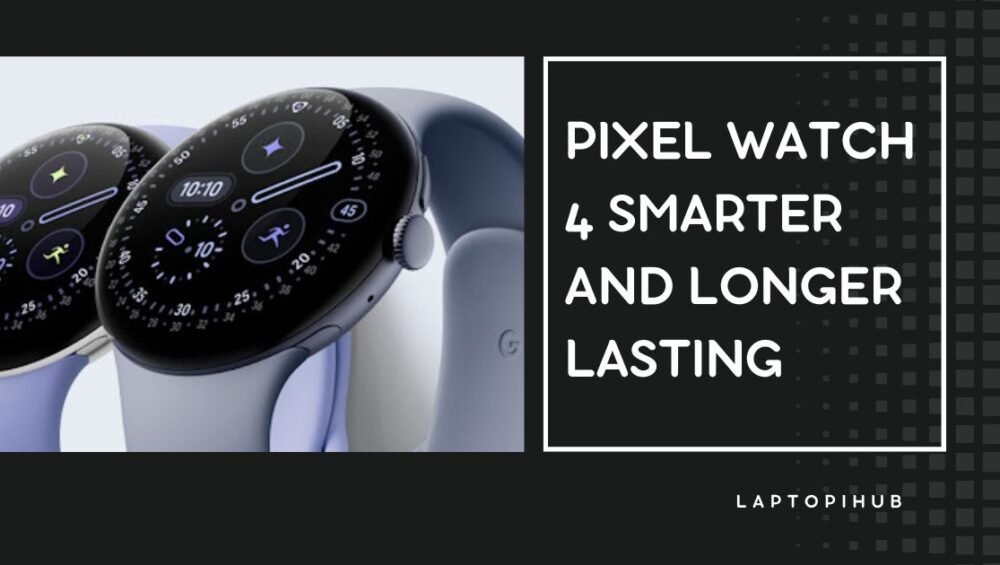
Pixel Watch 4 Smarter and Longer Lasting

Pixel Watch 4 brings a brighter display, longer battery, AI features, and health upgrades in a sleek design.

A Quick Take

The Pixel Watch 4 arrives as Google’s boldest step yet into the smartwatch world, taking everything fans loved about the previous models and pushing it further. At first glance, the design is familiar with its signature domed display, but the improvements are easy to spot once you start using it. This generation brings a brighter and more fluid “Actua 360” display, slimmer bezels, faster performance thanks to the Snapdragon W5 Gen 2 paired with a machine-learning co-processor, and a fresh take on Wear OS with version 6. Battery life is finally longer, lasting more than a full day with ease, and for the first time, the LTE model includes standalone Satellite SOS, which is a potential lifesaver. Add new health tracking features, Gemini AI right on your wrist, and a repairable build, and it’s clear Google is making a serious play for the smartwatch crown.

Release Date and Pricing

Google officially announced the Pixel Watch 4 on August 20, 2025, with pre-orders going live the same day. The watch will hit stores on October 9, 2025. Pricing is refreshingly consistent with the previous generation, which is a surprise considering the amount of upgrades packed inside. The smaller 41 mm version starts at $349 for the Wi-Fi model, while the larger 45 mm version is $399. If you want LTE connectivity for standalone calling and data, you’ll need to add another $100. By keeping the price steady while delivering major enhancements, Google is showing confidence in its smartwatch lineup.

Design and Sizes

One of the most noticeable changes this year is the introduction of two sizes. The Pixel Watch 4 now comes in 41 mm and 45 mm versions, making it more versatile for different wrist sizes. Both keep the domed look that has become iconic to the Pixel Watch series, but refinements in the materials and structure give it a sleeker and more premium feel. The casing is crafted from aerospace-grade aluminum, which keeps it light while still ensuring durability. The watch remains slim at 12.3 mm thick, weighing just 31 grams for the smaller version and 36.7 grams for the larger one, not including the bands. For fitness enthusiasts and swimmers, the water resistance rating is 5 ATM with IP68 dust protection, which means you can wear it in the shower, at the pool, or while sweating through a workout without worry.

Actua 360 Display and Visual Improvements

The showpiece of the Pixel Watch 4 is the Actua 360 display. This innovation isn’t just marketing jargon. In earlier models, the display panel was relatively flat beneath the domed glass. Now, the OLED itself curves, creating an edgeless effect that feels futuristic and more natural. This design not only looks stunning but also offers a 10 percent larger active area without making the watch itself bigger. Bezels are slimmer by 16 percent compared to the previous model, which gives watch faces more room to breathe. Brightness has taken a major leap too, now peaking at 3,000 nits, which is 50 percent brighter than before. Whether you are outdoors in direct sunlight or indoors at night, the watch remains easy to read, smooth, and vibrant.

Materials and Durability

Durability has been improved without compromising elegance. The display is protected by Corning Gorilla Glass 5, while the aluminum casing strikes a perfect balance between sturdiness and comfort. Everyday accidents like bumps, splashes, and drops are far less of a concern. The water resistance of 5 ATM combined with dust protection ensures the Pixel Watch 4 is ready for whatever your day throws at it, whether it is a run in the rain, a swim, or just regular use in tough conditions.

Performance and Platform

Under the hood, the Pixel Watch 4 is powered by Qualcomm’s Snapdragon W5 Gen 2, supported by a dedicated machine-learning co-processor. This dual-chip approach means the main processor handles heavy tasks while the co-processor quietly manages smaller, continuous processes like notifications, activity tracking, and AI features without draining much battery. The result is smoother performance, quicker response times, and better power efficiency. Apps launch faster, scrolling feels more fluid, and the watch handles multitasking with ease.

Wear OS 6 and Material 3 Expressive

Alongside the hardware upgrades, the Pixel Watch 4 debuts Wear OS 6. This update brings a fresh design language known as Material 3 Expressive. The interface uses bold colors, fluid animations, and typography that matches the curved edges of the watch. Functionally, Wear OS 6 focuses on efficiency. Tiles are more useful, notifications are smarter, and navigation feels natural with fewer swipes needed to get where you want. It’s a combination of beauty and practicality, making everyday use enjoyable rather than clunky.

Battery and Charging

Battery life has long been a sore spot for smartwatches, but the Pixel Watch 4 finally addresses this issue head-on. Google rates the 41 mm model at up to 30 hours of use with the always-on display turned on, while the 45 mm version stretches that to around 40 hours. In real-world use, this means you no longer need to charge the watch every single night. With Battery Saver mode, you can even push it to two or three days depending on usage. Charging is faster too, thanks to the new quick-charge dock. A short top-up provides hours of use, and the redesigned charging contacts on the side ensure a secure and efficient connection.

Connectivity and Safety

Perhaps the most exciting addition this year is standalone Satellite SOS, which is available on LTE models. This feature allows you to reach emergency services even when you are outside of cellular coverage, a game-changer for hikers, campers, or anyone who spends time in remote areas. The watch also supports precise GPS, Bluetooth, Wi-Fi, NFC for contactless payments, and even UWB for advanced location and connectivity features. These upgrades make the Pixel Watch 4 a safer and smarter device for everyday life.

Health and Fitness

Fitness and health tracking remain central to the Pixel Watch 4, and this generation pushes the boundaries further. New sensors improve heart rate accuracy, track skin temperature, and offer more detailed insights into your body’s daily rhythms. Sleep tracking is smarter with enhanced detection and personalized insights, helping you understand how rest impacts your energy levels. Auto-activity detection is faster and more accurate, so whether you are jogging, cycling, or lifting, the watch recognizes it without you needing to tap a button. Fitbit integration remains strong, but now it includes an AI health coach powered by Google’s Gemini, offering tailored suggestions and motivation to help you hit your goals.

Gemini on Your Wrist

Speaking of Gemini, the AI assistant now lives right on your wrist in a much more natural way. With the new Raise to Talk feature, you don’t even have to say “Hey Google” anymore—simply lift your wrist and start speaking. Gemini understands context better than ever, delivering smart replies, summarizing notifications, and helping with tasks on the go. It feels like having a mini AI companion that learns your habits and adapts to your needs.

Repairability and Serviceability

Another important change is that the Pixel Watch 4 is designed with repairability in mind. Previous generations were nearly impossible to fix, often requiring full replacements for minor issues. This time, Google has made the watch more serviceable, which means longer product life and potentially lower repair costs. It is a move that aligns with sustainability goals and gives peace of mind to users who plan to keep their device for years.

Colors, Bands, and Personalization

Google knows personalization is key, so the Pixel Watch 4 comes in multiple colors and finishes with a wide range of bands. Whether you prefer a sporty look, a classic leather strap, or a sleek metal bracelet, there’s something to match your style. The improved display makes customizable watch faces pop more than ever, letting you make the watch feel uniquely yours.

Everyday Experience

All these features come together to make the Pixel Watch 4 not just a gadget but a true daily companion. From handling calls and texts to tracking workouts and guiding you with AI-powered insights, it integrates seamlessly into your lifestyle. Whether you are rushing to work, relaxing on a weekend, or exploring the outdoors, the Pixel Watch 4 feels like it is always one step ahead.

Pixel Watch 3 vs Pixel Watch 4

Compared to the Pixel Watch 3, the fourth-generation model is a clear upgrade. It is faster, brighter, more durable, and finally delivers on battery life. The new health sensors, Gemini integration, and Satellite SOS give it features that go beyond just being a smartwatch—they make it a genuine health and safety tool.

Pixel Watch 4 vs Galaxy Watch 8

When placed against rivals like Samsung’s Galaxy Watch 8, the Pixel Watch 4 holds its ground. While Samsung still has advantages in certain fitness features, Google’s integration of AI and the cleaner Wear OS 6 experience make the Pixel Watch 4 highly competitive. The choice may come down to whether you live in the Google ecosystem or Samsung’s, but for Pixel phone owners, the Watch 4 feels like a perfect match.

Pros and Cons

The Pixel Watch 4 has plenty going for it: stunning design, bright and spacious display, longer battery life, better performance, and features like Satellite SOS and Gemini AI. Downsides? The battery life, while improved, still may not satisfy heavy users seeking week-long endurance, and LTE models do carry a higher price tag. Still, the pros heavily outweigh the cons.

Verdict

The Pixel Watch 4 is the smartwatch Google fans have been waiting for. It strikes the right balance between design, performance, health tracking, and smart AI features. With its repairable build, improved battery, and powerful new software, it feels ready for the mainstream. If you are in the market for a smartwatch that blends elegance with intelligence, the Pixel Watch 4 is one of the best choices available right now.

FAQs

Q1: How long does the Pixel Watch 4 battery last?

The smaller 41 mm model lasts up to 30 hours with the always-on display, while the larger 45 mm version lasts around 40 hours.

Q2: Can I swim with the Pixel Watch 4?

Yes, the watch has a 5 ATM water resistance rating, making it safe for swimming, showering, and sweaty workouts.

Q3: What makes the Actua 360 display different?

The OLED itself curves along with the glass, creating a more seamless look and a larger active screen area with thinner bezels.

Q4: Does the Pixel Watch 4 work with iPhones?

The watch is optimized for Android and especially Pixel phones, but core features may not be fully available on iOS devices.

Q5: Is the Pixel Watch 4 worth upgrading from Pixel Watch 3?

Yes, if you value better battery life, a brighter display, new health features, and AI integration, the upgrade is well worth it.


Read More: realme p4 pro Review Slim Beast with 7000mAh Power

realme p4 pro Review Slim Beast with 7000mAh Power

realme p4 pro packs a slim design, 7000mAh battery, 144Hz AMOLED, and Snapdragon power. Discover why it’s the best mid-range all-rounder.

Introduction

The smartphone industry moves fast, and every month there seems to be a new device competing for attention. Yet, some phones manage to break through the noise with features that instantly stand out. The realme p4 pro is one of those phones. What makes it special is the rare combination of a massive 7000mAh battery inside a body that is slim and lightweight. Add to that a stunning 144Hz curved AMOLED display, reliable Snapdragon performance, and a 50MP selfie camera, and you begin to understand why it has become the talk of the mid-range segment.

Price and Availability

realme has positioned the p4 pro as an affordable powerhouse. It comes in three main configurations: 8GB RAM with 128GB storage, 8GB RAM with 256GB storage, and 12GB RAM with 256GB storage. The starting price in India is ₹24,999, making it a serious contender in the sub-₹30K category. Availability spans both online platforms like Flipkart and realme’s official website, as well as offline retail partners. Buyers can also expect promotional discounts and bank offers during the initial launch phase. In the box, realme includes an 80W fast charger, a USB-C cable, and the usual documentation, ensuring you don’t have to spend more on accessories right away.

Design and Build

The design of the realme p4 pro is one of its biggest surprises. Despite carrying a battery larger than most flagships, the phone measures only about 7.68mm thick and weighs just 189 grams. This makes it one of the slimmest and lightest smartphones with such a large battery. It feels comfortable in hand, slips easily into pockets, and avoids the bulk that usually comes with high-capacity batteries. The phone comes in Midnight Ivy, Birch Wood, and Dark Oak Wood finishes. While Midnight Ivy gives a sleek modern look, the wood-inspired designs bring something fresh and unique to the smartphone market. Durability is also impressive with IP68 and IP69 ratings, offering resistance against water and dust. This level of protection adds confidence, especially for those who live active lifestyles or travel often.

Display Experience

The p4 pro is equipped with a 144Hz HyperGlow 4D Curve+ AMOLED display that elevates the viewing experience. The high refresh rate makes everything feel smoother, from scrolling through social feeds to playing fast-paced games. The curved edges enhance immersion and give the phone a premium feel. Brightness levels are high enough to keep the display readable under direct sunlight, while HDR support ensures vibrant colors and deep contrasts when streaming content. For long hours of use, the phone offers eye-comfort features such as PWM dimming and night mode to reduce strain, especially in low-light environments.

Performance and Hardware

At its core, the realme p4 pro runs on the Snapdragon 7 Gen 4 chipset. This 4nm processor balances efficiency with power, delivering smooth performance across everyday tasks like browsing, social media, and multitasking. Apps launch quickly, switching between them feels effortless, and the phone handles demanding use cases like gaming without breaking a sweat. The addition of a dedicated Hyper Vision AI chip helps offload tasks such as camera processing and video enhancements, ensuring that the main CPU isn’t overloaded. This dual-chip approach allows for smoother gaming visuals, better camera quality, and stable performance under pressure.

Software and User Experience

The phone runs on Android 15 with realme UI on top. The interface is clean, colorful, and easy to navigate. It comes with useful features like Smart Sidebar for quick app access, customizable Always-On Display options, and advanced privacy settings. Like many Android phones, it does include a few preinstalled apps, but most of them can be uninstalled if you prefer a minimal setup. realme has improved its update policy in recent years, and buyers can expect consistent security patches along with a couple of major Android version upgrades during the phone’s lifecycle.

Camera Performance

Cameras have become a deciding factor for many buyers, and the realme p4 pro doesn’t disappoint. On the back, it features a 50MP primary sensor with optical image stabilization and an 8MP ultrawide lens. The main camera captures sharp and detailed images in daylight, with vibrant yet natural colors. The ultrawide is perfect for landscapes and group photos, though it performs best under good lighting conditions. On the front, a 50MP selfie camera delivers excellent results for selfies, video calls, and vlogs. The resolution ensures clear and detailed shots, making it a strong tool for content creators. Video recording is also impressive, with support for 4K at 60fps and improved stabilization for smooth clips even while walking. In low light, the camera’s night mode does a solid job of brightening scenes without over-processing. Portrait mode also delivers pleasing edge detection and background blur.

Battery Life and Charging

The realme p4 pro’s 7000mAh battery is its biggest strength. For most users, this means at least a day and a half of heavy use or two full days of moderate use. Whether you’re a student attending classes, a professional relying on navigation and calls, or a gamer playing for hours, the battery will not leave you stranded. When it’s time to charge, the 80W fast charger tops up the battery quickly, ensuring you don’t have to wait long. There’s also a Bypass Charging feature that powers the phone directly during gaming sessions, reducing heat buildup and preserving battery health in the long run.

Audio and Connectivity

The p4 pro features stereo speakers that deliver clear and loud audio for videos, music, and calls. Microphone quality is reliable, cutting out background noise during conversations. Connectivity is future-proof with full 5G support, dual-band Wi-Fi, Bluetooth, GPS, and NFC in selected regions. The in-display fingerprint scanner works quickly, and haptics are adequate though not as strong as those found in flagship devices.

Gaming Experience

Gamers will find the realme p4 pro to be a capable companion. With its Snapdragon 7 Gen 4 processor, 144Hz display, and optimized cooling, games run smoothly with minimal frame drops. Popular titles that support high refresh rates feel especially fluid. The phone manages heat well, getting warm during extended sessions but never uncomfortable. realme has also included useful gaming tools that let you block notifications, monitor frame rates, and adjust performance settings on the fly.

Comparisons with Rivals

In the crowded mid-range market, the realme p4 pro competes with devices like the OnePlus Nord CE, POCO X-series, and iQOO Neo models. Compared to these, the p4 pro stands out with its larger battery, higher refresh rate display, and more distinctive design. While some rivals may offer slightly better raw gaming performance or stronger haptics, the realme balances multiple strengths in one package. For users who prioritize endurance, design, and content creation features, it has a clear edge.

Who Should Buy the realme p4 pro

The realme p4 pro is designed for people who want power without compromise. Content creators will love the 50MP selfie camera and stable 4K video features. Students and casual users will benefit from the unmatched battery life, ensuring they stay connected all day. Travelers will appreciate the IP ratings, dual-SIM 5G support, and reliable GPS, making it a trustworthy companion on the go.

Pros and Cons

Every phone has strengths and weaknesses. The realme p4 pro excels in battery life, slim design, smooth display, and strong cameras for both front and back. It also brings peace of mind with its durability rating. On the downside, the ultrawide lens is modest at 8MP, haptic feedback could be stronger, and features like wireless charging or a telephoto camera are missing. Still, these trade-offs are understandable given the price point.

Tips for Better Experience

To make the most of the p4 pro, users can enable adaptive refresh rate to save battery while still enjoying smooth performance. Camera settings like AI scene enhancement help improve shots of landscapes and food. For charging, making use of the Bypass Charging option during long gaming sessions will keep the battery healthier for longer.

Final Verdict

The realme p4 pro successfully blends endurance, style, and performance into one appealing package. With its 7000mAh battery, slim build, high-refresh AMOLED display, and capable cameras, it checks nearly all the boxes that mid-range buyers care about. While there are phones that may beat it in one or two categories, few manage to offer this level of balance at such a competitive price. For anyone shopping in the sub-₹30K range, the realme p4 pro is easily one of the best all-rounders to consider.

FAQs

Does the realme p4 pro support 4K video recording?

Yes, it supports 4K recording at up to 60fps with AI-assisted stabilization.

What processor powers the p4 pro?

It is powered by the Snapdragon 7 Gen 4 chipset paired with a Hyper Vision AI chip.

How heavy is the phone with its 7000mAh battery?

It weighs about 189 grams, making it surprisingly light for such a big battery.

What are the available variants?

The p4 pro is offered in 8GB/128GB, 8GB/256GB, and 12GB/256GB models.

Is the phone water-resistant?

Yes, it has IP68 and IP69 ratings for dust and water resistance.

Read More: Autonomous Vehicles: The Definitive Guide to Self-Driving Cars

Autonomous Vehicles: The Definitive Guide to Self-Driving Cars

Autonomous Vehicles: The Definitive Guide to Self-Driving Cars

A clear guide to autonomous vehicles—how they work, benefits, safety, laws, and what’s next.

What Are Autonomous Vehicles?

Autonomous vehicles (AVs) are cars, shuttles, or trucks that can sense their environment and move with minimal—or even zero—human input. Think of them as computers on wheels with a full set of “senses” and a fast-thinking “brain” that interprets the world in real time.

Defining Autonomy

Autonomy isn’t binary. There’s a spectrum from basic driver aids to vehicles that can handle all driving in all conditions. The closer you get to the top of that spectrum, the more the car—not the human—does the work.

SAE Levels at a Glance

The Society of Automotive Engineers (SAE) defines six levels:

  • Level 0: No automation.
  • Level 1: One assist (like adaptive cruise).
  • Level 2: Combined assists (lane centering + cruise) but driver supervises.
  • Level 3: Car drives in some conditions; driver must take over when asked.
  • Level 4: Car drives itself within defined areas/conditions—no human needed there.
  • Level 5: Any road, any time—full automation.

Levels 0–5 Snapshot

A handy way to remember it: Levels 0–2 help you; Levels 3–5 replace you (in growing portions of the trip).

How Self-Driving Tech Works

Self-driving stacks are typically broken into three big buckets: perception, prediction, and planning—glued together by high-performance compute and safety-critical software.

Sensor Suite: Cameras, Radar, LiDAR

Cameras capture color and texture—great for reading signs and lane markings. Radar measures distance and speed, especially useful in rain or fog. LiDAR maps the world with precise 3D point clouds. Each has strengths and weaknesses; together, they create redundancy—like having sight, depth, and motion senses all at once.

HD Maps and Localization

High-definition maps add context: curb shapes, lane-level details, speed zones, and known landmarks. Localization algorithms then figure out exactly where the vehicle sits on that map—down to centimeters—using a blend of GPS, odometry, and sensor matching.

Perception, Prediction, Planning

Perception answers “What’s around me?” (cars, bikes, pedestrians, cones). Prediction estimates “What will they do next?” Planning decides “What should I do now?”—accelerate, yield, change lanes, or stop. It’s a constant loop running many times per second.

Edge Cases and Redundancy

Edge cases—like a plastic bag vs. a rock across the lane—are tricky. AVs use fallback strategies, multiple sensors, independent compute paths, and safe-stop behaviors to handle surprises without drama.

ADAS vs. Full Autonomy

Advanced Driver-Assistance Systems (ADAS) make human driving easier; they don’t remove the human from the loop.

Driver Assistance Today

Features such as lane-keeping, adaptive cruise, blind-spot monitoring, and automated parking reduce workload but still require attention. If the car asks you to take over, you must.

Over-the-Air Updates

Like your phone, many modern vehicles update over the air. This can improve lane-keeping, expand supported roads, or add new safety features—no dealership visit required.

Benefits and Opportunities

Autonomous vehicles promise more than convenience. They could reshape safety, mobility, and the economy.

Safety Potential

Human error contributes to most crashes. AVs don’t get drowsy or text while driving. With mature systems and robust validation, AVs could significantly reduce accidents and fatalities.

Accessibility and Mobility

AVs can restore independence to people who can’t drive—older adults, the visually impaired, or those with medical conditions—unlocking better access to work, health care, and social life.

Productivity and Logistics

From robotaxis to autonomous delivery vans and long-haul trucks, AVs can cut costs, run 24/7, and ease driver shortages, potentially lowering delivery times and prices.

Challenges and Risks

The road isn’t all smooth.

Safety Validation

Proving safety is hard. It’s not enough to drive billions of miles; systems must demonstrate reliability across edge cases—construction zones, emergency scenes, odd debris, and rule-breakers.

Weather and Long-Tail Problems

Heavy rain, snow, glare, and deteriorated lane markings challenge sensors. The “long tail” of rare events demands sophisticated simulation and conservative behaviors.

Ethical and Social Questions

Who gets priority in ambiguous situations? How do we balance efficiency with fairness to pedestrians and cyclists? Communities need transparent policies so AVs integrate respectfully.

Cybersecurity and Privacy

Connected cars need strong defenses: encrypted communications, hardened ECUs, secure OTA updates, and privacy-preserving data practices. A compromised AV is more than a data breach—it’s a safety risk.

Regulations and Standards

No single global rulebook exists; frameworks are evolving.

SAE and ISO Landscape

SAE levels describe capability. Safety processes are guided by standards like ISO 26262 (functional safety) and ISO/PAS 21448 (Safety of the Intended Functionality). These help teams design, test, and prove safety.

Testing Permits and Safety Cases

Cities and countries often require testing permits, transparent reporting, and safety cases that explain how the AV mitigates risk before pilots or commercial service launch.

The Business Landscape

Business models vary by geography, tech stack, and use case.

Robotaxis vs. Personal AVs

Robotaxis focus on fleets operating in mapped urban areas—think ride-hailing without a driver. Personal AVs emphasize advanced assistance and limited autonomy features in consumer cars, expanding over time.

Autonomous Trucks and Delivery

Middle-mile trucking on highways and last-mile delivery in defined neighborhoods are attractive early markets: constrained routes, repeatable scenarios, and strong economics.

Economics and Unit Economics

Profitability hinges on vehicle utilization, maintenance costs, insurance, and the cost of the sensor-compute stack. As hardware scales and software matures, per-mile costs should fall.

Data, AI, and Simulation

AVs thrive on data—lots of it.

Training Data and Fleet Learning

Vehicles collect scenarios to train and improve models: unusual merges, unpredictable pedestrians, complex roundabouts. Fleet learning turns rare events in one city into improvements for all cities.

Simulation and Digital Twins

Simulation lets teams replay dangerous or rare situations millions of times safely. Digital twins mirror real streets, traffic flows, and weather, letting engineers test updates before touching public roads.

Metrics That Matter

Key metrics include disengagement rate (when a safety driver intervenes), collision-equivalent rates, policy compliance, comfort scores, and mean-time-between-incidents. Good programs track both safety and rider experience.

Urban Design and Infrastructure

Cities influence how smoothly AVs can operate.

V2X and Smart Roads

Vehicle-to-Everything (V2X) allows cars to receive signal-phase and timing from traffic lights or warnings from roadside units. Even modest upgrades—clearer signage, consistent lane paint—boost AV performance.

Charging and Maintenance Depots

Electric AV fleets need reliable charging, overnight parking, and predictive maintenance bays. Well-planned depots increase uptime and reduce costs.

Buying and Using an AV

What should riders and future owners expect?

What to Expect as a Rider

A typical ride begins with an app: request, meet the vehicle, authenticate, buckle up, and go. Inside, you’ll find clear displays, route previews, and help buttons that connect to remote support.

Insurance and Liability Basics

Responsibility shifts as automation increases. In ADAS and Level 2 cars, the driver is liable. In higher levels within an operational domain, liability can shift toward the manufacturer or operator.

Tips for Safe Handovers

If your car is Level 2 or 3, treat handovers like baton passes. Keep eyes up, hands close to the wheel, and respond promptly when the car asks for control.

The Road Ahead

Where is this all going?

Near-Term Timeline

Expect steady expansion: more cities, longer service hours, better performance in rain and at night, and wider highway autonomy in consumer vehicles.

Wildcards and Breakthroughs

Breakthroughs in long-range perception, on-device AI efficiency, and robust sensor fusion could accelerate adoption. Conversely, regulatory setbacks or high-profile incidents could slow rollouts.

How to Prepare Your Business

Map your workflows to autonomous logistics today: pilot autonomous delivery windows, redesign curb space for AV pick-ups, and train staff on human-AV interaction. Small steps now compound later.

Conclusion

Autonomous vehicles are moving from science fiction to everyday infrastructure. Powered by sensors, AI, and relentless simulation, they promise safer roads, broader access to mobility, and leaner logistics. The path isn’t trivial—weather, edge cases, cybersecurity, and evolving laws demand rigor—but the momentum is real. Whether you’re a driver, a city planner, or a business owner, now is the time to understand AVs, experiment with low-risk pilots, and prepare for a world where software does more of the driving.

Read More: Mastering Development with AI Code Assistants

Mastering Development with AI Code Assistants

Mastering Development with AI Code Assistants

AI code assistants explained in plain English—how they work, benefits, risks, best practices, prompts, metrics, and setup tips to code faster and safer.

Introduction to AI Code Assistants

AI code assistants are like hyper-attentive pair programmers who never get tired, remember the entire codebase, and can type at lightning speed. They help you write, refactor, test, and understand code across languages and frameworks. In this guide, you’ll learn what they are, how they work, where they shine, when they stumble, and how to get real value without sacrificing code quality or security.

Why AI pair programming matters now

Software teams are under more pressure than ever: faster releases, tighter budgets, broader tech stacks. AI assistants ease that pressure by accelerating routine tasks, reducing context switching, and providing instant “second opinions.” The result is more time for design, architecture, and the thorny edge cases that actually move the needle.

What this guide covers

You’ll get a plain-English tour of the tech, practical playbooks for daily work, security and compliance checklists, measurement strategies, and forward-looking ideas so you can adopt AI responsibly and effectively.

What Is an AI Code Assistant?

An AI code assistant is software powered by large language models (LLMs) that understands natural language and source code. It integrates with your IDE, terminal, or repository to suggest code, explain snippets, answer questions about your project, and automate repetitive engineering tasks.

From autocomplete to pair programmer

Traditional autocomplete predicts a token or two. Modern assistants propose whole functions, tests, docstrings, or refactors in context. They act more like a junior dev sitting next to you: you describe the intent; they draft options; you review and merge.

Common types and where they live (IDE, CLI, cloud)

Most assistants plug into editors like VS Code, JetBrains IDEs, or Neovim. Some run in the CLI to generate files or answer repo questions. Others live in cloud platforms and connect directly to your Git provider, CI/CD, and documentation.

AI code assistants explained in plain English—how they work, benefits, risks, best practices, prompts, metrics, and setup tips to code faster and safer.

How AI Code Assistants Work

Large language models in plain English

LLMs are trained on massive datasets of text and code, learning patterns that map intents to outputs. When you ask, “Write a function to validate an email in Python,” the model predicts the most likely, syntactically valid code that meets your constraint—guided by your project’s style and surrounding context.

Context windows, embeddings, and repo awareness

Assistants don’t read your entire repository at once. They focus on a “context window”—a slice of relevant code, comments, and docs. Embeddings turn code and prose into vectors, enabling semantic search to fetch the most relevant files into that window. Better context means better suggestions.

Privacy modes and on-device vs. cloud inference

Enterprises often require strict data controls. Many assistants offer local inference or “no-training” modes so your prompts and code aren’t retained. Some tools can run on a developer workstation or VPC; others rely on hardened cloud endpoints with encryption, redaction, and auditing.

Core Capabilities

In-line completions and multi-line suggestions

You start typing; the assistant proposes the next few lines or an entire function. Accept what works, reject what doesn’t—fast iterations keep you in flow.

Code generation and scaffolding

From CRUD endpoints to React components and Terraform modules, assistants can bootstrap structures, wiring, and boilerplate so you focus on logic and UX.

Refactoring and style normalization

They suggest idiomatic patterns, break up long functions, and align code with your formatter and linter rules. Think of it as a guardian of consistency.

Documentation and comment synthesis

Clear comments, JSDoc/Pydoc stubs, and ADR drafts can be produced from code and commit diffs. Your future self (and teammates) will thank you.

Unit test generation and test maintenance

Assistants generate happy-path and edge-case tests, stub dependencies, and keep tests in sync during refactors. You still own coverage and assertions, but drafting goes faster.

Bug detection and fix proposals

They flag suspicious branches, race conditions, or unchecked inputs, then propose minimal patches. You verify logic and side effects before merging.

Semantic code search and repo Q&A

Ask, “Where do we normalize time zones?” and get semantic matches across the repo, with summaries and links to the relevant functions.

atomization technology

Practical Benefits

Speed and flow

By automating repetitive glue work, assistants reduce context switching and keep you in the zone. That’s where high-quality code happens.

Quality, consistency, and safer defaults

Consistent patterns, early bug surfacing, and test scaffolds nudge teams toward better engineering hygiene.

Learning, onboarding, and polyglot support

New hires can ask “explain like I’m new here” questions about code. Senior engineers can jump between languages without constantly Googling syntax.

Limitations and Risks

Hallucinations and subtle errors

LLMs can be confidently wrong. They may invent APIs or miss edge cases. Always run tests, use linters, and read the diff like you would a junior teammate’s PR.

Security, licenses, and provenance

Generated snippets can mirror patterns from public code. You need policies for license compatibility, third-party code checks, and SBOM updates.

Data leakage and compliance

Avoid sending secrets, personal data, or proprietary algorithms in plain text to third-party endpoints. Use redaction, vaults, and org-approved settings.

Overreliance and skill drift

If you let the assistant think for you, your debugging muscles atrophy. Keep reasoning skills sharp with deliberate practice and regular code reading.

Choosing the Right Assistant

IDE and framework compatibility

Pick tools that integrate cleanly with your editor and CI. Friction kills adoption; the best assistant is the one your team actually uses.

Language and domain coverage

Web backends, mobile, data engineering, game dev—ensure strong support for your stack, libraries, and frameworks.

Enterprise controls and admin features

Look for SSO, role-based permissions, usage analytics, prompt/redaction controls, and audit logs.

Pricing and usage models

Some price per seat; others by tokens or minutes. Model choice, context size, and repo indexing can materially affect cost.

Workflow Playbooks

TDD with an assistant

Write a failing test, ask the assistant to propose a minimal implementation, run tests, and iterate. Keep the loop tight and the scope clear.

Legacy modernization sprint

Point the assistant at a module with tech debt. Request a refactor to modern syntax, stronger typing, and improved error handling. Validate behavior with snapshot tests.

Greenfield MVP build

Describe the domain model, routes, and UX. Let the assistant scaffold core files, then refine logic and performance by hand.

Bug bash and refactor days

Queue known issues, ask for minimal diffs, and enforce strict reviews. Assistants shine at repetitive, low-risk cleanups across large codebases.

Prompting That Works

Roles, constraints, and examples

Set the role (“You are a senior TypeScript engineer”), add constraints (“use Zod validation, prefer async/await”), and give examples (“here’s our API style”). Specificity reduces guesswork.

Anti-patterns to avoid

Vague asks like “make it better” lead to random results. Overly long prompts can also dilute context. Keep prompts crisp, grounded in your code, and focused on one task at a time.

Read More: Green Tech Powering a Cleaner Tomorrow

green tech

Green Tech Powering a Cleaner Tomorrow

Discover how green tech innovations like renewable energy, EVs, and smart homes are shaping a cleaner, sustainable future.

Introduction to Green Tech

Green tech, or green technology, is all about innovation that reduces environmental harm and supports a sustainable future. From renewable energy to smart devices, it’s shaping how we live, work, and interact with the planet. Think of it as the modern bridge between technology and nature, designed to protect our environment while improving human life.

The Meaning of Green Tech

At its core, green tech refers to technologies developed with the environment in mind. Instead of focusing solely on efficiency and profits, it aims to reduce carbon footprints, cut waste, and promote cleaner alternatives. It’s not just a buzzword—it’s the direction the world is heading to counter climate change.

Why Green Tech Matters Today

Have you noticed how fast the effects of climate change are accelerating? Rising temperatures, severe storms, and unpredictable weather patterns are just the tip of the iceberg. Green tech is crucial because it offers practical solutions to reduce greenhouse gas emissions, conserve energy, and minimize pollution. In short, it’s technology that protects the very environment we depend on.

The Rise of Renewable Energy

When we talk about green tech, renewable energy is always at the center. Solar, wind, and hydropower are replacing traditional fossil fuels at a rapid pace. Solar panels on rooftops and giant offshore wind farms are no longer rare—they’re becoming the new normal. This shift not only reduces dependency on coal and oil but also paves the way for cleaner and cheaper energy.

Electric Vehicles Driving the Future

Green tech is changing transportation, too. Electric vehicles (EVs) are rising in popularity, and with good reason. They produce zero tailpipe emissions, run more efficiently, and rely on renewable energy when charged with solar or wind power. Brands like Tesla, Rivian, and BYD are pushing the EV revolution, proving that sustainable driving is the future.

Smart Homes and Energy Efficiency

Ever thought your house could help save the planet? Smart homes powered by green tech are doing just that. From energy-efficient appliances to smart thermostats that learn your habits, technology is cutting energy waste. Solar panels, home batteries, and even rainwater recycling systems make modern homes greener than ever.

Sustainable Agriculture with Green Tech

Agriculture is a big player in greenhouse gas emissions, but green tech is turning things around. Vertical farming, smart irrigation, and AI-driven crop monitoring help farmers grow more food with fewer resources. Imagine lettuce growing in vertical towers in the middle of cities—that’s green tech feeding urban populations while using less land and water.

Waste Reduction and Recycling Innovations

One of the biggest challenges humanity faces is waste. Mountains of plastic, electronic waste, and chemicals pollute our environment. Green tech is stepping in with innovations like biodegradable plastics, e-waste recycling programs, and AI-powered sorting systems that recycle more efficiently. It’s like giving trash a second life instead of letting it destroy ecosystems.

Green Tech in the Corporate World

Businesses are also embracing green technology. Companies are switching to renewable energy, adopting carbon-neutral policies, and developing eco-friendly products. Tech giants like Apple and Google are aiming for 100% renewable-powered operations, proving that sustainability can go hand in hand with profitability.

Challenges Facing Green Tech

Of course, it’s not all smooth sailing. The adoption of green tech faces challenges like high initial costs, lack of infrastructure, and resistance from industries dependent on fossil fuels. But as demand grows and technology improves, these barriers are slowly breaking down.

Government Support for Green Tech

Governments worldwide are stepping up with policies, subsidies, and incentives to promote sustainable technologies. From tax breaks for EV owners to large-scale funding for solar and wind projects, government support is fueling the transition to green technology at a global level.

Future Innovations in Green Tech

The exciting part? We’re just getting started. The future of green tech includes hydrogen-powered planes, carbon capture systems, and next-generation nuclear energy. As these technologies develop, the possibilities for a cleaner, greener planet seem endless.

Green Tech and Everyday Life

Green tech isn’t just for corporations or governments—it’s becoming part of our daily lives. From reusable water bottles with built-in filters to solar-powered chargers, everyday items are being reinvented for sustainability. Even small changes add up to a big difference when millions of people join in.

The Role of Individuals in Green Tech

While big innovations grab headlines, individual choices matter, too. Choosing eco-friendly products, conserving energy, and supporting sustainable businesses are all ways individuals contribute to the growth of green tech. After all, technology only works when people are willing to use it.

Conclusion

Green tech is not just a trend—it’s the foundation of our future. By merging innovation with sustainability, it creates solutions that benefit both people and the planet. From renewable energy to smart homes and electric cars, green technology is changing how we live, one step at a time. The challenges are real, but so is the potential. With collective effort, the dream of a cleaner and more sustainable world is within reach.

World’s Top GreenTech Companies of 2025

FAQs

What is the main purpose of green tech?

The main purpose of green tech is to reduce environmental impact while improving efficiency and sustainability.

How does green tech help fight climate change?

It reduces greenhouse gas emissions through renewable energy, sustainable farming, and eco-friendly innovations.

Are electric cars part of green tech?

Yes, electric cars are a major part of green tech since they reduce emissions and promote cleaner transportation.

Can green tech save money in the long run?

Absolutely. While initial costs can be high, energy savings and efficiency improvements often lead to long-term savings.

What’s the future of green tech?

The future includes hydrogen-powered transportation, advanced recycling, and innovative carbon capture systems.

Read More: Spatial Computing The Next Interface of Reality

Spatial Computing the Next Interface of Reality

Understand spatial computing—how it works, key devices, use cases, AI synergy, and practical steps to design and ship real-world experiences.

What Is Spatial Computing

A Plain-English Definition

Spatial computing is the art and science of making computers understand and interact with the three-dimensional world the same way people do. Instead of confining experiences to flat screens, it blends digital content with physical spaces so you can point, grab, speak, and move naturally. Think of it as teaching your devices to “see” your room, know where the table is, and place a virtual model on it that stays put as you walk around.

How It Differs From AR VR And Mixed Reality

Augmented reality overlays digital objects onto your environment. Virtual reality places you inside a fully digital environment. Mixed reality lets digital and physical objects interact. Spatial computing is the umbrella that powers all of them. It focuses on the full stack—sensing, mapping, understanding, interaction—so whether you wear a headset, hold a phone, or stand in a room with large displays, the system treats space as the primary interface.

How Spatial Computing Works

Sensors And Perception

Cameras, LiDAR, depth sensors, IMUs, and microphones gather raw signals. Computer vision translates those signals into meaning—detecting planes, edges, people, hands, and objects. Perception is the moment your device realizes, “That’s a wall, that’s a floor, and that is your left hand.”

Mapping And Localization SLAM

Simultaneous Localization and Mapping (SLAM) lets devices build a map of their surroundings while tracking their own movement. It stitches together frames from cameras and depth sensors to create a live 3D map. With SLAM, a digital object you place on a desk stays locked to that exact spot as you lean in or walk away.

Scene Understanding And Physics

Once a scene is mapped, the system infers surfaces, occlusion, and lighting. Physics engines give virtual objects weight, friction, and collision. That’s why a virtual ball can roll under your chair and hide behind a table leg—because the scene model knows what should block your view.

Interaction And UI Paradigms

Instead of taps and clicks, spatial computing supports hand gestures, eye gaze, voice commands, and body movement. Interfaces evolve from windows and buttons into spatial layers, handles, and volumetric widgets you can literally “grab.”

Devices And Platforms In The Wild

Headsets And Smart Glasses

Headsets deliver immersion and precise tracking; smart glasses emphasize lightness and everyday wear. Expect trade-offs: headsets offer richer graphics and input fidelity, while glasses promise comfort and social acceptability.

Tethered Versus Standalone

Tethered devices harness desktop-class GPUs via a cable or high-bandwidth link, ideal for photorealism and industrial design reviews. Standalone devices prioritize convenience, battery efficiency, and mobility.

Spatial PCs Phones And Everyday Devices

Modern laptops and phones with depth sensors act as accessible spatial devices. You can scan rooms, place furniture at true scale, and share mixed realities without strapping on a headset. Spatial PCs add NPUs to accelerate vision and AI workloads locally.

Spatial Rooms And Immersive Displays

Projection-mapped spaces and CAVE-style rooms transform walls into interactive canvases. While niche, they shine for training, data exploration, and location-based entertainment.

Granular recovery technology

Input Methods You Will Actually Use

Hand Tracking And Gestures

Pinch to select, air-tap to confirm, grab to move, rotate to scale. Hand tracking feels intuitive because it mirrors how we handle real objects. Good systems recognize both discrete gestures and continuous hand poses for precision.

Eye Tracking And Foveated Rendering

Your eyes aim your attention; spatial systems notice. Gaze-based targeting speeds selection, and foveated rendering concentrates GPU effort where you are looking, saving power while sharpening the area of focus.

Voice And Multimodal Input

Voice frees your hands and complements gaze and gesture. You might look at a tool, say “duplicate,” then pinch where the copy should go. Multimodal input blends signals for fast, fluid control.

Haptics And Physical Controllers

Vibration, force feedback, and tracked controllers add tactility. In training scenarios, haptics help encode muscle memory so the real-world task feels familiar.

High-Impact Use Cases

Design Engineering And Digital Twins

Engineers and architects review true-scale models, walk through buildings before they exist, or pop open a digital twin of a machine to see live sensor data. Spatial computing slashes the gap between concept and reality.

Training Simulation And Safety

From aviation to factory safety, realistic simulations reduce risk and cost. Trainees can practice rare or hazardous scenarios repeatedly, with analytics capturing every decision.

Field Service And Remote Assist

Technicians use spatial overlays to find components, check torque specs, or visualize wiring. Remote experts annotate the technician’s real-time view, pinning 3D arrows exactly where help is needed.

Healthcare And Therapy

Surgeons rehearse procedures on patient-specific 3D models. Therapists use controlled exposure environments for phobias or motor rehab, adjusting difficulty with precision.

Retail E-Commerce And Marketing

Customers place sofas in their living room, try on glasses virtually, or explore products at life size. Conversion improves when shoppers see fit, finish, and scale in their own space.

Education Entertainment And Sports

Lessons become interactive explorations—zoom into a cell, stand on Mars, or diagram the arc of a fastball hovering in your room. For entertainment, spatial storytelling mixes theater, game mechanics, and your environment.

Enterprise Adoption Playbook

ROI Levers And Measurement

Savings typically come from fewer prototyping cycles, reduced travel, faster training, and better first-time fix rates. Measure time-to-proficiency, error reduction, rework costs, and customer satisfaction to validate value.

Workflow Integration And Change Management

Spatial tools must plug into existing PLM, EAM, or EHR systems. Pilot with a narrow slice—one assembly line, one clinic—and document wins. Provide training that covers comfort, safety, and etiquette to speed adoption.

Security Privacy And Device Management

Always-on sensors require strict policies. Limit data retention, anonymize video where possible, and apply role-based access to shared spaces. Treat headsets like mobile devices with MDM controls, remote lock, and encrypted storage.

Performance And Technical Considerations

Rendering Pipelines And Optimization

Mobile-class GPUs demand aggressive optimization. Use level-of-detail models, instance repeated objects, and cull anything outside the view. Aim for steady frame rates; smooth beats flashy if you want comfort.

Occlusion Lighting And Anchoring

Believable occlusion sells the illusion—virtual objects must hide correctly behind real ones. Estimate lighting from the environment so colors and shadows match. Keep anchors stable by tying them to robust features and re-observing them frequently.

Networking Edge Rendering And Latency

Multi-user scenes require precise time sync and authority models. Offloading rendering to nearby edge servers can deliver high fidelity with acceptable latency, especially for collaborative reviews.

Getting Started

Skills Tools And Learning Path

Begin with a modern 3D engine and learn spatial interaction basics—ray casting, hand input, anchors, and scene understanding. Study UX patterns unique to 3D: depth cues, focus management, and comfort guidelines. Familiarize yourself with asset pipelines for USD and glTF so your models stay efficient and editable.

From Prototype To Product

Prototype one problem with one device in one environment. Instrument performance early, validate comfort with real users, and document results. When you reach repeatable value, roll out to adjacent teams and environments, then invest in fleet management, analytics, and content pipelines.

Future Outlook

Near-Term Trends To Watch

Expect lighter headsets, brighter micro-OLEDs, better hand and eye tracking, and OS-level support for shared anchors across rooms and devices. Enterprise adoption will keep growing where ROI is clearest—training, design, and remote support.

Long-Term Vision Of Ambient Computing

Spatial computing converges with AI and the Internet of Things to create a world where digital services live in your environment, not behind an app icon. You won’t “open” a furniture app; you will look at your room and simply ask for a new layout. The wall becomes a whiteboard, the table becomes a dashboard, and computing becomes a natural part of the space around you.

Conclusion

Spatial computing flips the interface inside out by treating space as the canvas and your body as the controller. It fuses sensing, mapping, and intelligence to anchor digital objects in the real world with believable physics and intuitive interaction. From design reviews and surgery rehearsals to classroom field trips and living-room shopping, it’s already unlocking practical value. Yes, challenges remain—battery life, social norms, privacy—but the trajectory is clear. As devices get lighter, runtimes get smarter, and AI fills in the gaps, spatial computing is set to become the everyday way we think, work, learn, and play.

Read More: Agentic AI The Practical Guide

Agentic AI

Agentic AI The Practical Guide

Learn what agentic AI is, how it works, real use cases, risks, and a step-by-step blueprint to build safe, goal-driven AI agents.

What Is Agentic AI?

Agentic AI represents a shift from simple text prediction models to autonomous systems that can set goals, plan steps, call tools, and act to reach an outcome. Unlike traditional AI that waits for direct input and produces a single response, Agentic AI actively identifies what needs to be done, breaks tasks into smaller steps, and executes actions with the ability to check its own work. If a traditional model behaves like an intern waiting for instructions, an agent behaves more like a motivated teammate who understands the objective, strategizes the path, and delivers results.

From Predictive Text to Autonomous Agents

Large language models became popular for their ability to generate text responses. However, prediction alone is not enough for handling complex tasks such as reconciling invoices, booking travel, or debugging code. Agentic AI adds planning, tool use, and memory to the foundation of language models. This means the system can understand context, decide the best actions, use external tools, and learn from outcomes. The result is a model that does not just talk—it actually gets things done.

The Core Traits of Agentic AI

Agentic AI is defined by a set of traits that make it distinct. It is goal-oriented and works toward achieving specific outcomes rather than just producing replies. It operates autonomously but always within the boundaries set by developers or organizations. It is capable of using tools, whether that means querying a database, calling an API, or running scripts. Memory is another core aspect, as agents can remember facts, decisions, and preferences to maintain continuity. Finally, Agentic AI incorporates self-evaluation, which allows it to critique its progress, identify errors, and correct mistakes as it works.

atomization technology

How Agentic AI Works

At its core, Agentic AI functions in a cycle that can be described as sense, plan, act, and reflect. This loop repeats until the task is successfully completed, a limit is reached, or the system is stopped.

Perception and Context Building

The first step involves building an understanding of the context. The agent gathers information from the user’s request, past conversations, and relevant data sources. This context acts as a briefing, giving the agent the clarity it needs to avoid errors and stay on track.

Planning and Task Decomposition

Once the context is set, the agent decomposes a goal into smaller, manageable sub-goals. For example, the request to launch a newsletter may be broken down into defining the audience, selecting a platform, drafting the content, scheduling delivery, and later monitoring performance. Plans are flexible, so if one step fails, the agent adapts and finds an alternative.

Tool Use and Actuation

Agentic AI gains its real power through the ability to use tools. It can query customer records, interact with payment systems, trigger automations, or even run code. With the right integrations, the agent becomes capable of interacting with digital environments in ways that traditional models cannot.

Memory and Reflection

Memory is what allows an agent to go beyond isolated responses. Short-term memory helps it handle immediate tasks, while long-term memory enables it to recall important facts or lessons from past interactions. Reflection plays a vital role by letting the agent review its work, identify gaps, and improve iteratively until it achieves the desired result.

Feedback Loops and Self-Improvement

Agents are designed to learn from their actions. By logging what worked and what failed, they improve over time. They gradually refine their strategies, learn which tools are most reliable, and reduce wasted effort. This creates a continuous improvement loop that makes the system smarter with use.

Single-Agent vs Multi-Agent Systems

Some tasks can be handled by a single agent, but complex projects often benefit from multiple agents working together. Multi-agent systems allow specialization, where each agent can focus on a particular role.

Collaboration Patterns and Hand-offs

In multi-agent setups, collaboration becomes essential. One agent may draft work while another reviews it. A planner can design strategies while an executor carries them out. In some cases, teams of agents act as specialized pods, where each plays a role similar to human departments such as research, writing, or editing.

Orchestrators vs Swarms

There are two main approaches to multi-agent systems. In orchestrated setups, a central controller manages all agents, assigning tasks and resolving conflicts. In swarm setups, agents work more independently, communicating with each other to solve problems collectively. Orchestration offers predictability, while swarms provide flexibility and emergent problem-solving.

The Agentic AI Stack

Building Agentic AI involves a stack of components that work together, much like assembling a team.

Models and Reasoning Modes

Different models serve different purposes. Some are optimized for speed and routing simple tasks, while others are more powerful and handle complex reasoning. Combining multiple models allows organizations to balance cost, speed, and accuracy.

Tools, APIs, and Integrations

The strength of an agent lies in its ability to integrate with tools. These may include customer databases, workflow systems, spreadsheets, or even browsers. Proper integration ensures the agent can take real-world actions rather than just providing suggestions.

Short-Term and Long-Term Memory Stores

Short-term memory helps the agent keep track of current conversations or tasks, while long-term memory stores reusable knowledge. These memory stores are crucial for continuity, personalization, and learning from experience.

Controllers, Policies, and Guardrails

Controllers act as the safety net, deciding if an action should be approved or denied. Guardrails define what the agent is allowed to do, including data handling rules, spending limits, and approval requirements for sensitive actions.

Observability, Logging, and Safety

Logging and observability provide visibility into what the agent is doing. Every tool call, decision, and response can be monitored to ensure compliance and safety. This is where risk management and security become essential.

atomization technology

Practical Use Cases

Agentic AI is not theoretical—it is already transforming industries. In customer support, agents can handle inquiries, suggest replies, and update systems automatically. In research, they collect data, summarize findings, and prepare reports. In software engineering, they write code, test it, and even manage deployments. Operational workflows benefit as well, with agents replacing rigid scripts with adaptable automation. In data analysis, they fetch datasets, run queries, and present insights in natural language.

Designing an Agent End-to-End

Designing an agent begins with clear objectives. The goals must be measurable, constraints well defined, and success criteria specified. Prompting patterns such as ReAct reasoning, tree-of-thoughts, and reflexion methods can help agents reason more effectively. Evaluation should focus on success rates, latency, cost, and human feedback. Human-in-the-loop processes remain important to review actions and maintain trust.

Risks and Limitations

Like all technology, Agentic AI carries risks. Hallucinations remain a problem, and when agents act autonomously, the consequences can be significant. Security is another concern, as prompt injection and data leaks can compromise systems. Ethical issues also arise, particularly around bias, privacy, and compliance with regulations. Strong guardrails and oversight are essential to mitigate these risks.

Granular recovery technology

Implementation Blueprint

The best way to implement Agentic AI is to start small with clearly scoped workflows. Narrow use cases such as handling Tier-1 customer support tickets provide valuable learning opportunities without large risks. Once successful, integration can expand to more complex areas. Cost management, model optimization, and careful tuning are part of the ongoing process. The key is to build incrementally, measure performance, and adapt.

Future Trends

The future of Agentic AI points toward smaller, specialized models that handle tasks efficiently while escalating complex issues to larger models. On-device agents are likely to become common, providing faster responses and greater privacy. Regulation and standards will also shape adoption, creating trust and accountability in how agents operate across industries.

Conclusion

Agentic AI is transforming artificial intelligence from a passive assistant into an active collaborator. By combining planning, tool use, memory, and reflection, it delivers outcomes rather than just answers. With the right guardrails, observability, and human oversight, organizations can safely deploy agents that streamline work, reduce costs, and continuously improve. The journey starts small but can evolve into a complete transformation of how tasks are performed and decisions are made.

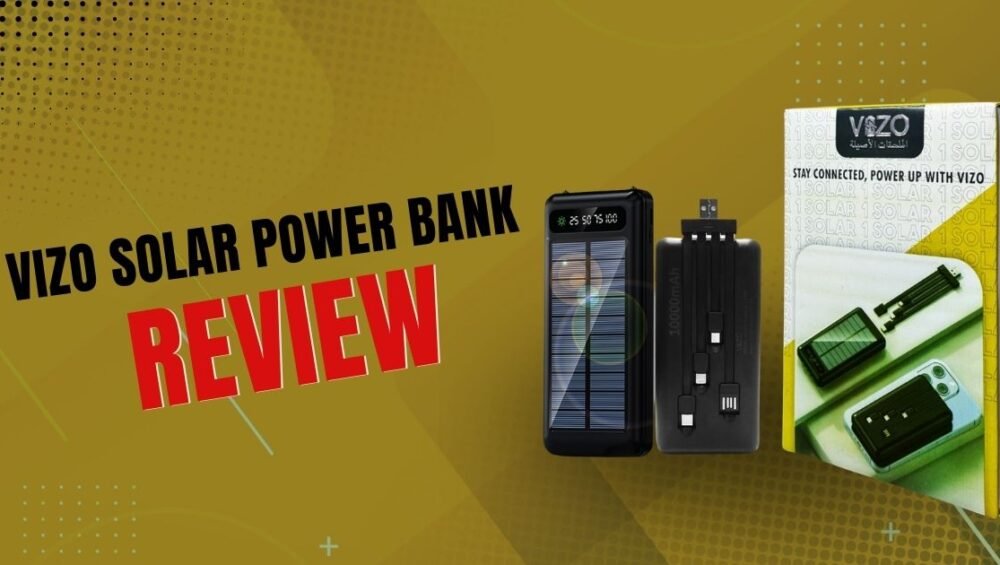
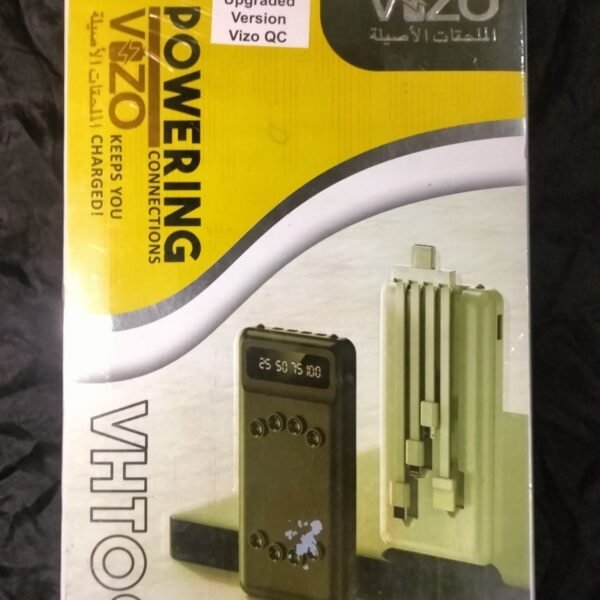
Read More: VIZO Solar Power Bank Review

VIZO Solar Power Bank Review

VIZO Solar Power Bank Review

Discover the VIZO Solar Power Bank: features, performance, pros, cons, and buying tips for reliable off-grid charging.

Quick Snapshot

What this article covers

If you’re curious about the VIZO Solar Power Bank, this article guides you through everything — specs, real-world performance, solar charging truth, pros and cons, and whether it’s a smart buy. Think of it as the field guide you wish you had before buying a tiny sun-powered battery.

Who should read this

This article is for commuters, campers, budget shoppers, and anyone who wants a compact backup battery that advertises a solar panel. If you want raw power and lightning-fast charging for a week-long off-grid trip, we’ll also point you toward better alternatives.

Key Specifications at a Glance

Battery capacity

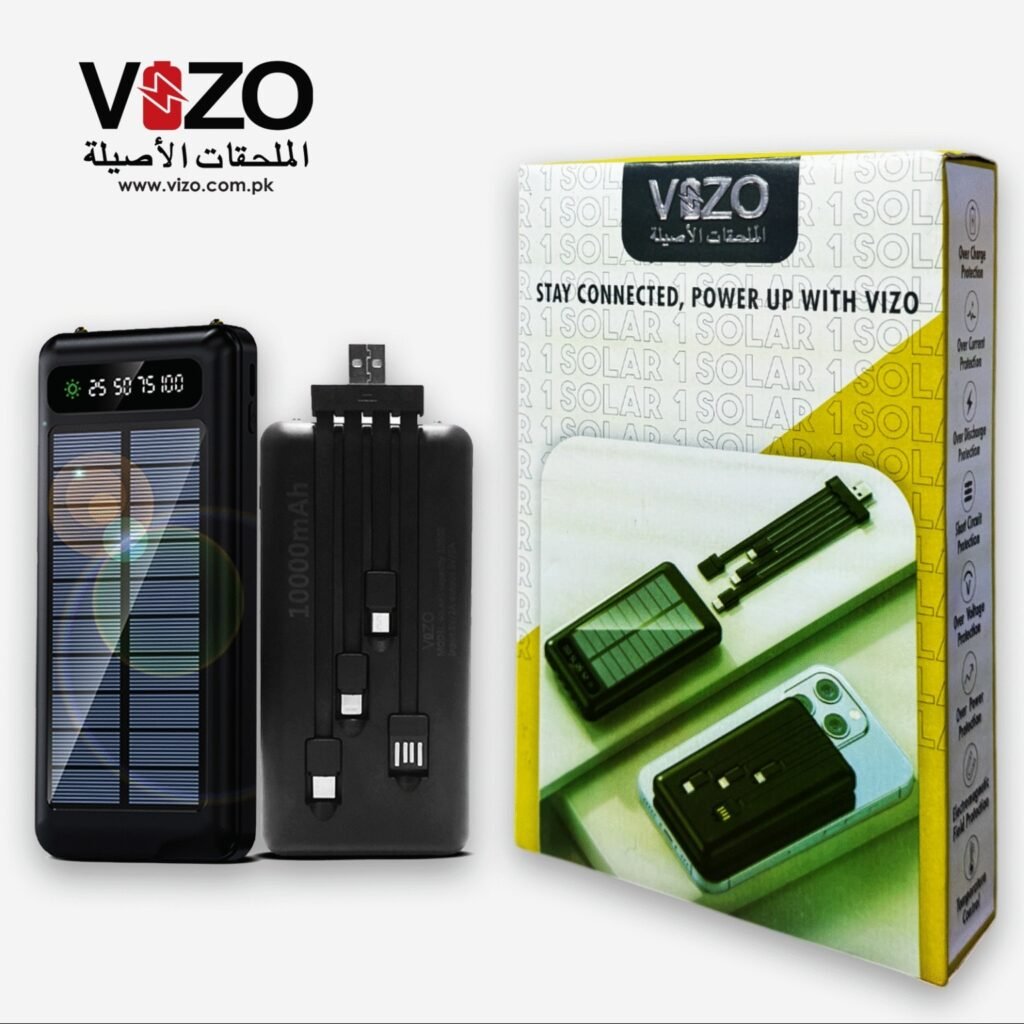
The most common variant available for the VIZO Solar Power Bank is a 10,000mAh model — a comfortable mid-range capacity that can typically charge a modern smartphone once to twice depending on phone battery size and power loss during conversion.

Input / Output and ports

Retail listings for the VIZO Solar Power Bank usually show dual USB output ports plus built-in cables for Type-C, Micro USB and Lightning connectors. Typical input/output figures sit around 5V/2A to 5V/3A depending on the listing — good enough for everyday top-ups but not for heavy-duty rapid charging.

Solar charging capability

The unit includes a solar panel for emergency recharging under sunlight. Important expectation: solar charging on compact power banks is meant for emergency top-ups, not full-day recharging like a wall adapter.

Design and Build Quality

Size, weight and portability

The VIZO Solar Power Bank is designed to be travel-friendly. It’s compact enough for a backpack pocket and light enough to carry around without fuss. Picture a paperback novel — about that size. Portability is one of its selling points.

Materials and durability

Most retail sellers describe a sturdy plastic shell with rubberized edges. It’s built for daily handling and occasional outdoor use, but don’t expect military-grade waterproofing unless explicitly marketed as rugged.

The Reality of Solar Charging

How solar panels on power banks work

Solar panels on these power banks are tiny photovoltaic cells that convert sunlight into electrical current. That current is routed through the power bank’s charging circuitry to top up the internal battery. Sounds magical — and it sort of is — but physics puts limits on the magic.

Why solar charging is slow

Because the onboard solar panel is small, energy generation is low. In bright, direct sunlight you might coax a fraction of the power needed to make meaningful progress in a few hours. On cloudy days or partial shade it becomes almost negligible. Translation: solar is slow, and it’s an insurance policy — not your daily charger.

When solar charging helps (and when it doesn’t)

Solar charging helps when you’re completely off-grid and need a trickle of charge to restore emergency phone minutes or extend life by a few percent. It doesn’t help when you need a full phone charge quickly or when sunlight is weak.

Real-World Performance

How many charges can you expect?

A 10,000mAh power bank can typically deliver roughly 6,000–7,000mAh of usable energy after conversion losses — enough to charge a 3,000mAh smartphone about two times under ideal conditions. Expect fewer cycles if you’re charging larger devices or using multiple ports simultaneously.

Charging speeds (USB vs solar)

USB charging via a wall adapter or a good USB-C PD source will top the VIZO unit faster than its solar panel can. Built-in cable convenience is a plus, but if you want speed, plug into a wall adapter. Solar will slowly add a trickle and should be considered an emergency feature rather than a practical daily charger.

Built-in Cables and Connectivity

Type-C, Micro USB, Lightning — what’s included

Many seller listings for the VIZO Solar Power Bank advertise built-in cables that cover the major connector types (Type-C, Micro USB, Lightning). Built-in cables are a convenience win — no carrying extra cords — but they also mean replacement is harder if a cable frays.

Simultaneous charging and port rules

If you’re charging multiple devices at once, expect the output per port to drop. The unit’s total output is shared, so two devices will charge slower than one. Also, charging the power bank and powering devices at the same time will reduce net efficiency.

Use Cases: When to choose the VIZO Solar Power Bank

Travel and commuting

If you commute daily and occasionally forget to charge overnight, the VIZO Solar Power Bank gives reliable top-ups. The built-in cables add convenience when you don’t want extra wires.

Outdoor activities and camping

For day hikes and short outdoor trips, the solar panel can be a comfort — it won’t replace a full solar panel setup, but in an emergency it can provide minutes or a small percent of battery.

Emergency and disaster preparedness

Solar-enabled power banks make sense in an emergency kit. If grid power goes out, that tiny solar trickle can keep a phone online long enough to call for help or get a weather update.

Pros and Cons — A Clear Checklist

Pros

  • Compact 10,000mAh capacity (good balance of power and portability).
  • Solar panel for emergency recharging when no outlet is available.
  • Built-in cables (Type-C, Micro, Lightning) increase convenience.
  • Widely available and budget-friendly in many markets.

Cons

  • Solar charging is very slow — practical only for emergencies.
  • Input/output specs vary by listing; verify if you need fast charging.
  • Built-in cables are convenient but harder to replace.
  • Not advertised as rugged/waterproof in most listings.

Tips to Get the Best from the Solar Feature

Placement, sunlight, and charging times

For best results, place the power bank in direct, unobstructed sunlight with the solar panel facing the sun. Midday sun on a clear day yields the highest output. Even so, expect long durations for meaningful gains.

Maintenance and care

Keep the solar panel clean and avoid scratching it. Wipe off dust and avoid storing the bank in extremely hot conditions for long periods — heat reduces battery lifespan.

Price and Availability

Where to buy (retailers and marketplaces)

The VIZO Solar Power Bank is commonly sold on local retailer sites, online marketplaces, and the brand’s own online store in some regions. It’s especially common in South Asian markets and is often listed under mid-range budget accessories.

Price expectations and value

You’ll typically find the 10,000mAh VIZO Solar model priced as a budget to mid-range accessory. It’s attractive for buyers who want convenience and an emergency solar option without spending on heavy-duty solar stations.

Alternatives to Consider

Higher-capacity options

If you need multiple full charges or want to support tablets, consider 20,000mAh and 30,000mAh banks from reputable brands with reliable fast-charging protocols.

More efficient solar-only chargers

If solar is your main requirement, consider a dedicated foldable solar panel paired with a standalone power bank — it will be more efficient and faster than the tiny panels on combo units.

Buying Checklist

Before you tap buy, check these:

  • Capacity (mAh) and realistic usable capacity.
  • Input/output specs — if you want fast charging, verify PD or QC support.
  • Built-in cables — convenient but not replaceable.
  • Solar panel role — emergency trickle vs practical recharging.
  • Warranty and seller reputation.

Final Verdict — Is it worth your money?

The VIZO Solar Power Bank is a pragmatic choice for buyers seeking an affordable, portable power bank with the bonus of a solar panel for emergency situations. It’s not a miracle device — treat the solar feature as insurance, not a replacement for wall charging. If you want convenience, occasional top-ups, and a compact backup for travel or emergencies, it’s a solid pick. If you plan to rely on solar for regular charging or need very fast charging, look at dedicated solar panels or higher-spec power banks.

Xbox Cloud Gaming

Xbox Cloud Gaming Ultimate Guide

Stream Xbox games on any screen with our complete Xbox Cloud Gaming guide—setup, tips, devices, performance fixes, and best use cases.

What Is Xbox Cloud Gaming?

Xbox Cloud Gaming (often called “xCloud”) lets you play Xbox titles by streaming them from Microsoft’s servers instead of running them on your own device. Think of it like Netflix for games: the heavy lifting happens in the cloud on powerful hardware; you just see the video and send back your inputs. That means your phone, old laptop, smart TV, or even a browser can play games that would normally require a console.

How It Works Under the Hood

When you launch a game, a virtual Xbox instance spins up in a data center. The game renders there, then the video stream is compressed and sent to you. Your controller or touch input goes back to the server in milliseconds, and the cycle repeats dozens of times per second. The experience hinges on three things: a stable connection, low latency, and consistent bitrate.

Cloud vs. Console vs. PC: Key Differences

A console or gaming PC runs the game locally, so you get the absolute lowest latency and no compression artifacts. Cloud gaming trades a tiny bit of sharpness and responsiveness for massive convenience: instant play, no downloads, and no expensive hardware required. If you’re optimizing for convenience and flexibility, cloud wins. If you want maximum fidelity and esports-level precision, local hardware still has the edge.

Why Xbox Cloud Gaming Matters Right Now

Games are bigger than ever—100 GB downloads aren’t unusual. Cloud gaming skips the waiting and storage math. It also turns “any screen nearby” into a gaming screen, which is great for shared living spaces, travel, or just testing a game before investing your time and storage. As networks improve, the gap between cloud and local play keeps shrinking, especially for genres that don’t demand twitch-perfect reactions.

Requirements to Get Started

You don’t need a cutting-edge phone or a new laptop. You do need a steady internet connection, a compatible device, and the correct subscription (Xbox Game Pass Ultimate typically includes cloud play for supported titles in eligible regions).

Network Speed and Latency Basics

Speed matters less than stability. A practical baseline is a consistent 15–20 Mbps per stream with latency ideally under 60 ms to the nearest Microsoft region. What really kills the vibe are spikes: jitter, packet loss, and Wi-Fi interference. If your speedtest numbers bob up and down like a roller coaster, fix that first.

Wi-Fi vs. Ethernet vs. 5G

Ethernet is king for stability. If you can’t wire in, use 5 GHz Wi-Fi instead of 2.4 GHz. Sit closer to the router and avoid congested channels. On mobile, a strong 5G or robust 4G LTE connection can outperform poor home Wi-Fi—just watch your data cap.

Compatible Devices

Most modern Android phones and tablets, iPhones and iPads (via browser), Windows PCs, many smart TVs, and even low-power laptops or Chromebooks can run Xbox Cloud Gaming. If it can open a modern browser and handle video smoothly, it’s probably good to go.

Xbox App vs. Browser

On Windows and mobile, the Xbox app can offer a smoother handshake with controllers and settings. On iOS and some TVs, the browser route is the standard option. If you run into quirks, try the other path—app or browser—and see which feels more responsive.

Subscription and Regions

Cloud play typically sits inside Xbox Game Pass Ultimate and is available only in supported regions. If it’s not showing up for you, double-check your country’s availability and that you’re logged into the right account tier.

Setting It Up Step by Step

Getting rolling is quick. Here’s the straightforward flow for each platform.

On Android and iOS

Install the Xbox app on Android; on iOS/iPadOS, open the official cloud gaming webpage in Safari. Sign in to your Microsoft account, pair a controller (or use touch controls on compatible games), pick a title, and hit play. Pro tip: close background apps to reduce bandwidth and CPU contention.

On Windows PC or Laptop

Open the Xbox app or a supported browser. Sign in, connect your controller via Bluetooth/USB, and launch a game marked for cloud. If you’re on Wi-Fi, switch to 5 GHz and keep the laptop near the router. Wired Ethernet will feel the snappiest.

On Xbox Consoles

Even if you own a console, cloud can help you sample games instantly. You can start playing via cloud while a local install runs in the background—or skip installs altogether if you’re just testing. Great for couch co-op nights when you don’t want to juggle storage.

On Smart TVs and Browsers

Many smart TVs support the Xbox app. If yours doesn’t, a browser on a streaming stick or set-top box often does the trick. Pair a Bluetooth controller to the TV or device, sign in, and play. Remember: TV Wi-Fi can be flaky; if there’s an Ethernet port, use it.

Choosing Your Controls

Controls make or break the experience. Fortunately, Xbox Cloud Gaming is flexible.

Wireless Controllers

Any modern Xbox controller works brilliantly, and many third-party pads do too. PlayStation DualShock/DualSense can pair as well, though button labels will differ. Mobile-first controllers (like clip-ons or telescopic designs) keep your setup compact and comfy.

Touch Controls & On-Screen Layouts

A growing number of games support touch overlays—handy when you’re on the go. You can often reposition or resize elements. Touch is fine for slower genres (strategy, management, turn-based RPGs). For shooters and racers, a physical controller usually feels better.

Keyboard and Mouse

Some cloud titles recognize keyboard and mouse. It’s not universal, but when it’s supported, strategy and sim games suddenly feel natural. If your device is a laptop or desktop, try it—you might not need a controller at all.

Performance Tips and Troubleshooting

Even great networks hiccup. A few small tweaks can transform the experience from “pretty good” to “wow.”

Optimize Your Network

Keep other bandwidth hogs quiet: big downloads, 4K streams, cloud backups. If your router supports Quality of Service (QoS), give your device priority. Place the router high, central, and away from thick walls or microwaves. If you can wire in with Ethernet, do it.

Router Settings, QoS, and 5 GHz

Use the 5 GHz band, pick a clear channel, and ensure your router’s firmware is up to date. Some routers have a “gaming” mode that prioritizes real-time traffic; experiment to see if it helps. Don’t forget the basics—reboot your router if latency creeps up.

Reduce Input Lag

Lower your display’s processing. Many TVs have a “Game Mode” that cuts post-processing and shaves milliseconds. On Windows, close overlays and background utilities. On mobile, turn off battery saver modes that throttle performance.

Fix Common Errors

If the stream stutters, drop other devices from the network or move closer to the router. If a controller isn’t detected, re-pair it and check for firmware updates. For persistent issues, switch from app to browser (or vice versa); sometimes the alternate path sidesteps odd bugs.

FAQs

Q1: Do I need a console to use Xbox Cloud Gaming?

No. You can stream on phones, tablets, PCs, browsers, and many smart TVs. A console is optional and mainly useful for local installs or hybrid play.

Q2: What internet speed is recommended?

Aim for a stable 15–20 Mbps or higher per stream with low latency and minimal jitter. Stability matters more than headline speed.

Q3: Can I use touch controls for every game?

Not every title supports touch layouts, but a growing number do. When available, you can often customize the on-screen buttons to suit your grip.

Q4: Will cloud saves sync with local installs?

Yes. When you later install the game on a console or PC, your progress typically follows you, letting you pick up right where you left off.

Q5: Is cloud gaming good for competitive shooters?

It’s playable on a great connection, but if you’re chasing ranked, local hardware offers the lowest latency. For casual sessions, cloud is surprisingly solid.

Read More: Infinix Hot 60i 5G Review and Features

All you need to know about Infinix Hot 60i 5G—key features, price insights, pros and cons, and buying advice in one easy guide.

Infinix Hot 60i 5G Review and Features

All you need to know about Infinix Hot 60i 5G—key features, price insights, pros and cons, and buying advice in one easy guide.

Infinix Hot 60i 5G

If you have been eyeing a no-nonsense budget phone that still brings modern 5G, big battery, and daily-driver reliability, the Infinix Hot 60i 5G should be on your shortlist. In this guide, I will walk you through what it is, what’s inside, how it feels in real life, and whether it’s the right pick for you.

Quick Take

The Infinix Hot 60i 5G aims to deliver affordable 5G without cutting down on essentials. It brings a large display, an all-day battery, a capable main camera, and the familiar XOS software features. It is built for students, first-time 5G buyers, and budget-minded users who still want smooth scrolling and dependable battery life. Positioned just under the more gaming-focused HOT 60 5G+, this model offers a balance of performance and value. With reports of a MediaTek 5G platform and a large battery, it’s designed for comfort in everyday use without the stress of charging in the middle of the day.

What Is The Infinix Hot 60i 5G

The HOT series is Infinix’s mass-market lineup designed to offer maximum value for the price. The HOT 60 5G+ leans into gaming and AI-powered features, while the HOT 60 5G caters to mainstream users wanting a reliable 5G phone. The Hot 60i takes the budget-friendly route while still offering 5G connectivity, making it an ideal choice for those who want modern connectivity without spending too much. It is meant to handle social media, streaming, light gaming, and regular day-to-day tasks with ease.

Key Specs At A Glance

Processor and Performance

The Infinix Hot 60i 5G is expected to be powered by a MediaTek 5G chipset, providing smooth app launches and stable performance for everyday use. It is capable of handling multitasking and casual gaming comfortably.

Display and Design

It features a large 6.7 to 6.78-inch display, providing plenty of screen real estate for browsing, streaming, and gaming. Certain variants may even offer a high refresh rate display for smoother scrolling.

Cameras

The main rear camera is a 50MP shooter supported by AI scene detection, while the front camera is around 8MP, ideal for selfies and video calls. Expect decent daylight photography and usable night mode shots.

Battery and Charging

The phone is expected to feature a 6,000mAh battery for the 5G version, ensuring extended usage times. Charging is quick enough to get you going in short sessions, making it practical for heavy daily use.

Storage and RAM

Common configurations start with 6GB of RAM and 128GB of storage, with memory expansion and microSD support to cater to users who need extra space.

Software and Updates

It runs on XOS based on Android, with Infinix’s unique set of tools and customization options, giving you both functionality and personalization.

Connectivity and Extras

Expect 5G support, dual-SIM slots, fingerprint scanner, face unlock, and USB-C charging. Some regions may even get NFC or an IR blaster.

Design and Build Quality

Materials and Finish

The phone comes with a sleek design that feels premium for its price, featuring a glossy or satin back with an eye-catching geometric pattern. The buttons are tactile, and the overall construction feels solid.

Ergonomics and One-Hand Use

While the large screen makes it a two-handed device for most people, it is still comfortable to hold thanks to its balanced weight and rounded edges. The fingerprint reader is placed conveniently on the side for quick unlocking.

Durability Notes

It does not have an official IP rating, so it’s wise to handle it with care and use the included case and screen protector.

Display Experience

Refresh Rate and Smoothness

If you get a variant with a higher refresh rate, you’ll notice smoother animations, cleaner scrolling, and an overall more fluid experience. This is especially nice for gaming and fast-paced navigation.

Brightness and Outdoor Visibility

While not the brightest in its class, the display remains usable outdoors. Increasing the brightness and enabling auto-brightness helps in direct sunlight.

Color Tuning and Eye Comfort

Colors are punchy, and eye protection modes are available for extended viewing comfort. Features like dark mode and blue light filter are useful for nighttime use.

Performance In The Real World

Everyday Multitasking

From messaging to social media browsing, streaming, and navigation, the phone handles daily tasks with ease. With 6GB RAM, it keeps multiple apps running without frequent reloads.

Gaming Check

Casual games run smoothly at medium settings. Heavier games can be played with reduced graphics for better frame rates.

Thermals and Stability Over Time

During extended gaming, the back may warm slightly, which is normal. A case helps disperse the heat and maintain comfort.

Camera Deep Dive

Daylight Photos

The 50MP main camera captures sharp and vibrant images in daylight. HDR mode helps balance lighting in challenging shots.

Low-Light and Night Mode

Night mode improves image clarity and reduces noise, though a steady hand is necessary for the best results.

Portraits and Selfies

Portrait mode produces pleasing background blur, and selfies look good in well-lit environments.

Video Quality and Stabilization

The phone records at 1080p, producing decent videos for casual use. Slow and steady movements result in the smoothest footage.

Battery Life And Charging

Screen-On Time Expectations

With its large battery, the Infinix Hot 60i 5G can easily last a full day or even two under light usage. Expect around 6 to 9 hours of screen-on time, depending on your usage patterns.

Charging Speeds and Safety

Fast charging allows quick top-ups, and using the included charger ensures optimal performance.

Power-Saving Tips

Switching to auto refresh rate, enabling adaptive battery, and disabling unnecessary location services can help extend battery life.

Network, 5G, And Calls

5G Bands and Real-World Speeds

The phone supports 5G where available, offering fast browsing and streaming. Performance depends on your carrier’s coverage.

Wi-Fi, Bluetooth, GPS

Connectivity is stable, and GPS accuracy is good for navigation and ride-hailing apps.

Call Quality and Haptics

Call clarity is solid, and haptic feedback is subtle but noticeable.

XOS Software Features You’ll Actually Use

Home Screen and Smart Tools

XOS offers smart panels, quick toggles, and customization options that make the experience more personal.

Gaming Mode and AI Tricks

Gaming Mode blocks interruptions and optimizes performance during play. AI features in the camera enhance colors and scene detection.

Privacy Controls You Should Toggle

Privacy settings allow you to manage permissions, control ad personalization, and safeguard sensitive data.

Price And Availability

Current Pricing Snapshot

The 4G version is priced in the entry-level bracket, and the 5G model is expected to follow a similar competitive pricing strategy.

Variants and Colors

It is likely to be available in 6GB RAM with 128GB storage and a variety of color options depending on the market.

Where To Buy

It will be available through authorized retailers and online platforms in different regions after launch.

Infinix Hot 60i 5G vs Rivals

vs Infinix HOT 60 5G / 5G+

The HOT 60i 5G offers better battery life and affordability, while the HOT 60 5G+ focuses more on high-performance gaming.

vs Itel and Realme Budget 5G Picks

The Hot 60i 5G’s big battery, decent camera, and practical software make it competitive against other budget 5G phones, though some rivals may have sharper displays.

Who Wins For Cameras, Battery, Gaming

It shines in battery life, is competitive in daylight photography, and offers adequate gaming performance for casual players.

Pros And Cons

The Infinix Hot 60i 5G delivers affordable 5G, long battery life, a large display, and a 50MP camera. On the downside, the display may be HD+ instead of FHD+ in some regions, and camera performance at night requires patience for best results.

Who Should Buy The Infinix Hot 60i 5G

This phone is ideal for students, first-time 5G buyers, and anyone who values long battery life and reliable daily performance. It’s also great for social media enthusiasts and casual gamers who want a stylish, modern phone without overspending.

Tips, Tricks, And Recommended Settings

Display and Battery Tweaks

Setting the refresh rate to auto and enabling adaptive battery mode helps balance performance and battery life. Dark mode at night reduces eye strain and saves power.

Camera Settings For Better Photos

Using HDR in daylight and night mode in low light improves results. Positioning yourself in good lighting also enhances image quality.

Storage And Backup Hygiene

Regularly backing up photos and managing media files prevents storage from filling up and keeps performance smooth.

Final Verdict

The Infinix Hot 60i 5G is all about delivering modern connectivity and exceptional battery life without pushing the price out of reach. With its big display, practical software, and reliable performance, it’s a smart pick for anyone who wants a solid everyday phone that looks good and lasts long.

Read More: Nothing OS Basic The Complete Beginner Guide