
Best Laptops to Buy Now: Top Picks

Best Laptops to Buy Now: Top Picks

Discover the best laptops to buy now with top picks for gaming, business, students, and creatives. Find the perfect laptop for your needs today!

Introduction

Choosing the right laptop can be overwhelming with so many options available. Whether you’re a gamer, student, business professional, or creative, finding a laptop that suits your needs is crucial. From performance to portability, many factors play a role in determining the best laptop for you. In this guide, we will explore the top laptops currently on the market, breaking them down based on various needs and budgets.

Factors to Consider When Buying a Laptop

When shopping for a laptop, several key aspects should be taken into account. These include performance, battery life, display quality, and overall build. Understanding these elements will help you make an informed decision.

Performance and Processor

The processor is the heart of any laptop, determining how fast and efficiently it runs. Intel and AMD are the two major brands dominating the market. Intel processors, such as the Core i5 and i7, offer excellent performance for most users, while AMD Ryzen chips provide a competitive edge, particularly in multitasking and gaming. If you’re looking for a high-performance machine, an Intel Core i9 or AMD Ryzen 9 is recommended. For everyday tasks, an Intel Core i3 or Ryzen 3 will suffice.

RAM and Storage

RAM determines how many applications your laptop can handle simultaneously. For basic tasks like web browsing and document editing, 8GB of RAM is enough. However, for gaming, video editing, or heavy multitasking, 16GB or more is ideal. Storage is another crucial factor—solid-state drives (SSDs) are faster and more reliable than traditional hard disk drives (HDDs). A 256GB SSD is a good starting point, but 512GB or 1TB is recommended for those handling large files.

Display and Graphics

The quality of a laptop’s display significantly impacts user experience. Most modern laptops come with Full HD (1920×1080) resolution, but for those working in graphic design or video editing, a 4K display is a better choice. Gamers should also pay attention to refresh rates, with 120Hz or higher providing smoother gameplay. Graphics cards are essential for gaming and creative work. While integrated graphics work for everyday tasks, a dedicated GPU such as NVIDIA RTX 3060 or AMD Radeon RX 6800M enhances performance in gaming and 3D rendering.

Battery Life

A laptop’s battery life is a crucial consideration, especially for those who travel frequently. Ultrabooks and MacBooks typically offer long battery life, sometimes exceeding 10 hours. Gaming laptops, on the other hand, tend to have shorter battery lives due to their high-performance components. If portability is a priority, look for a laptop with at least 8-10 hours of battery life.

Portability and Build Quality

Portability matters for users who need a laptop on the go. Ultrabooks, such as the Dell XPS 13 or MacBook Air, are lightweight and easy to carry. However, if you need a sturdy build, business laptops like the Lenovo ThinkPad series offer durability with MIL-STD-810G military-grade certification.

Operating System Choices

The operating system plays a vital role in your overall experience. Windows offers flexibility and is compatible with most software, making it ideal for general use. macOS is known for its seamless integration with Apple devices, excellent performance, and security. ChromeOS, found in Chromebooks, is best for basic web-based tasks and students on a budget. Your choice depends on personal preference and software requirements.

Top Laptop Picks for Different Needs

Finding the right laptop depends on your specific needs. Below are the best picks based on different categories.

Best Overall Laptop – Apple MacBook Air M2

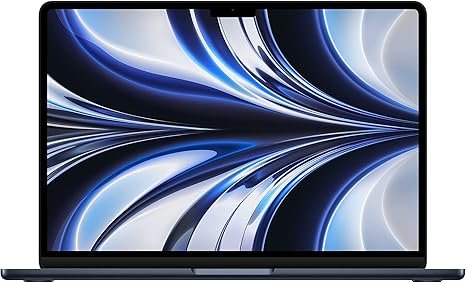
The MacBook Air M2 is an all-around winner, offering a sleek design, powerful performance, and excellent battery life. Powered by Apple’s M2 chip, it provides smooth multitasking, making it perfect for professionals, students, and casual users alike. The stunning Retina display and lightweight design make it an excellent choice for those who need a reliable laptop for daily use.
Best Laptop for Gaming – ASUS ROG Zephyrus G14

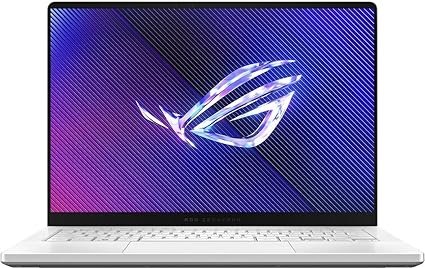
For gamers, the ASUS ROG Zephyrus G14 is one of the best options available. Featuring an AMD Ryzen 9 processor and an NVIDIA RTX 3060 GPU, it delivers outstanding gaming performance. The 14-inch 165Hz display ensures smooth visuals, while the compact design makes it more portable than most gaming laptops. Its efficient cooling system prevents overheating, making it an ideal choice for gaming on the go.
Best Laptop for Students – Lenovo IdeaPad Flex 5

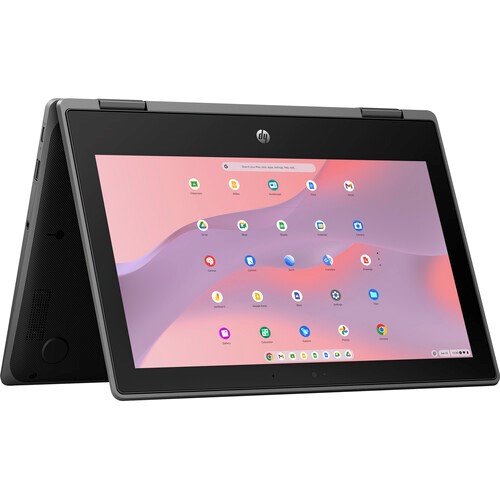
Students need an affordable yet powerful laptop, and the Lenovo IdeaPad Flex 5 fits the bill. With an AMD Ryzen 5 processor, 16GB RAM, and a 512GB SSD, it handles schoolwork and multitasking with ease. The 14-inch touchscreen display and 2-in-1 design add versatility, allowing students to use it as a tablet. With over 10 hours of battery life, it can last through a full day of classes.

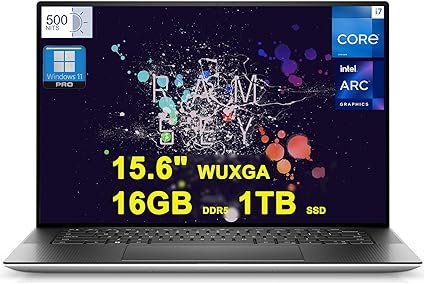
Best Laptop for Business Professionals – Dell XPS 15

Business professionals need a premium laptop that balances performance and portability, and the Dell XPS 15 excels in this regard. Featuring an Intel Core i7 processor, 16GB RAM, and a 512GB SSD, it offers seamless multitasking. The 15.6-inch 4K OLED display is perfect for presentations, and its sleek design adds a touch of elegance. The long battery life and excellent keyboard make it a great companion for professionals.
Best Laptop for Creatives and Designers – MacBook Pro 16-inch M3 Pro

For creatives, the MacBook Pro 16-inch with the M3 Pro chip is a powerhouse. The stunning Liquid Retina XDR display offers accurate colors, making it perfect for video editing and graphic design. The powerful GPU handles demanding software like Adobe Photoshop and Final Cut Pro with ease. Combined with a long battery life and high-quality speakers, this laptop is a dream for creative professionals.

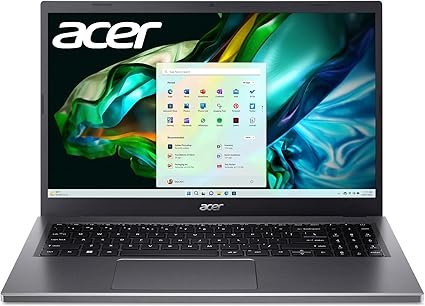
Best Budget Laptop – Acer Aspire 5

For those on a budget, the Acer Aspire 5 delivers great value. Equipped with an AMD Ryzen 5 processor, 8GB RAM, and a 512GB SSD, it provides solid performance for everyday tasks. The Full HD display, backlit keyboard, and decent battery life make it a great choice for students or office workers looking for an affordable yet capable laptop.
Tips for Choosing the Right Laptop for You

When choosing a laptop, match the specifications with your specific needs. If you’re into gaming, prioritize a high-refresh-rate display and a dedicated GPU. If you’re a business professional, look for a lightweight, durable laptop with excellent battery life. Always compare prices, check for student or business discounts, and read reviews before making a purchase. Buying during sales events like Black Friday can also help you save money.

Conclusion

Finding the best laptop depends on your needs and budget. Whether you’re looking for a gaming powerhouse, a budget-friendly option, or a sleek business laptop, there’s something out there for everyone. Consider key factors such as performance, battery life, and portability before making your decision. With the right choice, you’ll have a reliable machine that enhances productivity and entertainment.

FAQs

1. What is the best laptop for gaming under $1000?

The Acer Nitro 5 and ASUS TUF Gaming F15 are great options for gaming under $1000, offering solid performance and dedicated GPUs.

2. How much RAM do I need for everyday tasks?

For basic tasks like web browsing and document editing, 8GB is enough. For heavy multitasking, gaming, or video editing, opt for 16GB or more.

3. Are MacBooks worth the price?

Yes, MacBooks offer excellent build quality, performance, and long battery life. They are especially great for students, professionals, and creative users.

4. Can I upgrade my laptop’s RAM and storage?

It depends on the model. Some laptops, like gaming and business models, allow upgrades, while ultrabooks and MacBooks have soldered components.

5. Which laptop brand is the most reliable?

Brands like Apple, Dell, Lenovo, and ASUS are known for their reliability, build quality, and customer support.
Read More: The Laptop Guide for Beginners

The Laptop Guide for Beginners

The Laptop Guide for Beginners

Discover the ultimate laptop guide for beginners. Learn how to choose the right laptop, key specs, and essential tips for the best experience.

Introduction

Laptops have become an essential part of everyday life, whether for work, education, or entertainment. If you are new to laptops, choosing the right one can feel overwhelming due to the many available options, specifications, and features. Understanding what makes a good laptop and how to select one based on your needs is crucial. This guide will help you navigate the world of laptops, breaking down the different types, specifications, and essential features to ensure you make the right choice.

Understanding Laptop Basics

A laptop is a portable computer that integrates a screen, keyboard, battery, and essential hardware into one compact device. Unlike desktops, laptops are designed for mobility, allowing users to work, study, or entertain themselves from virtually anywhere. Whether you need a laptop for business, gaming, creative work, or everyday browsing, understanding the basics will help you determine the best option for your needs.

Types of Laptops

Laptops come in different types, each designed to serve a specific purpose. Traditional laptops are the most common, featuring a fixed keyboard and display, making them versatile for general use. Ultrabooks are lightweight, slim, and designed for users who prioritize portability without compromising performance. 2-in-1 convertible laptops can function as both laptops and tablets, offering touchscreen capability and flexibility. Gaming laptops are equipped with high-performance processors and powerful graphics cards to handle demanding video games. Business laptops focus on security and durability, making them ideal for professionals. Chromebooks run on Chrome OS and are perfect for users who rely on web-based applications, offering affordability and simplicity.

Choosing the Right Operating System

Selecting an operating system is one of the most critical decisions when buying a laptop. Windows is the most popular OS, offering compatibility with a wide range of software and applications. macOS is known for its sleek design, security features, and optimized performance, making it the preferred choice for creative professionals. Linux is ideal for tech enthusiasts who want more control and customization over their system. Chrome OS is lightweight and cloud-based, making it an excellent choice for students and casual users who need a budget-friendly option.

Essential Laptop Specifications Explained

Understanding laptop specifications is key to choosing the right device. The processor, also known as the CPU, determines the laptop’s speed and performance. Intel Core i5 and AMD Ryzen 5 are great for everyday use, while Intel Core i7 or AMD Ryzen 7 is better for heavy tasks like gaming or video editing. RAM affects multitasking; 8GB is sufficient for most users, but 16GB or more is recommended for demanding applications. Storage options include HDDs, SSDs, and NVMe SSDs, with SSDs being faster and more efficient. Graphics cards can be integrated or dedicated, with the latter being necessary for gaming and creative work. The display quality also matters; a Full HD (1080p) resolution is standard, but higher resolutions offer better clarity.

Battery Life Considerations

Battery life varies depending on the laptop and how it is used. Watching videos, gaming, and running multiple applications can drain the battery faster. To extend battery life, lowering screen brightness, closing unnecessary applications, and enabling battery-saving modes can help. If you need a laptop for long hours away from a power source, choosing a model with at least 8-10 hours of battery life is recommended.

Lenovo ThinkPad X250

Portability and Build Quality

Laptops come in different sizes and weights, which affect portability. Lightweight laptops are easier to carry, making them ideal for students and travelers. Build quality is also important; laptops made from metal or high-quality plastic tend to be more durable. Some models offer reinforced frames for added protection, which is beneficial for frequent travelers or those who work in demanding environments.

Keyboard and Trackpad Essentials

A good keyboard can make a significant difference, especially if you type a lot. Keyboards with comfortable spacing, adequate key travel, and backlighting are preferable. The trackpad should be responsive and smooth, allowing easy navigation. If the trackpad feels uncomfortable, an external mouse can be a great alternative.

Connectivity and Ports

Modern laptops offer a variety of connectivity options, and having the right ports is essential. USB ports come in different types, including USB-A and USB-C, which are used for connecting external devices. HDMI ports allow connection to external displays, while an Ethernet port is useful for a stable wired internet connection. Many laptops also include Wi-Fi and Bluetooth features for wireless connectivity. If you work with photos or videos, having an SD card slot can be beneficial.

Security Features to Look For

Security is an important factor when choosing a laptop, especially if you store sensitive data. Many modern laptops include fingerprint scanners and facial recognition to enhance security and make logging in more convenient. Built-in privacy features, such as webcam covers and security software, help protect personal information. Installing reliable antivirus software is also recommended to prevent malware and cyber threats.

Software and Applications

Most laptops come with pre-installed software, but you may need to install additional programs based on your needs. Office productivity tools like Microsoft Office or Google Docs are essential for work and studies. Antivirus software helps protect against cyber threats, while creative applications such as Adobe Photoshop or video editing tools are useful for content creators. Ensuring that your laptop has the necessary software will improve your overall experience.

Budgeting and Price Ranges

Laptops come in different price ranges, so setting a budget can help narrow down your options. Entry-level laptops under $500 are suitable for basic tasks like browsing and document editing. Mid-range laptops, ranging from $500 to $1000, offer better performance and are great for students, professionals, and light gamers. High-end laptops above $1000 provide powerful hardware for gaming, video editing, and professional workloads. Investing in a laptop that meets your current and future needs ensures long-term value.

Setting Up Your New Laptop

Once you purchase a laptop, setting it up properly ensures a smooth experience. The first step is to fully charge the battery before using it. Setting up an account, connecting to Wi-Fi, and installing essential updates are crucial for security and performance. Installing necessary drivers and software will optimize functionality, ensuring that your laptop runs efficiently.

Maintenance and Care Tips

Taking care of your laptop will extend its lifespan. Regularly cleaning the screen, keyboard, and vents prevents dust buildup, which can affect performance. Avoid using your laptop on soft surfaces like beds, as this can block ventilation and cause overheating. It’s also important to unplug the charger once the battery is fully charged to prevent battery degradation over time.

Conclusion

Choosing the right laptop requires understanding your needs and considering key factors such as type, operating system, specifications, and budget. Whether you need a laptop for work, gaming, or casual use, there are plenty of options available. Taking the time to research and compare features will ensure that you get the best laptop for your needs. With proper care and maintenance, your laptop can serve you well for years to come.

FAQs

What’s the best laptop for students?

For students, a lightweight laptop with good battery life and a mid-range processor is ideal. Chromebooks and ultrabooks are great options for those who need a balance between performance and affordability.

Can I upgrade my laptop’s RAM and storage?

Some laptops allow upgrades, but many ultrabooks and MacBooks come with non-upgradable RAM and storage. It’s best to check the specifications before purchasing if you plan to upgrade in the future.

How often should I replace my laptop?

Most laptops last between four to six years, depending on usage and maintenance. If your laptop becomes slow or incompatible with new software, it might be time for an upgrade.

What should I do if my laptop overheats?

If your laptop overheats, make sure the vents are clear and avoid using it on soft surfaces. Using a cooling pad and keeping the laptop in a well-ventilated area can help prevent overheating.

Is a touchscreen laptop worth it?

Touchscreen laptops are useful for creative professionals, students, and those who prefer a more interactive experience. However, they tend to be more expensive, so it depends on whether the feature adds value to your workflow.

Read More: Acer C740: A Budget-Friendly Chromebook

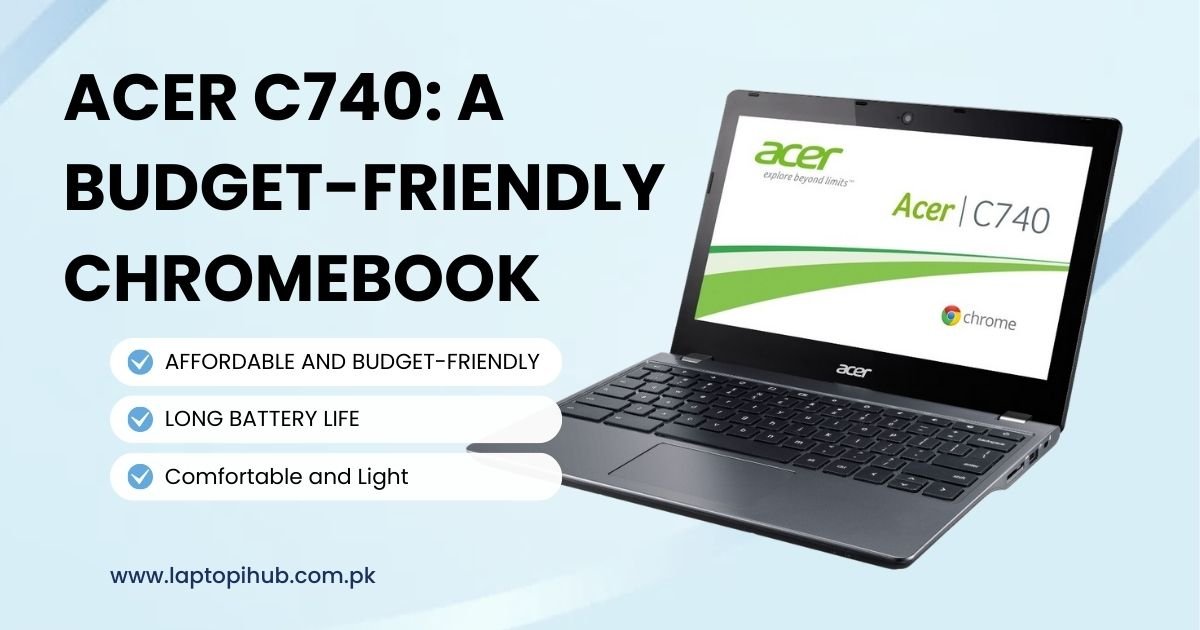
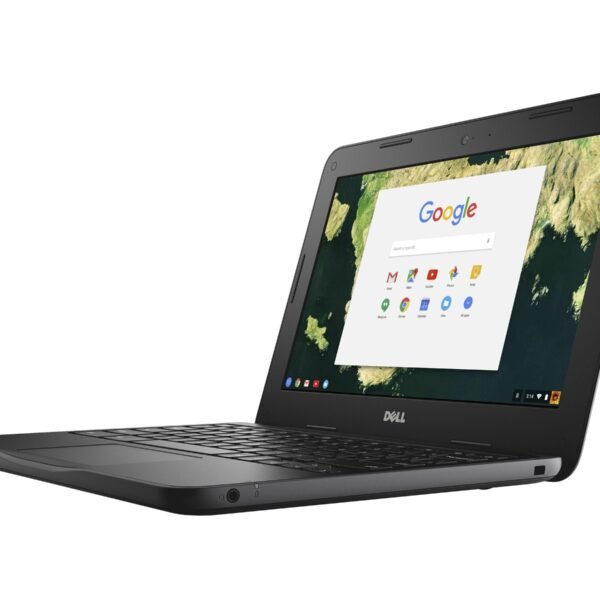
Acer C740: A Budget-Friendly Chromebook

Discover the Acer C740 Chromebook, a budget-friendly, durable laptop perfect for students and casual users. Is it still worth buying? Find out now!

Introduction

Chromebooks have taken the world by storm, offering a lightweight, affordable alternative to traditional laptops. Among them, the Acer C740 has gained popularity, especially among students and professionals looking for a reliable yet budget-friendly device. But how does this Chromebook hold up in today’s market? Let’s take a deep dive into its features, performance, and overall value.

Design and Build Quality

When it comes to design, the Acer C740 keeps things simple and functional. Its compact and lightweight build makes it highly portable, perfect for carrying around in a backpack. Unlike some premium Chromebooks, it doesn’t boast a flashy design, but it does feel sturdy enough to handle daily wear and tear.

One major highlight is its reinforced hinges and durable casing, which ensures longevity even with rough usage. This makes it an excellent choice for students who need a device that can withstand accidental drops and bumps.

Display and Visual Experience

The 11.6-inch HD display offers decent picture quality with 1366×768 resolution. While it may not be the sharpest screen out there, it does a good job of delivering clear visuals for web browsing, watching videos, and basic productivity tasks.

However, the lack of an IPS panel means that viewing angles aren’t the best. If you’re someone who requires a higher resolution or better color accuracy, you might find this display a bit underwhelming. That said, for a budget-friendly Chromebook, it still provides a satisfactory experience for most users.

Performance and Processing Power

Under the hood, the Acer C740 is powered by an Intel Celeron processor, coupled with 4GB of RAM. While this might seem underwhelming compared to modern standards, Chrome OS is designed to run smoothly even on modest hardware.

For general tasks like browsing, streaming, and working with Google Docs, the performance is more than adequate. However, if you’re planning to run multiple applications simultaneously or use demanding software, you might experience occasional slowdowns.

Storage and Cloud Integration

This Chromebook comes with 16GB or 32GB of SSD storage, which might seem limited, but Chrome OS is heavily cloud-based. Google Drive integration ensures that most of your files are stored online, freeing up local space. Additionally, you can expand storage via a microSD card or external hard drives if needed.

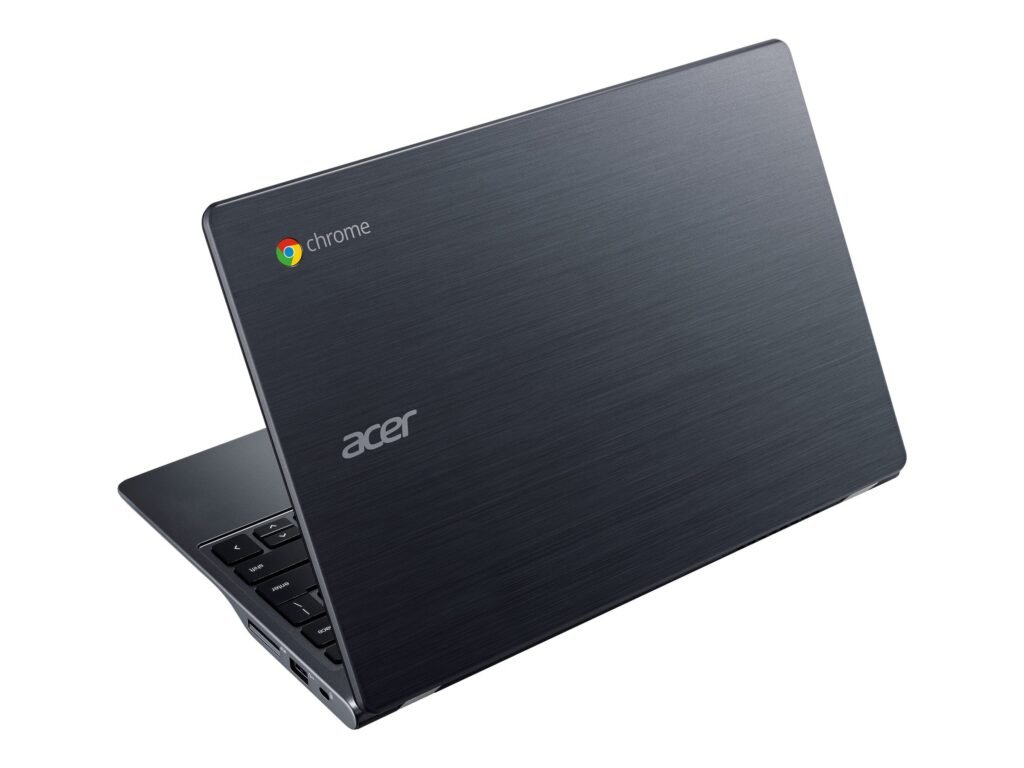
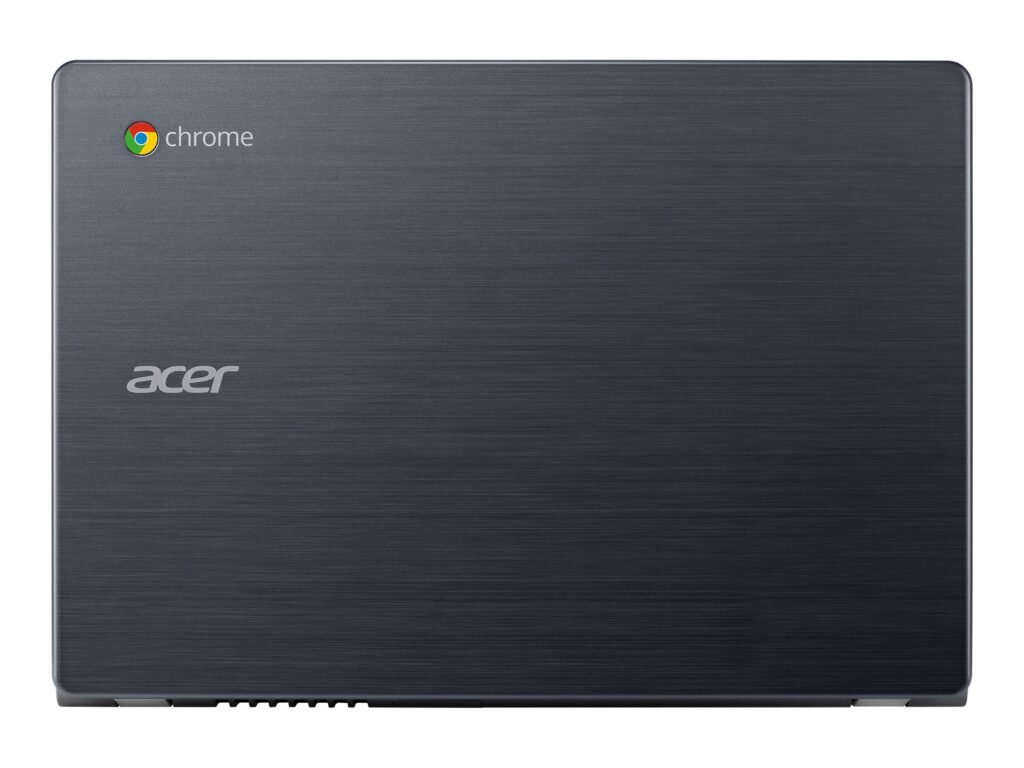
Acer Chromebook C740

Battery Life: An All-Day Companion

One of the strongest aspects of the Acer C740 is its long battery life. With up to 9 hours of usage on a single charge, it easily lasts a full school or workday. This makes it a great choice for users who need a reliable laptop without constantly worrying about charging.

Keyboard and Trackpad Experience

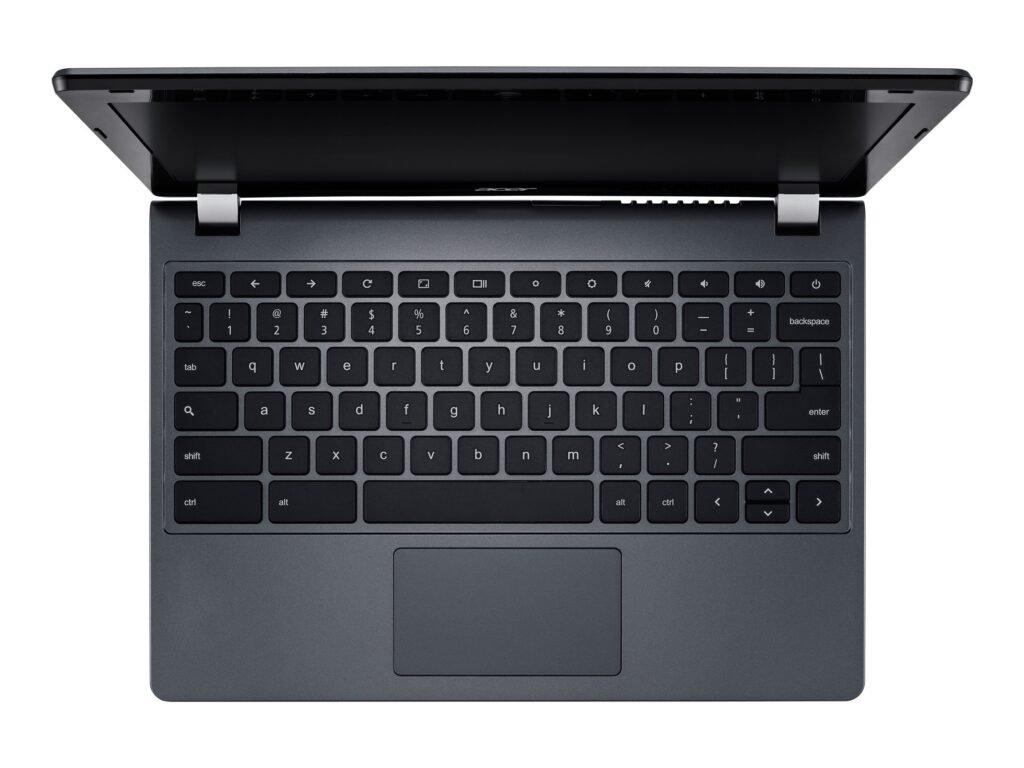
Typing on the Acer C740 is comfortable, with well-spaced keys that offer a tactile response. For students and professionals who spend hours typing, this keyboard is a pleasant surprise for a budget device. The trackpad, while functional, isn’t the most responsive compared to high-end laptops, but it gets the job done.

Connectivity and Ports

Despite its compact size, the Acer C740 provides a decent selection of ports, including:

  • USB 3.0 and USB 2.0 ports
  • HDMI output for external display support
  • Headphone/microphone combo jack
  • SD card slot for additional storage

For wireless connectivity, it supports Wi-Fi and Bluetooth, ensuring smooth internet browsing and easy pairing with peripherals like wireless headphones and mice.

Acer Chromebook C740

Chrome OS and Software Support

Running on Chrome OS, the Acer C740 benefits from regular updates, enhanced security, and access to the Google Play Store (depending on the model). The OS is designed for efficiency, allowing users to browse, stream, and work with minimal lag. Additionally, built-in virus protection adds an extra layer of security compared to traditional Windows laptops.

Who Is the Acer C740 Best For?

This Chromebook is ideal for:

  • Students who need an affordable, lightweight laptop for note-taking and research.
  • Casual users looking for a simple device for web browsing, streaming, and emails.
  • Professionals on a budget who rely on cloud-based applications and need a travel-friendly laptop.

However, if you require heavy multitasking, gaming, or professional-grade software, this might not be the best option for you.

Pros and Cons

Pros:

✔️ Affordable and budget-friendly

✔️ Sturdy and durable design

✔️ Long battery life

✔️ Lightweight and portable

✔️ Good performance for basic tasks

Cons:

❌ Limited storage space

❌ Mediocre display quality

❌ Not suitable for heavy multitasking

Final Verdict: Is the Acer C740 Worth It?

The Acer C740 is a solid budget Chromebook that delivers where it matters most: affordability, portability, and reliability. While it’s not the most powerful device on the market, it serves its purpose well for students, casual users, and professionals on a budget. If you need a straightforward laptop for everyday tasks, this Chromebook is definitely worth considering.

However, if you require more power, storage, or a premium display, you might want to explore other options in the Chromebook lineup.

FAQs

1. Can I install Windows on the Acer C740?

While technically possible, installing Windows on the Acer C740 is not recommended due to hardware limitations. Chrome OS is optimized for the device.

2. Does the Acer C740 support Android apps?

Some models support Android apps via the Google Play Store, but it’s best to check the specific variant before purchasing.

3. Is the Acer C740 good for gaming?

No, the Acer C740 is not designed for gaming. It can handle basic web-based games but struggles with anything beyond that.

4. Can I upgrade the RAM and storage?

The RAM is soldered and cannot be upgraded, but you can expand storage using an external drive or SD card.

5. How does the Acer C740 compare to newer Chromebooks?

Newer Chromebooks offer better displays, improved processors, and more storage. However, the Acer C740 remains a great option for budget-conscious users.

Top 10 cool gadgets March 2025

Top 10 cool gadgets March 2025

Discover the top 10 coolest gadgets of March 2025, from AR headsets to foldable phones, smartwatches, and gaming gear. Stay ahead with the latest tech!

Introduction

Technology is evolving faster than ever, and March 2025 brings a fresh wave of innovative gadgets that are set to change the way we live, work, and play. From powerful AR headsets to cutting-edge foldable smartphones, this list covers the top 10 must-have gadgets that are making headlines. Whether you’re a tech enthusiast, a gamer, or someone who just loves cool gadgets, there’s something for everyone.

1. Apple Vision Pro 2 – The Next-Level AR Experience

Apple is back with an upgraded version of its mixed-reality headset, the Apple Vision Pro 2. With a lighter design, improved battery life, and ultra-clear micro-OLED displays, this AR headset offers a more immersive experience than ever.

🔹 Key Features:

4K resolution per eye

Advanced hand-tracking and gesture controls

Extended battery life (up to 5 hours on a single charge)

Slimmer and more comfortable design

Why You’ll Love It:

Apple has refined the mixed-reality experience, making it easier to interact with apps, games, and workspaces. Whether for gaming, productivity, or entertainment, this is a must-have gadget for tech lovers.

2. Samsung Galaxy Z Fold 6 – The Best Foldable Smartphone Yet

Samsung continues to lead the foldable phone market with its latest release, the Galaxy Z Fold 6. This version offers a stronger hinge, an improved crease-free display, and a powerful Snapdragon 8 Gen 3 processor.

🔹 Key Features:

7.8-inch AMOLED main display with a 120Hz refresh rate

Ultra-durable Flex Glass for better longevity

S-Pen support with improved handwriting recognition

50MP triple-camera system with AI-powered enhancements

Why You’ll Love It:

If you love multitasking, this phone is a game-changer. Use multiple apps side by side, turn your phone into a mini tablet, and enjoy a premium design that folds into your pocket.

3. Meta Quest 3 – The Future of VR Gaming

Meta is taking virtual reality to the next level with the Meta Quest 3. Featuring advanced motion tracking, a slimmer headset, and ultra-realistic graphics, this is the best standalone VR headset available today.

🔹 Key Features:

4K+ per eye resolution for crystal-clear visuals

Haptic feedback gloves for realistic interactions

AI-powered personal assistant for seamless navigation

Over 200 new VR games and experiences

Why You’ll Love It:

Meta has fine-tuned the VR experience to be more comfortable and immersive. Whether you’re gaming, socializing, or working in the metaverse, this headset makes it feel real.

4. Nothing Ear 3 – Next-Gen Transparent Earbuds

The Nothing Ear 3 earbuds offer a stunning transparent design, improved noise cancellation, and studio-quality sound. If you’re looking for stylish yet powerful earbuds, these are perfect.

🔹 Key Features:

11mm dynamic drivers for deep bass

Adaptive ANC (Active Noise Cancellation)

40-hour battery life with the charging case

Bluetooth 5.3 with ultra-low latency

Why You’ll Love It:

They don’t just sound great—they look amazing too! The transparent design makes them unique, while the high-quality audio delivers a premium listening experience.

5. Tesla PowerBank Ultra – Fastest Wireless Charging On-the-Go

Tesla’s PowerBank Ultra is one of the fastest wireless power banks available, perfect for charging your gadgets on the go. With a sleek aluminum design and ultra-fast charging capabilities, this power bank is a must-have.

🔹 Key Features:

20,000mAh capacity with ultra-fast wireless charging

65W USB-C output for laptops and smartphones

Built-in cooling system to prevent overheating

Solar charging capability

Why You’ll Love It:

If you’re always on the move, this power bank ensures you never run out of battery. It even supports wireless charging, eliminating the need for messy cables.

6. Amazon Echo 5 – AI-Powered Smart Home Hub

The Amazon Echo 5 is an upgraded AI-powered smart home assistant that brings better voice recognition, a more responsive Alexa, and improved smart home automation features.

🔹 Key Features:

AI-driven voice assistant for smarter responses

Improved speaker quality with Dolby Atmos support

Advanced home automation with deeper smart device integration

Enhanced privacy controls

Why You’ll Love It:

Whether you’re setting up reminders, playing music, or controlling your smart home, the Echo 5 is smarter, faster, and more intuitive than ever.

7. Garmin Venu 3 – The Ultimate Smartwatch for Fitness

For fitness enthusiasts, the Garmin Venu 3 is the best smartwatch of 2025, offering next-gen health tracking, GPS accuracy, and a sleek design.

🔹 Key Features:

ECG monitoring and advanced heart rate tracking

Sleep and stress analysis with AI-driven recommendations

10-day battery life in smartwatch mode

Preloaded fitness workouts and guided meditation

Why You’ll Love It:

If you’re serious about health and fitness, this smartwatch keeps track of everything—from your heartbeat to your sleep quality—helping you stay on top of your wellness goals.

8. Steam Deck 2 – Handheld Gaming at Its Best

Valve’s Steam Deck 2 is a portable gaming powerhouse with enhanced performance, better battery life, and a brighter OLED display.

🔹 Key Features:

AMD Ryzen Z2 processor for smoother gameplay

120Hz OLED touchscreen display

Up to 10 hours of battery life

Full compatibility with PC games and cloud gaming

Why You’ll Love It:

It’s like having a high-end gaming PC in your hands! Whether you love AAA games or indie titles, Steam Deck 2 delivers an unbeatable handheld experience.

9. Insta360 X5 – The Best 360° Camera of 2025

Content creators will love the Insta360 X5, a powerful 360° camera with 8K resolution, AI-powered editing, and enhanced stabilization.

🔹 Key Features:

8K video recording with cinematic stabilization

AI editing for automatic highlight reels

Waterproof and rugged design

Live streaming support

Why You’ll Love It:

Whether you’re a travel vlogger or a filmmaker, this camera captures stunning 360° footage effortlessly.

10. DJI Mini 5 – The Ultimate Compact Drone

The DJI Mini 5 is a lightweight, foldable drone with 4K video capabilities and AI tracking, making it the best drone for travelers and filmmakers.

🔹 Key Features:

4K HDR video with AI-powered stabilization

40-minute flight time

Advanced obstacle avoidance sensors

Compact and travel-friendly design

Why You’ll Love It:

If you love aerial photography and videography, this drone offers pro-level features in a tiny package.

Conclusion

March 2025 is packed with groundbreaking gadgets that push the boundaries of technology. From the Apple Vision Pro 2’s AR experience to the DJI Mini 5’s aerial capabilities, these devices are shaping the future. Whether you’re into gaming, fitness, photography, or smart home tech, there’s something exciting for everyone.

FAQs

Which gadget is the most innovative in March 2025?

The Apple Vision Pro 2 leads in innovation with its enhanced AR technology.

Are foldable smartphones worth buying now?

Yes! The Samsung Galaxy Z Fold 6 offers a durable design and cutting-edge features.

What’s the best smartwatch for health tracking?

The Garmin Venu 3 is the best for fitness and health monitoring.

How does the Tesla PowerBank Ultra compare to others?

It’s one of the fastest wireless chargers with a high-capacity battery.

Which gadget is best for gamers in 2025?

The Steam Deck 2 delivers the best portable gaming experience.

Read More: Top 10 Cheap Tech Products in 2025

Top 10 cheap tech products in 2025

Top 10 Cheap Tech Products in 2025

Discover the top 10 cheap tech products in 2025, from smart gadgets to budget-friendly accessories, all offering great value without breaking the bank!

Introduction

Technology is evolving rapidly, and while high-end gadgets grab the spotlight, you don’t always have to break the bank to enjoy quality tech. Whether you need smart accessories, productivity tools, or home automation devices, affordable options are available. In 2025, the market is flooded with budget-friendly yet feature-packed gadgets that offer incredible value for money.

If you’re looking for the best tech products under a budget, this guide will help you explore the top 10 cheap tech products in 2025 that deliver high performance without costing a fortune.

1. Wyze Cam v3 – Affordable Smart Security

A smart home security camera is essential for keeping an eye on your home, and the Wyze Cam v3 offers premium features at a fraction of the price of competitors.

Why It’s a Great Buy:

  • ✔️ Full HD 1080p video with night vision
  • ✔️ Weather-resistant for indoor and outdoor use
  • ✔️ Motion and sound detection alerts
  • ✔️ Works with Alexa and Google Assistant

Security doesn’t have to come with a high price tag. With Wyze Cam v3, you can monitor your home affordably and with ease.

2. Anker Soundcore Life Q20 – Budget Noise-Canceling Headphones

If you’re looking for an immersive audio experience without spending hundreds of dollars, the Anker Soundcore Life Q20 is an excellent choice.

What Makes It Special?

  • ✔️ Hybrid active noise cancellation
  • ✔️ Up to 40 hours of battery life
  • ✔️ Hi-Res audio quality
  • ✔️ Memory foam ear cups for comfort

For music lovers and remote workers, these headphones provide premium features at an unbeatable price.

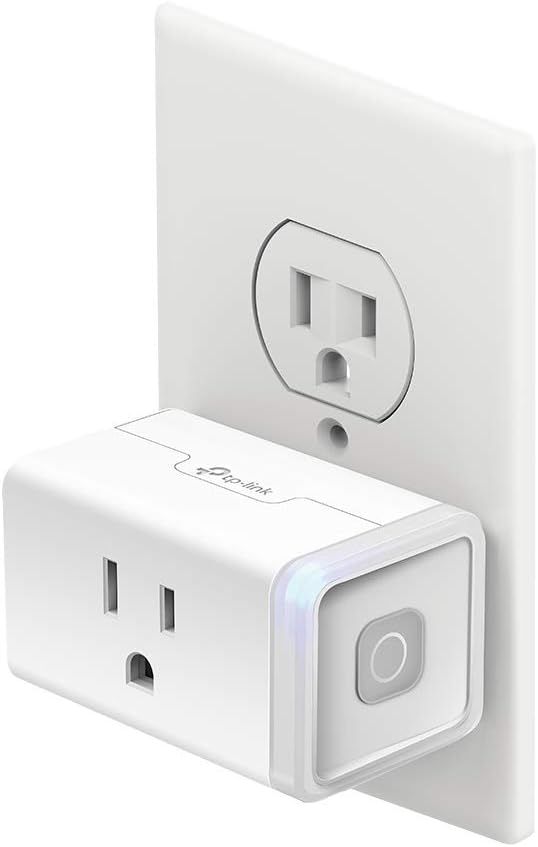
3. TP-Link Tapo Smart Plug – Smart Home on a Budget

Want to make your home smarter without expensive automation systems? The TP-Link Tapo Smart Plug lets you control your devices remotely.

Why You’ll Love It:

  • ✔️ Works with Alexa and Google Assistant
  • ✔️ Energy monitoring to save electricity
  • ✔️ Set schedules and timers for appliances
  • ✔️ No hub required—just connect to Wi-Fi

It’s a simple, cost-effective way to modernize your home.

4. Xiaomi Mi Band 7 – Affordable Fitness Tracker

Staying fit is easier with the Xiaomi Mi Band 7, a feature-packed fitness tracker at an incredibly low price.

Top Features:

  • ✔️ Heart rate and SpO2 monitoring
  • ✔️ Over 110 sports modes
  • ✔️ 1.62-inch AMOLED display
  • ✔️ Up to 14 days of battery life

Whether you’re a fitness enthusiast or just starting out, this budget-friendly gadget is a fantastic health companion.

5. Roku Express 4K+ – Cheap Streaming Solution

Streaming your favorite shows doesn’t have to be expensive. The Roku Express 4K+ offers top-tier streaming quality at an affordable price.

Why It Stands Out:

  • ✔️ 4K streaming with HDR support
  • ✔️ Voice remote with TV controls
  • ✔️ Access to thousands of streaming apps
  • ✔️ Easy setup and user-friendly interface

Ditch cable and enjoy premium entertainment without the hefty price tag.

6. Logitech K380 Bluetooth Keyboard – Best Budget Keyboard

Perfect for students, professionals, and travelers, the Logitech K380 offers seamless typing on multiple devices.

What’s to Love?

  • ✔️ Connects to 3 devices via Bluetooth
  • ✔️ Compact and lightweight design
  • ✔️ Long battery life (up to 2 years)
  • ✔️ Works with Windows, macOS, iOS, and Android

If you need a reliable wireless keyboard without spending a fortune, this is a must-have.

7. Anker PowerCore 10000 – Budget Power Bank

Running out of battery while on the go? The Anker PowerCore 10000 is a compact yet powerful portable charger.

Key Benefits:

  • ✔️ 10,000mAh capacity—charges most phones 2-3 times
  • ✔️ Lightweight and pocket-friendly design
  • ✔️ High-speed charging with PowerIQ
  • ✔️ Universal compatibility with all USB devices

A must-have for travelers and heavy phone users.

8. JBL GO 3 – Mini Bluetooth Speaker with Big Sound

Looking for an ultra-portable speaker that doesn’t compromise on sound? The JBL GO 3 is a fantastic choice.

Why You Need It:

  • ✔️ Bold JBL sound in a tiny package
  • ✔️ Waterproof and dustproof (IP67)
  • ✔️ Up to 5 hours of playtime
  • ✔️ Stylish and durable design

Perfect for picnics, parties, or just enjoying music anywhere.

9. Fire TV Stick Lite – Budget Streaming Stick

Amazon’s Fire TV Stick Lite is one of the cheapest ways to upgrade your entertainment experience.

Features That Matter:

  • ✔️ Full HD streaming
  • ✔️ Alexa voice remote for hands-free control
  • ✔️ Access to Netflix, Prime Video, Disney+, and more
  • ✔️ Compact and easy to use

For those who love streaming but don’t want to spend too much, this is an excellent investment.

10. SanDisk Ultra Dual Drive USB Type-C – Affordable Storage Solution

Transferring files between devices is easier than ever with the SanDisk Ultra Dual Drive USB-C.

Why It’s Worth It:

  • ✔️ Dual USB-A and USB-C connectors
  • ✔️ Fast transfer speeds up to 150MB/s
  • ✔️ Compact and portable design
  • ✔️ Ideal for students and professionals

An essential gadget for those who frequently transfer files between smartphones, tablets, and computers.

Final Thoughts

Affordable tech doesn’t mean sacrificing quality. The top 10 cheap tech products in 2025 offer incredible value, whether you’re upgrading your home, enhancing your entertainment setup, or boosting productivity.

From smart home gadgets like the Wyze Cam v3 to affordable audio devices like the Anker Soundcore Life Q20, these budget-friendly tech solutions prove that you don’t need to spend big to enjoy the best of modern technology.

So, which one will you be adding to your cart first?

Frequently Asked Questions (FAQs)

1. Are cheap tech products reliable?

Yes! Many budget-friendly products offer excellent quality. Brands like Wyze, Anker, and Xiaomi are known for producing affordable yet durable tech gadgets.

2. What is the best cheap tech product for students?

The Logitech K380 Bluetooth Keyboard and SanDisk Ultra Dual Drive USB-C are great choices for students who need affordable and practical tech accessories.

3. Are there any budget-friendly alternatives to AirPods?

Yes! The Anker Soundcore Life Q20 and JBL GO 3 offer excellent sound quality at a lower price than AirPods.

4. Can I use budget smart home gadgets with Alexa and Google Assistant?

Absolutely! Many cheap smart devices, like the Wyze Cam v3 and TP-Link Tapo Smart Plug, work seamlessly with Alexa and Google Assistant.

Read More: Top 10 Laptop Backpacks for Travel and Work

Top 10 Laptop Backpacks for Travel and Work

Top 10 Laptop Backpacks for Travel and Work

Discover the top 10 laptop backpacks for travel and work, offering style, comfort, and security for your devices on the go.

Introduction

Finding the perfect laptop backpack can be a challenge, especially if you’re always on the go. Whether you’re a business professional, a student, or a digital nomad, having a reliable backpack that keeps your laptop safe and your essentials organized is a must. The right backpack should be comfortable, spacious, and durable enough to handle daily commutes and long-distance travel.

In this guide, we’ll explore the top 10 laptop backpacks for travel and work, breaking down their features, pros, and why they stand out.

Key Features to Look for in a Laptop Backpack

1. Comfort and Ergonomics

Carrying a heavy laptop and accessories can put a strain on your shoulders and back. Look for a backpack that has:

  • Padded shoulder straps to reduce pressure on your shoulders.
  • A breathable back panel to prevent excessive sweating.
  • Adjustable straps to ensure a snug, comfortable fit.

2. Storage and Compartments

A well-organized backpack makes life easier. Some essential compartments include:

  • A dedicated laptop sleeve to keep your device secure.
  • Multiple pockets for chargers, documents, and personal items.
  • Expandable sections for extra storage when needed.

3. Durability and Material

If you travel frequently, you need a backpack that can handle wear and tear. Look for:

  • Water-resistant fabric to protect your electronics from unexpected rain.
  • Reinforced stitching for long-term durability.
  • Anti-theft features like hidden zippers and RFID-blocking pockets.

4. Style and Professionalism

Your backpack should be stylish enough for the office but versatile enough for casual travel. Sleek, minimalist designs are best for professionals, while more rugged options work well for outdoor enthusiasts.

5. Security Features

If you’re carrying important documents or expensive gadgets, security is crucial. Consider:

Lockable zippers to deter theft.

RFID-blocking pockets to protect your credit cards and passport.

Hidden compartments for extra safety.

Top 10 Laptop Backpacks for Travel and Work

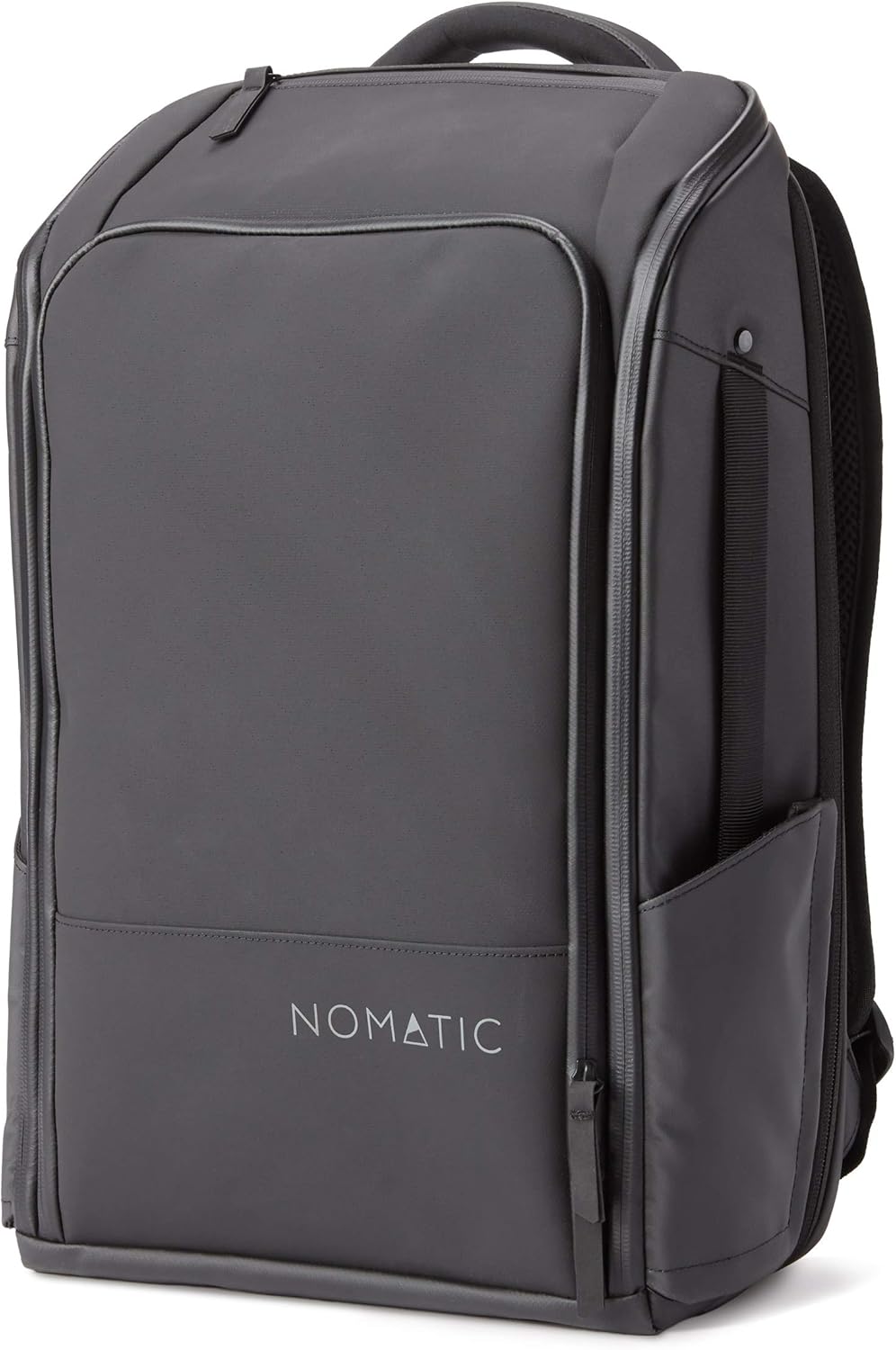
1. Nomatic Backpack

✅ Best for frequent travelers

✅ Expandable design with hidden compartments

✅ Water-resistant material

The Nomatic Backpack is a traveler’s dream. It features a sleek, expandable design, RFID-blocking pockets, and water-resistant material, making it perfect for business trips.

2. Samsonite Tectonic Lifestyle Crossfire Business Backpack

✅ Ideal for professionals

✅ Spacious compartments with padded laptop sleeve

✅ Comfortable padded straps

If you’re looking for a professional and sturdy backpack, Samsonite has you covered. This model provides a padded laptop compartment, ergonomic design, and a durable exterior.

3. Matein Travel Laptop Backpack

✅ Budget-friendly option

✅ USB charging port

✅ Lightweight and ergonomic

For those on a budget, the Matein Travel Laptop Backpack offers a USB charging port, anti-theft pockets, and breathable mesh straps—all at an affordable price.

4. Everki Business 120 Travel Friendly Laptop Backpack

✅ TSA-approved for airport security

✅ Large storage capacity

✅ Durable and stylish

Frequent flyers will love the Everki Business 120, as it’s TSA-approved, meaning you won’t have to remove your laptop at security checkpoints.

5. eBags Professional Slim Laptop Backpack

✅ Compact and organized design

✅ High-quality build with multiple compartments

✅ Great for business travel

This slim yet efficient backpack is perfect for professionals who need to keep things organized without carrying a bulky bag.

6. Tzowla Business Laptop Backpack

✅ Affordable with anti-theft features

✅ USB port for on-the-go charging

✅ Water-resistant material

For security-conscious travelers, the Tzowla Business Backpack includes lockable zippers, hidden compartments, and a sleek professional design.

7. Herschel Little America Laptop Backpack

✅ Stylish and functional

✅ Spacious interior with a drawstring closure

✅ Padded laptop compartment

If you’re looking for a fashionable yet functional backpack, the Herschel Little America combines style with ample storage.

8. Timbuk2 Authority Laptop Backpack

✅ Designed for city commuters

✅ Durable and water-resistant fabric

✅ Excellent weight distribution

For city dwellers, the Timbuk2 Authority Backpack offers superior comfort, durability, and water-resistant material to withstand daily commutes.

9. Thule Subterra Backpack

✅ Perfect for digital nomads

✅ Rolltop design for extra storage

✅ Laptop compartment with protective padding

Thule is known for high-quality travel gear, and the Subterra Backpack is perfect for those who need extra protection for their laptop.

10. Peak Design Everyday Backpack

✅ Best for photographers and creatives

✅ Customizable compartments

✅ High-end build quality

Creative professionals will love the Peak Design Everyday Backpack, thanks to its adjustable compartments and stylish look.

Conclusion

Choosing the right laptop backpack depends on your lifestyle, travel habits, and personal preferences. Whether you need a professional, stylish, or ultra-secure backpack, the options above have something for everyone.

FAQs

What size laptop backpack should I get?

Choose one that fits your laptop snugly, ideally with extra padding.

Are laptop backpacks safe for carrying valuable electronics?

Yes, especially those with anti-theft features and padded compartments.

What’s the best laptop backpack for air travel?

The Everki Business 120 and Nomatic Backpack are excellent TSA-friendly choices.

Do I need a waterproof laptop backpack?

Yes, especially if you frequently travel in rainy areas.

How can I clean my laptop backpack?

Use a damp cloth for spot cleaning and mild detergent for deep cleaning.

Read More: Exploring Gefion AI’s Capabilities

Gefion AI

Exploring Gefion AI’s Capabilities

Discover the powerful capabilities of Gefion AI, its features, benefits, and how it is transforming industries with advanced AI technology.

Introduction

Artificial Intelligence (AI) is rapidly transforming industries, automating tasks, and enhancing decision-making across various sectors. Among the latest AI innovations, Gefion AI has emerged as a powerful solution, revolutionizing the way businesses operate. But what exactly is Gefion AI, and what makes it stand out?

In this article, we’ll take a deep dive into Gefion AI’s capabilities, exploring its core features, benefits, applications, and future potential. Whether you’re a business owner, tech enthusiast, or AI professional, this guide will provide insights into how Gefion AI can streamline operations and drive innovation.

What is Gefion AI?

Gefion AI is an advanced artificial intelligence platform designed to automate complex tasks, provide real-time analytics, and enhance decision-making. It leverages machine learning (ML), natural language processing (NLP), and automation to deliver precise and efficient solutions across various industries.

Unlike traditional AI models, Gefion AI is built for scalability, allowing businesses to customize and integrate it seamlessly into their workflows. Whether it’s analyzing customer behavior, automating tasks, or improving business intelligence, Gefion AI aims to optimize efficiency and drive growth.

How Gefion AI Works

Gefion AI functions by utilizing a combination of AI-driven technologies, including:

  • Machine Learning Algorithms – Continuously improving accuracy through data-driven insights
  • Natural Language Processing (NLP) – Understanding and responding to human language
  • Predictive Analytics – Forecasting trends and optimizing operations
  • Automation Tools – Reducing manual efforts in repetitive tasks

The system processes massive datasets, extracting valuable insights while ensuring data security and compliance. By integrating with cloud computing and IoT technologies, Gefion AI offers real-time monitoring and seamless data management.

Key Features of Gefion AI

Advanced Natural Language Processing (NLP)

Gefion AI’s NLP capabilities enable smart chatbots, voice recognition, and text analysis. Businesses can use it for automated customer service, sentiment analysis, and content generation.

Real-Time Data Analysis and Predictions

With its powerful data analytics engine, Gefion AI can analyze trends, predict customer behavior, and generate insights that help businesses make informed decisions.

Automation and Task Management

Gefion AI automates repetitive and time-consuming tasks, allowing employees to focus on higher-value activities. It’s particularly useful in HR, finance, and customer support.

Scalability and Customization

The platform is highly flexible, making it suitable for businesses of all sizes. Whether you’re a startup or a large enterprise, Gefion AI can be tailored to fit your specific needs.

Integration with Other Systems

Gefion AI seamlessly integrates with CRM, ERP, marketing automation tools, and cloud services, ensuring a smooth workflow without disrupting existing processes.

Industries Benefiting from Gefion AI

Healthcare

AI-driven diagnostics

Patient data analysis

Virtual health assistants

Finance

Fraud detection

Automated trading

Risk assessment

E-commerce

Personalized recommendations

AI-powered chatbots

Customer behavior analysis

Marketing

Automated content creation

Customer insights and segmentation

Ad targeting optimization

Manufacturing

Predictive maintenance

Smart supply chain management

Process automation

Benefits of Using Gefion AI

  • Increased efficiency – Automates workflows and reduces manual work
  • Cost savings – Lowers operational costs through automation
  • Data-driven decisions – Provides real-time insights for smarter strategies
  • Enhanced customer experience – AI-powered support and recommendations

Gefion AI vs. Competitors

Compared to other AI platforms, Gefion AI offers:

  • Superior NLP capabilities
  • Better integration with enterprise tools
  • Greater customization and scalability

Potential Challenges and Limitations

While Gefion AI is highly capable, challenges include:

  • Data privacy concerns – AI relies on vast amounts of data, raising security risks
  • Ethical implications – AI automation may impact jobs and decision-making biases
  • Dependence on quality data – AI’s accuracy depends on well-structured input data

The Future of Gefion AI

As AI continues to evolve, Gefion AI is expected to introduce:

  • More advanced deep learning models
  • Improved personalization features
  • Greater security enhancements

How to Get Started with Gefion AI

  • Explore pricing and subscription options
  • Sign up for a demo or trial
  • Integrate AI into existing workflows

User Experiences and Testimonials

Businesses using Gefion AI have reported:

  • 30% increase in efficiency
  • Reduction in operational costs
  • Improved customer satisfaction

Final Thoughts on Gefion AI

Gefion AI is a game-changer in AI-driven automation, offering businesses efficiency, accuracy, and innovation. Whether you’re looking to optimize workflows, enhance customer experience, or gain deeper insights, Gefion AI is worth exploring.

Conclusion

Gefion AI is redefining the AI landscape with its advanced automation, data analytics, and NLP capabilities. As businesses increasingly adopt AI-powered solutions, Gefion AI stands out as a powerful tool for growth and efficiency.

FAQs

What makes Gefion AI different from other AI platforms?

Gefion AI offers superior NLP, real-time analytics, and seamless integrations.

Can Gefion AI be customized for specific industries?

Yes, it can be tailored to meet the unique needs of different businesses.

What are the security measures in place for data protection?

Gefion AI uses encryption, authentication, and compliance protocols to safeguard data.

How can I integrate Gefion AI with my existing software?

Gefion AI provides APIs and plug-ins for easy integration with business applications.

Read More: Lenovo’s Extendable Laptop Screen: A New Era in Mobility

Lenovo's extendable laptop screen

Lenovo’s Extendable Laptop Screen: A New Era in Mobility

Discover Lenovo’s extendable laptop screen, revolutionizing mobility with innovative design, enhanced productivity, and seamless multitasking.

Introduction

Imagine a laptop that expands its screen size at the push of a button—no extra monitors, no external accessories, just pure innovation. Lenovo is pushing the boundaries of laptop design with its extendable laptop screen, a revolutionary approach that redefines portability and productivity.

With people demanding larger screens for multitasking, gaming, and entertainment, traditional laptops often fall short. Lenovo’s new extendable screen technology aims to solve this problem by offering a seamless transition from a compact laptop to a larger workspace. But how does it work, and is it truly the future of mobile computing? Let’s dive in!

What is Lenovo’s Extendable Laptop Screen?

Lenovo’s extendable laptop screen is a cutting-edge display technology that allows users to expand their screen size dynamically. Unlike foldable or dual-screen laptops, this model features a roll-out mechanism that increases screen real estate without adding extra bulk.

With the simple press of a button, the display extends smoothly, providing additional screen space for multitasking, entertainment, and work. This design keeps the laptop portable while offering a flexible workspace.

The Technology Behind Extendable Screens

Mechanism of the Extendable Display

Lenovo’s extendable screen works using a flexible OLED panel that rolls out from within the laptop chassis. This mechanism relies on advanced motorized or manual sliders that allow smooth extension and retraction of the display without compromising durability.

OLED vs. LCD: Which Technology Powers It?

Lenovo’s extendable screen is expected to use OLED (Organic Light Emitting Diode) technology, known for its superior color accuracy, brightness, and power efficiency. OLED screens are also thinner and more flexible than traditional LCDs, making them ideal for rollable designs.

Durability and Longevity of the Screen

One concern with moving screens is durability. Lenovo has likely implemented reinforced materials and scratch-resistant coatings to ensure the extendable screen remains functional over time. Additionally, the sliding mechanism is built to withstand thousands of expansions and retractions without performance degradation.

Advantages of an Extendable Laptop Screen

Portability Meets Productivity

A laptop that expands on demand means you can carry a compact device while still enjoying a large display whenever needed. Whether you’re on a plane, in a coffee shop, or at your desk, you have the flexibility to adjust your screen size based on your task.

Enhanced Multitasking Capabilities

With a larger screen, users can open multiple applications side by side without feeling cramped. This is perfect for professionals who juggle spreadsheets, presentations, and emails simultaneously.

Better Gaming and Entertainment Experience

Gamers can benefit from a larger field of view, enhancing their experience in immersive titles. Streaming movies or editing videos also becomes more enjoyable with an expanded display.

Improved Workstation Flexibility

For professionals and students, an extendable screen reduces the need for external monitors, making it easier to work efficiently from anywhere.

How Lenovo’s Innovation Stands Out

While brands like ASUS and HP have experimented with dual-screen laptops or foldable displays, Lenovo’s roll-out approach provides the best of both worlds: a compact laptop when needed and a large, seamless display when expanded.

Use Cases for an Extendable Laptop Screen

For Business Professionals

  • Expandable workspace for handling multiple applications
  • Improved video conferencing experience

For Gamers

  • Larger display for immersive gaming
  • Better performance with a bigger screen

For Creatives

  • Ideal for graphic designers, video editors, and digital artists
  • Expands the workspace without external monitors

For Students and Remote Workers

  • Perfect for switching between study, research, and entertainment
  • More screen space for online classes and collaboration

Challenges and Potential Downsides

Cost and Affordability

New technology often comes at a premium price. Lenovo’s extendable laptop screen might initially be expensive, making it less accessible to budget-conscious buyers.

Durability Concerns

Moving parts introduce potential wear and tear risks. Lenovo must ensure the screen expansion mechanism remains reliable over long-term use.

Software Compatibility Issues

Not all applications are optimized for dynamic screen sizes. Developers might need to update their software to support Lenovo’s extendable display fully.

Lenovo ThinkPad X250

The Future of Extendable Screens in Laptops

As display technology advances, extendable screens might become mainstream, leading to even thinner, lighter, and more durable laptops. Innovations like self-healing materials and faster refresh rates could make these screens even more appealing in the coming years.

Is It Worth the Hype?

If you’re a professional, gamer, or creative who craves more screen space without extra bulk, Lenovo’s extendable laptop could be a game-changer. However, early adopters should be prepared for high costs and potential durability concerns.

Conclusion

Lenovo’s extendable laptop screen is pushing the boundaries of what’s possible in mobile computing. By offering a compact laptop that transforms into a large-screen powerhouse, it caters to a wide range of users. While challenges like pricing and durability remain, the potential benefits make this innovation an exciting step toward the future of portable computing.

FAQs

How does Lenovo’s extendable laptop screen work?

It features a rollable OLED display that extends or retracts with a sliding mechanism.

Is an extendable screen better than a dual-screen laptop?

Yes! It provides a seamless display experience without the gap or hinge seen in dual-screen models.

Will Lenovo’s extendable laptop be expensive?

Most likely, since new technology usually carries a premium price tag.

Can the extendable screen be used for gaming?

Absolutely! A larger display enhances gaming visuals and immersion.

When will Lenovo’s extendable laptop be available?

Lenovo has not officially announced a release date, but it’s expected to launch within the next few months.

Read More: What is Majorana 1? Unlocking Quantum Computing’s Potential

Majorana 1

What is Majorana 1? Unlocking Quantum Computing’s Potential

Discover Majorana 1 and its role in unlocking quantum computing’s potential. Learn how this breakthrough could revolutionize technology and encryption.

Introduction

Quantum computing is on the verge of transforming our digital world, offering mind-blowing processing power that surpasses classical computers. But there’s a problem—quantum bits (qubits) are notoriously unstable, making error correction a major challenge. Enter Majorana 1, a revolutionary approach that could be the key to making quantum computing practical. But what exactly is Majorana 1, and how does it unlock the full potential of quantum technology? Let’s dive in and explore.

What is Majorana 1?

At its core, Majorana 1 is a novel approach to quantum computing that utilizes Majorana fermions, exotic particles that could offer unmatched stability for qubits. Unlike traditional quantum computing methods that struggle with decoherence and errors, Majorana 1 aims to solve these issues through a fundamentally different quantum structure.

This technology could be the breakthrough scientists have been searching for to build reliable, scalable, and fault-tolerant quantum computers.

Book about Majorana 1

The Science Behind Majorana Fermions

So, what exactly are Majorana fermions? These particles were first predicted by Italian physicist Ettore Majorana in 1937. Unlike regular electrons, Majorana fermions are their own antiparticles, meaning they can annihilate themselves. This unique property makes them ideal for quantum computing because they can form topological qubits, which are far more stable than traditional qubits.

Scientists have been hunting for these elusive particles for decades, and recent experiments have provided strong evidence of their existence, paving the way for Majorana 1.

How Majorana 1 Enhances Quantum Computing

One of the biggest challenges in quantum computing is qubit instability. Qubits are highly sensitive to their environment, causing errors that disrupt calculations. Majorana 1 offers a solution by leveraging the topological properties of Majorana fermions to create stable qubits that are more resistant to external disturbances.

Here’s why Majorana 1 is a game-changer:

  • Error correction is simplified because of its self-protecting nature.
  • Qubits are more stable, reducing decoherence issues.
  • Scalability becomes easier, bringing us closer to practical quantum computing.

Why Majorana 1 Matters in Today’s Technology

With the rise of big data, artificial intelligence, and cybersecurity threats, we are reaching the limits of what classical computers can handle. Majorana 1 could be the solution that pushes us into a new era of computing.

Imagine:

  • Instantly cracking encryption algorithms that currently take thousands of years.
  • Simulating complex molecules to design groundbreaking drugs.
  • Optimizing AI and machine learning models in ways we never thought possible.

Challenges in Developing Majorana 1

Despite its promise, there are still significant challenges in developing Majorana 1:

  • Creating and manipulating Majorana fermions is incredibly difficult.
  • Engineering stable topological qubits requires advanced nanotechnology.
  • Scaling up the technology for commercial use is still a work in progress.

Recent Breakthroughs in Majorana 1 Research

Scientists have recently made major breakthroughs, such as:

  • Demonstrating Majorana fermions in superconducting nanowires.
  • Developing new materials to stabilize these particles.
  • Advancing topological quantum computing theories to refine their practical applications.

Potential Applications of Majorana 1

1. Revolutionizing Cryptography

With quantum computing, traditional encryption methods could become obsolete. Majorana 1 could enable ultra-secure encryption through quantum key distribution.

2. Advancing Artificial Intelligence

Faster quantum computing means AI models can be trained at an unprecedented speed, leading to breakthroughs in machine learning and automation.

3. Drug Discovery and Material Science

Simulating molecular interactions with quantum computers could revolutionize medicine, helping scientists design new drugs and materials at lightning speed.

Who is Leading the Race in Majorana 1 Development?

Tech giants like Google, Microsoft, and IBM, alongside research institutions like MIT and Delft University, are heavily investing in Majorana 1 research. The race for quantum supremacy is on!

Future Prospects of Majorana 1

With continuous advancements, experts predict that within the next decade, we could see practical quantum computers powered by Majorana 1. This could reshape industries, revolutionize security, and even change the way we understand physics.

Conclusion

Majorana 1 represents a huge leap toward the future of quantum computing. While challenges remain, the potential applications—from AI to cybersecurity to medicine—make it one of the most exciting fields in modern science. The journey has just begun, and the possibilities are endless.

FAQs

What makes Majorana 1 different from other quantum computing methods?

Majorana 1 relies on topological qubits, which are far more stable than traditional qubits.

How soon can we expect real-world applications of Majorana 1?

Within the next decade, we may see practical implementations, though large-scale adoption will take longer.

What industries will benefit the most from Majorana 1?

Cryptography, AI, pharmaceuticals, and materials science will see the biggest transformations.

What are the biggest challenges facing Majorana 1 research?

Engineering stable qubits and scaling up production are the main hurdles.

How does Majorana 1 improve quantum stability and error correction?

It uses the unique properties of Majorana fermions to create qubits that naturally resist errors.

Buy our latest products