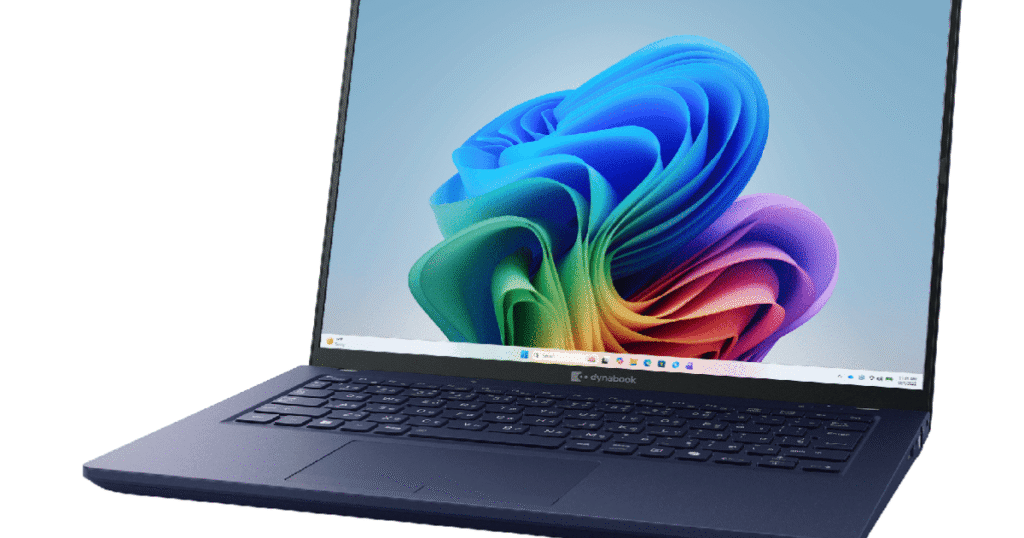
Windows 11 26H1 review covering features, AI tools, performance, gaming, and whether you should upgrade or not.

Windows 11 26H1 Review and New Features Guide

Windows 11 26H1 review covering features, AI tools, performance, gaming, and whether you should upgrade or not.

Introduction to Windows 11 26H1

Technology never sleeps. Just when you get comfortable with your current system, a new update knocks on your door. That’s exactly what’s happening with Windows 11 26H1. This update feels less like a simple patch and more like giving your PC a fresh brain and faster reflexes.

Developed by Microsoft, this update focuses heavily on speed, AI features, and making your daily experience smoother. But is it actually worth the hype? Let’s dive deep and find out.

What Is Windows 11 26H1 Update

Windows 11 26H1 is a major feature update expected in 2026. Think of it like a mid-life upgrade for your PC. It doesn’t just fix bugs. It introduces new abilities, improves performance, and enhances security.

The goal is simple. Make your computer smarter, faster, and easier to use.

Why This Update Matters

Imagine driving a car for years and suddenly upgrading to a newer model with better speed, smarter navigation, and improved safety. That’s what this update feels like.

It improves how your PC works behind the scenes and how it feels when you use it daily.

Release Date and Availability

Expected Release Timeline

Windows 11 26H1 is expected to roll out in the first half of 2026. Usually, these updates arrive between March and June.

Early preview users get it first, followed by regular users.

Who Will Get It First

Newer laptops and PCs will receive it earlier. Older devices may get it later depending on compatibility.

If your device already runs Windows 11 smoothly, chances are high you’ll get the update.

New User Interface Changes

Updated Start Menu Experience

The Start Menu feels more intelligent now. It learns your habits and shows apps you actually use instead of random suggestions.

It feels more personal, like your PC understands you.

Customization Improvements

You get more control over layout and appearance. You can organize apps better and make the interface cleaner.

Your desktop feels more like your own workspace.

Taskbar Enhancements

The taskbar is now smoother and more responsive. Animations feel faster and cleaner.

Small changes, but they make daily use more enjoyable.

AI Features and Smart Tools

AI Integration Across the System

This is where things get exciting. AI is now deeply integrated.

Your system helps you find files faster, suggests actions, and improves productivity.

It feels like having a digital assistant living inside your computer.

Smart Search Improvements

Search is now lightning fast.

Instead of digging through folders, you simply type and find things instantly.

It saves time and reduces frustration.

Performance Improvements

Faster Boot Times

Nobody likes waiting for their computer to start.

With Windows 11 26H1, boot times are noticeably faster.

Your system wakes up quicker, like it just had a strong cup of coffee.

Better RAM Management

RAM is used more efficiently now.

This means smoother multitasking. You can open more apps without slowing down your PC.

Everything feels fluid.

Gaming Improvements

FPS Boost and Optimization

Gamers will love this update.

Games run smoother with improved frame rates.

Even older hardware can see performance gains.

DirectX and Gaming Enhancements

Gaming technologies are better optimized.

This results in improved graphics and faster loading times.

Games look better and feel more responsive.

Security Improvements

Stronger Protection Features

Security is stronger than ever.

Threat detection is faster and smarter.

Your data stays safer.

Privacy Enhancements

You get more control over privacy settings.

You decide what your system can access.

This gives peace of mind.

Battery and Power Efficiency

Laptop Battery Improvements

Laptop users benefit a lot.

Battery life is improved.

Your laptop lasts longer on a single charge.

Background App Optimization

Apps running in the background use less power.

This improves performance and battery life.

Your system becomes more efficient.

Compatibility and Requirements

Supported Devices

Most modern Windows 11 devices support this update.

If your PC is less than 3 to 4 years old, you’re likely safe.

Hardware Requirements

Requirements remain similar.

You need:

  • Modern processor
  • Enough RAM
  • SSD recommended

Nothing extreme.

Pros and Cons

Windows 11 26H1 brings many positives. The system feels faster, smarter, and more efficient. AI integration makes daily tasks easier. Gaming performance improves, and battery life gets better.

However, some older devices may not fully benefit. And like every update, small bugs may appear initially.

But overall, improvements outweigh drawbacks.

Should You Upgrade

Yes, absolutely.

If your device supports it, upgrading is a smart choice.

You get:

  • Better performance
  • Stronger security
  • Smarter features

It makes your PC future-ready.

Think of it like upgrading from a normal phone to a smartphone. Once you experience it, there’s no going back.

Conclusion

Windows 11 26H1 is not just another update. It’s a meaningful upgrade that improves performance, intelligence, and efficiency. It makes your computer feel faster, smarter, and more modern.

Whether you are a student, gamer, or professional, this update enhances your experience.

It shows the future direction of personal computing. Smarter systems that work with you, not against you.

If your PC supports it, upgrading is definitely worth it.

FAQs

Is Windows 11 26H1 a major update

Yes, it is a major update with new features, performance improvements, and AI integration.

Will Windows 11 26H1 make my PC faster

Yes, most users will notice faster speed, better multitasking, and smoother performance.

Is Windows 11 26H1 good for gaming

Yes, it improves FPS, graphics performance, and loading speeds.

Is it safe to install Windows 11 26H1

Yes, it includes stronger security and better protection features.

Do I need a new computer for Windows 11 26H1

No, if your current PC supports Windows 11, it will likely support this update too.
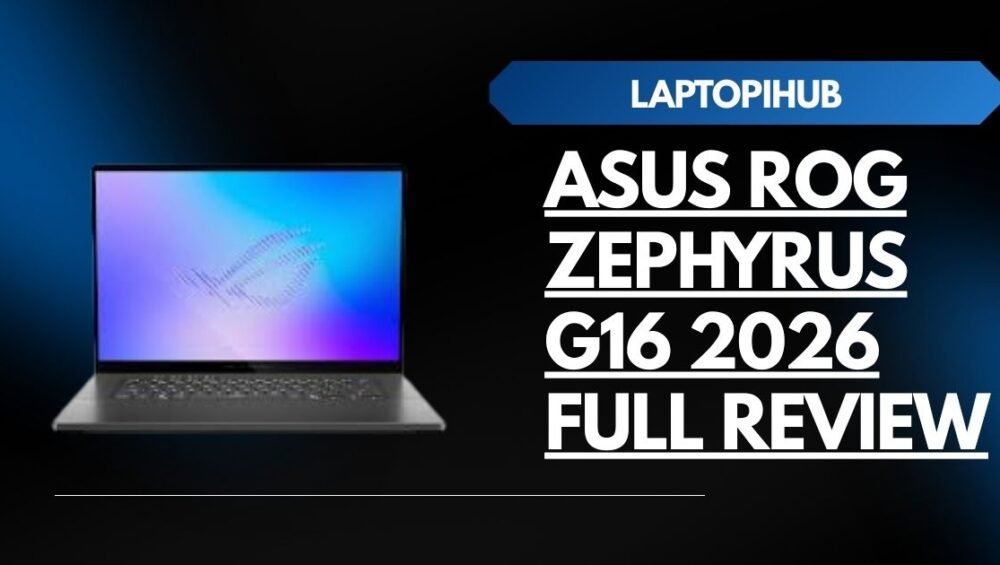
Read More: ASUS ROG Zephyrus G16 2026 Full Review

ASUS ROG Zephyrus G16 2026 Full Review

ASUS ROG Zephyrus G16 2026 full review covering performance, gaming power, display quality, battery life, and why it’s perfect for creators.

Introduction to ASUS ROG Zephyrus G16 2026

The ASUS ROG Zephyrus G16 2026 feels like a laptop built without compromise. It is powerful, sleek, and intelligent. The moment you hear its name, you expect gaming performance. But when you actually use it, you realize it is not just for gaming. It is for creators, professionals, and anyone who wants extreme performance.

This laptop is like a supercar disguised as a daily driver. It looks elegant, but underneath, it hides serious power. Whether you edit videos, design graphics, run heavy software, or play demanding games, it promises to deliver a smooth experience.

But is it really as good as it sounds? Let’s explore everything.

Design and Build Quality

Premium Materials and Finish

The design of the ASUS ROG Zephyrus G16 immediately feels premium. The body is made with high quality materials, and the finish looks clean and professional. It does not scream like a typical gaming laptop. Instead, it whispers confidence.

ASUS has clearly focused on balancing gaming identity with professional looks. You can use this laptop in an office, studio, or gaming setup without feeling out of place.

It feels strong, durable, and ready for years of use.

Slim Profile and Portability

One of the most surprising things is how slim it feels. Gaming laptops are usually bulky, but this one feels light and easy to carry. It slides into your bag like a notebook.

It feels like carrying power without carrying weight.

Display Quality and Visual Experience

Screen Resolution and Sharpness

The display is absolutely stunning. Everything looks sharp and clear. Whether you watch videos, edit photos, or play games, the experience feels immersive.

It feels like stepping inside the content.

Every detail becomes visible.

Color Accuracy and Creator Advantage

Color accuracy is excellent. This is especially important for video editors and graphic designers. You see colors the way they are meant to be seen.

It is like painting on a perfect canvas.

Creators will love working on this display.

Performance and Hardware Overview

Processor Performance and Speed

The laptop is powered by advanced processors from Intel. The speed feels incredible. Apps open instantly. Tasks complete quickly.

It feels like the laptop is always one step ahead of you.

You click, and it responds immediately.

Multitasking and Real World Performance

Multitasking feels effortless. You can open dozens of browser tabs, editing software, and background apps at the same time.

It does not slow down.

It feels calm under pressure.

Like a professional who never panics.

GPU Power and Graphics Performance

Graphics performance is powered by GPUs from NVIDIA. This makes a massive difference. Graphics look smooth, detailed, and realistic.

This laptop handles heavy tasks easily.

Gaming and Rendering Experience

Gaming feels smooth and fluid. High settings run without issues. Video rendering is also fast.

This saves time and improves productivity.

It removes frustration.

RAM and Storage Performance

Multitasking Efficiency

RAM performance is excellent. Switching between tasks feels seamless. Everything stays responsive.

It feels fast all the time.

No slowdowns.

No delays.

Storage Speed and Workflow Impact

Storage speed improves workflow significantly. Files open quickly. Projects load faster.

This helps professionals work efficiently.

Time is saved.

Productivity increases.

AI Features and Future Technology

AI Powered Optimization

The laptop includes AI features that improve performance. It automatically adjusts settings based on your usage.

It feels intelligent.

It feels modern.

It feels future ready.

AI Benefits for Creators and Gamers

AI improves editing performance and gaming experience. It helps optimize power and efficiency.

It makes everything smoother.

It feels like having a smart assistant.

Battery Life and Charging Experience

Real World Battery Performance

Battery life is impressive for a performance laptop. It lasts through long work sessions.

You can work without worrying constantly about charging.

This gives freedom.

Fast Charging Capability

Charging is fast. Even short charging sessions provide useful battery life.

It keeps you productive.

It keeps you moving.

Keyboard and Trackpad Experience

Typing Comfort

Typing feels comfortable and satisfying. Keys respond well. Writing long documents feels easy.

It improves daily experience.

It makes work enjoyable.

Trackpad Precision

The trackpad is accurate and smooth. Every movement feels precise.

It responds perfectly.

It improves control.

Cooling System and Thermal Performance

Cooling performance is excellent. Even during heavy gaming or editing, the laptop stays cool.

The fans do their job quietly.

It stays stable.

It stays reliable.

Gaming Performance in Real Use

Gaming performance is outstanding. Games run smoothly. Graphics look beautiful.

It delivers a true gaming experience.

It feels powerful.

It feels exciting.

It feels limitless.

Who Should Buy ASUS ROG Zephyrus G16 2026

This laptop is perfect for gamers, creators, and professionals. If you edit videos, design graphics, or play heavy games, this laptop is ideal.

It is for people who want power and reliability.

It is for people who want the best.

Pros and Cons

The laptop offers powerful performance, beautiful display, and premium build quality. It feels fast and reliable.

The only drawback may be its price. But performance justifies the cost.

It is an investment.

Final Verdict

The ASUS ROG Zephyrus G16 2026 is one of the best performance laptops available. It combines speed, beauty, and intelligence.

It feels powerful.

It feels premium.

It feels complete.

Conclusion

The ASUS ROG Zephyrus G16 2026 proves that modern laptops can deliver both power and portability. It handles gaming, editing, and professional work effortlessly.

Using it feels like unlocking a new level of productivity. It removes limits and helps you work faster.

If you want a laptop that delivers performance, reliability, and future ready features, this laptop is an excellent choice.

It is built for the future.

It is built for you.

FAQs

Is ASUS ROG Zephyrus G16 2026 good for video editing

Yes, it offers excellent editing performance and fast rendering.

Is this laptop good for gaming

Yes, it provides powerful and smooth gaming performance.

How is the battery life

Battery life is strong for a performance laptop.

Is it good for graphic designing

Yes, its display and performance make it perfect for designers.

Is ASUS ROG Zephyrus G16 2026 worth buying

Yes, it is one of the best premium performance laptops available.

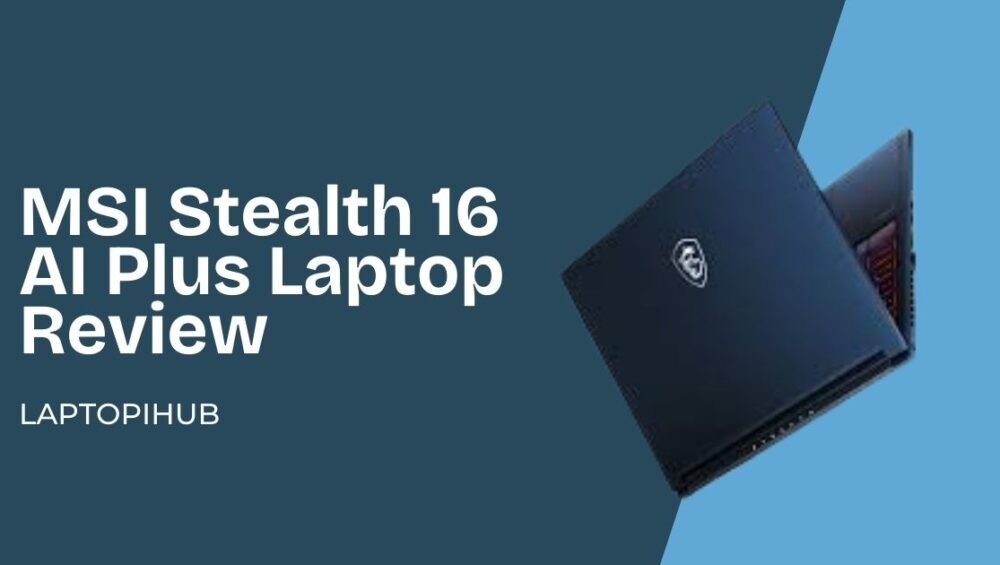
Read More: MSI Stealth 16 AI Plus Laptop Review

MSI Stealth 16 AI Plus laptop review covering performance, display, AI features, gaming power, battery life, and why it’s worth buying.

MSI Stealth 16 AI Plus Laptop Review

MSI Stealth 16 AI Plus laptop review covering performance, display, AI features, gaming power, battery life, and why it’s worth buying.

Introduction to MSI Stealth 16 AI Plus

The MSI Stealth 16 AI Plus is not just a laptop. It feels like a machine from the future. When you hear the name, you already know this laptop is built for power. But when you actually use it, the experience feels even more impressive.

This laptop is designed for gamers, creators, and professionals who need serious performance. Whether you edit videos, design graphics, run AI tools, or play heavy games, this laptop promises to handle everything smoothly.

But is it really worth your money? Let’s explore every detail and find out.

First Look and Design Quality

Premium Build and Finish

The moment you see the MSI Stealth 16 AI Plus, it gives a premium vibe. It looks clean, modern, and powerful. The body feels strong and well built. It does not feel cheap or fragile.

MSI clearly focused on making this laptop both powerful and stylish. It feels like a professional tool, not just a gaming laptop.

Portability and Slim Profile

Despite its powerful hardware, the laptop is surprisingly slim. It does not feel bulky like traditional gaming laptops. You can easily carry it in your bag.

It feels like carrying a sports car in laptop form. Slim outside, powerful inside.

Display Quality and Visual Experience

Screen Resolution and Clarity

The display looks beautiful. Everything feels sharp and detailed. Watching videos, editing photos, or playing games feels immersive.

It feels like looking through a crystal clear window.

Color Accuracy and Creator Benefits

Color accuracy is excellent. Designers and video editors will love this display. Colors look real and natural.

This makes it perfect for creative professionals.

Performance and Hardware Overview

Intel AI Processor Performance

The laptop is powered by advanced processors from Intel with AI capabilities. This makes the laptop extremely fast and intelligent.

Opening apps feels instant. Switching tasks feels smooth.

It feels like the laptop understands your speed.

Real World Speed and Responsiveness

In real world use, performance feels incredible. Whether you open heavy software or multitask, it handles everything easily.

There is no lag. No waiting.

Just pure performance.

GPU Performance for Gaming and Editing

Graphics performance is powered by GPUs from NVIDIA. This makes gaming smooth and editing fast.

Heavy tasks feel easy.

Creative Work and Rendering Performance

Video editing, graphic designing, and rendering feel smooth. Exporting videos takes less time.

It improves productivity significantly.

RAM and Storage Capabilities

Multitasking Experience

Multitasking feels effortless. You can open many apps without slowing down.

It handles pressure easily.

Storage Speed and Benefits

Storage is fast. Files open quickly. Projects load faster.

This saves time and improves workflow.

AI Features and Future Ready Technology

AI Powered Productivity

The AI features help improve performance and efficiency. The laptop adapts to your usage.

It feels smarter.

AI Benefits for Creators

AI helps creators work faster. It improves editing, performance, and efficiency.

It feels like having an assistant inside your laptop.

Battery Life and Charging

Real World Battery Test

Battery life is good for a powerful laptop. You can work for hours without charging.

It supports productivity.

Fast Charging Technology

Charging is fast and convenient. You can quickly get back to work.

It saves time.

Keyboard and Trackpad Experience

Typing Comfort and Feel

Typing feels smooth and comfortable. Keys respond well.

It is perfect for long work sessions.

Trackpad Precision

Trackpad is accurate and responsive. Every gesture works smoothly.

It improves user experience.

Cooling System and Fan Noise

Cooling performance is excellent. Even during heavy tasks, the laptop stays cool. Fan noise is controlled and not disturbing.

It performs without stress.

Gaming and Creative Performance

Gaming feels smooth and powerful. Creative tasks also run perfectly.

It is a complete performance machine.

Who Should Buy MSI Stealth 16 AI Plus

This laptop is perfect for gamers, creators, and professionals. If you want power, speed, and future ready AI features, this laptop is an excellent choice.

It is built for serious users.

Pros and Cons

The laptop offers powerful performance, beautiful display, and premium build quality. AI features make it future ready.

The only drawback may be its price, but the performance justifies it.

Final Verdict

The MSI Stealth 16 AI Plus is one of the most powerful laptops available. It combines performance, design, and AI technology.

It feels fast, smart, and reliable.

Conclusion

The MSI Stealth 16 AI Plus is more than just a laptop. It is a performance machine designed for the future. It handles gaming, editing, and professional work easily.

Using it feels empowering. It removes limits and improves productivity.

If you want a laptop that delivers power and intelligence, this is an excellent choice.

FAQs

Is MSI Stealth 16 AI Plus good for video editing

Yes, it offers excellent editing performance.

Is this laptop good for gaming

Yes, it provides smooth and powerful gaming.

How is the battery life

Battery life is good for heavy performance laptop.

Is it good for graphic designing

Yes, it is perfect for designers.

Is MSI Stealth 16 AI Plus worth buying

Yes, it is powerful and future ready laptop.

Read More: Samsung Galaxy Book6 Ultra Full Review

Discover the best laptops for video editing with powerful performance, fast rendering, smooth playback, and professional editing capabilities.

Best Laptops for Video Editing

Discover the best laptops for video editing with powerful performance, fast rendering, smooth playback, and professional editing capabilities.

Introduction to Video Editing Laptop Needs

Video editing is not just clicking and cutting clips. It is storytelling. It is creativity mixed with technology. Whether you are editing YouTube videos, client projects, or cinematic films, your laptop becomes your editing studio. But here is the reality. Video editing pushes your laptop to its limits.

A weak laptop struggles like a tired runner. It freezes, lags, and crashes. But a powerful laptop flows like a river. Everything moves smoothly. Playback is clean. Rendering is fast. Your creativity stays uninterrupted.

If you are serious about video editing, choosing the right laptop is not optional. It is essential.

Why Video Editing Requires Powerful Laptops

Handling Large Video Files

Video files are huge. Especially when you work with Full HD, 4K, or even 8K videos. These files require a lot of power to open, edit, and export. When your laptop is not strong enough, even simple edits feel heavy.

A powerful laptop makes large files feel manageable. It opens them faster and allows you to edit without frustration.

Rendering Speed Importance

Rendering is the process of exporting your final video. This is where weak laptops suffer the most. Rendering can take hours on slow machines.

A fast laptop saves time. It renders videos quickly. This allows you to work faster and deliver projects on time.

Time saved is productivity gained.

Smooth Editing Experience

Smooth playback is critical. Imagine editing a video and it keeps lagging. You cannot see your edits properly. It ruins your workflow.

A powerful laptop ensures smooth playback. It keeps your editing experience professional.

Key Features to Look For in a Video Editing Laptop

Powerful Processor for Editing

The processor is the heart of your laptop. It handles all editing tasks. A fast processor ensures smooth editing, faster rendering, and better performance.

A strong processor makes everything feel responsive.

High RAM for Multitasking

Video editing uses a lot of memory. High RAM allows your laptop to handle editing software, effects, and background tasks easily.

It ensures your laptop stays fast even during heavy editing.

Fast SSD Storage for Video Files

SSD storage improves speed dramatically. It allows faster file access, faster loading, and smoother performance.

It makes your laptop feel fast and efficient.

Storage Capacity Considerations

Video files take a lot of space. Having enough storage ensures you can work without worrying about running out of space.

More storage means more freedom.

Dedicated GPU Importance

GPU plays a major role in video editing. It helps in rendering, playback, and effects processing.

A strong GPU improves performance significantly.

GPU Role in Rendering

GPU accelerates rendering. It reduces export time and improves efficiency.

This makes your workflow faster.

High Quality Display

A good display helps you see details clearly. It improves color accuracy and editing precision.

It ensures your videos look professional.

Importance of Battery and Cooling

Long Battery for Mobility

Long battery life allows you to edit anywhere. You are not tied to a charging point.

This gives flexibility.

Cooling System for Performance

Video editing generates heat. Good cooling keeps your laptop stable.

It prevents performance drops.

Best Laptops for Video Editing

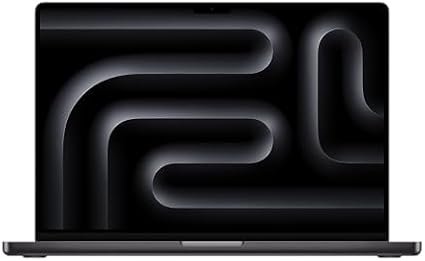
MacBook Pro

The MacBook Pro is one of the best laptops for video editing. It offers incredible performance, smooth playback, and fast rendering. It feels powerful and reliable.

Many professional editors use it daily.

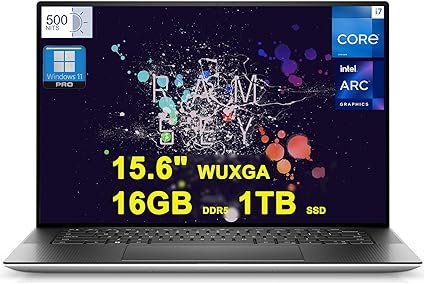
Dell XPS 15

The Dell XPS 15 is famous for its performance and stunning display. It handles heavy editing easily.

It is perfect for serious video editors.

ASUS ROG Zephyrus G16

The ASUS ROG Zephyrus G16 is extremely powerful. It offers strong GPU and fast performance.

It is ideal for heavy editing.

HP Envy 16

The HP Envy 16 offers excellent performance and smooth editing experience.

It is great for content creators.

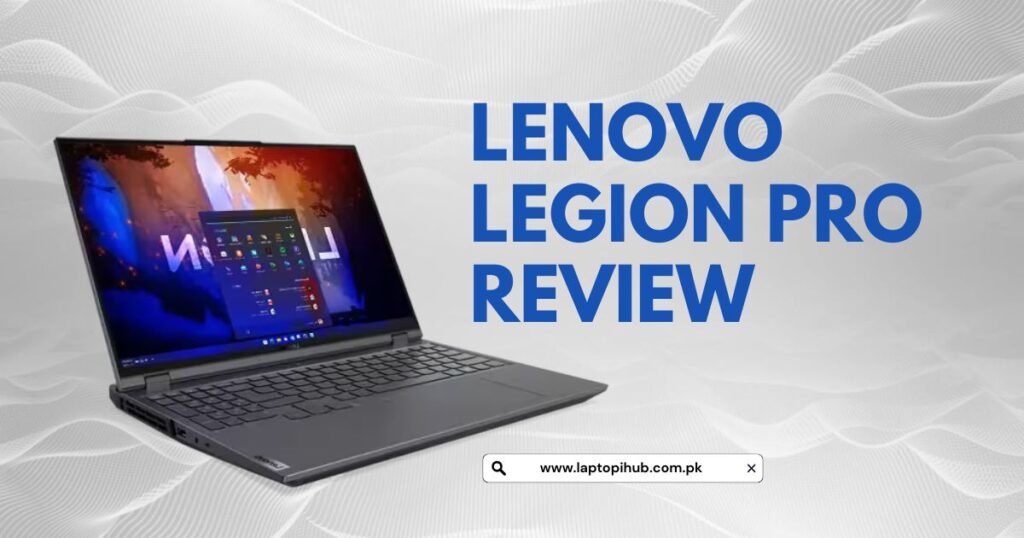
Lenovo Legion Pro

The Lenovo Legion Pro provides powerful performance and strong graphics.

It handles editing tasks easily.

Discover the Lenovo Legion Pro — in-depth look at design, performance, display, battery, and who should buy this powerhouse gaming laptop.

How to Choose the Right Laptop

Based on Editing Level

Your editing level matters. If you are a beginner, you may not need the most expensive laptop. But if you edit professionally, you need a powerful machine.

Choosing based on your needs saves money and improves efficiency.

Based on Budget

Budget is important. Premium laptops offer the best performance. But mid range laptops can also handle editing well.

It is about finding the right balance.

Common Mistakes to Avoid

Ignoring GPU

Many people focus only on processor and ignore GPU. This is a mistake.

GPU improves editing performance significantly.

Choosing Slow Storage

Slow storage reduces performance. It makes editing frustrating.

Always choose fast storage.

Conclusion

Video editing is demanding. It requires power, speed, and reliability. Your laptop becomes your editing studio. Choosing the right laptop makes your work faster, smoother, and more enjoyable.

A powerful laptop removes limits. It allows your creativity to shine. It saves time and improves productivity.

Investing in the right laptop is investing in your future as a video editor.

FAQs

Which laptop is best for video editing beginners

MacBook Pro and Dell XPS 15 are excellent choices.

How much RAM is needed for video editing

Higher RAM improves performance and editing experience.

Is GPU necessary for video editing

Yes, GPU improves rendering and playback performance.

Is MacBook good for video editing

Yes, it is one of the best laptops for editing.

How long does a video editing laptop last

A good laptop can last many years with proper use.

Read More: Best laptops for graphic designing

Best Laptops for Graphic Designing

Discover the best laptops for graphic designing with powerful performance, accurate colors, and smooth workflow for designers and creatives.

Introduction to Graphic Designing Laptop Needs

Graphic designing is not just work. It is art. It is creativity brought to life through technology. Whether you are designing logos, editing photos, or creating social media graphics, your laptop becomes your canvas. But here is the truth most beginners learn the hard way. Not every laptop can handle graphic design smoothly.

A slow laptop is like painting with a broken brush. It kills creativity, wastes time, and frustrates you. A powerful laptop, on the other hand, feels like a magic tool. Everything responds instantly, and your creativity flows without interruption.

If you are serious about graphic designing, choosing the right laptop is one of the most important decisions you will ever make.

Why Graphic Designers Need Powerful Laptops

Creative Work Demands High Performance

Graphic designing involves working with large files, high resolution images, and complex projects. These files require strong performance to open, edit, and save. When your laptop is powerful, everything feels smooth and fast.

Imagine editing a design and the laptop freezes. It breaks your focus. It slows your progress. A powerful laptop keeps your creativity alive.

Handling Heavy Design Software

Designers use professional tools like Photoshop, Illustrator, and other creative software. These tools are heavy and require speed, memory, and processing power. Without a good laptop, these tools lag, crash, or respond slowly.

A good laptop makes these tools feel light and easy.

Importance of Smooth Workflow

Workflow is everything for a designer. When your laptop works smoothly, your ideas turn into designs instantly. There is no waiting. No frustration. Just pure creativity.

Key Features to Look For in a Graphic Design Laptop

Powerful Processor

The processor is the brain of your laptop. It controls everything. A fast processor ensures your laptop runs smoothly even when working on heavy projects.

A strong processor makes your laptop feel fast, responsive, and reliable.

High RAM Capacity

RAM allows your laptop to handle multiple tasks at the same time. Graphic designers often work with multiple files and software. More RAM means smoother performance and faster work.

Higher RAM gives your laptop the strength to handle creative workloads.

Fast SSD Storage

SSD storage improves speed. It allows your laptop to open files quickly and run software smoothly. It makes your entire system faster.

It is like upgrading from walking to running.

High Resolution Display

The display is extremely important for graphic designers. You need to see every detail clearly. A high quality display improves clarity, sharpness, and overall experience.

It makes your designs look accurate and professional.

Color Accuracy Importance

Color accuracy is critical. Designers must see true colors. A poor display shows incorrect colors, which leads to poor designs.

A good display ensures your designs look perfect everywhere.

Importance of GPU in Graphic Designing

How GPU Helps Designers

The GPU helps in handling graphics. It improves performance in design software and makes editing faster and smoother.

It is especially important for advanced design work.

GPU vs Integrated Graphics

Dedicated GPU provides better performance compared to integrated graphics. It makes heavy tasks easier and faster.

For serious designers, GPU makes a huge difference.

Best Laptops for Graphic Designing

MacBook Pro

The MacBook Pro is one of the most popular laptops among graphic designers. It offers excellent performance, beautiful display, and smooth workflow. It feels fast, powerful, and reliable.

Many professional designers trust it for their work.

Dell XPS 15

The Dell XPS 15 is known for its powerful performance and stunning display. It handles graphic design tasks easily and provides excellent user experience.

It is perfect for creative professionals.

ASUS ProArt StudioBook

The ASUS ProArt StudioBook is designed especially for creators. It offers powerful performance and accurate display.

It is built for serious design work.

HP Spectre x360

The HP Spectre x360 combines performance and style. It is fast, lightweight, and reliable.

It is great for freelance designers.

Lenovo Yoga Pro

The Lenovo Yoga Pro offers strong performance and smooth experience. It is perfect for daily design work.

It provides both power and flexibility.

Best Laptops of 2026 For Graphic Design Students

How to Choose the Right Laptop

Based on Budget

Your budget determines your options. Expensive laptops offer premium performance. But even mid range laptops can handle graphic design if chosen wisely.

Choosing the right laptop is about finding the balance between price and performance.

Based on Design Work Type

Your work type also matters. If you work on heavy projects, you need a more powerful laptop. If your work is basic, a mid range laptop can work well.

Understanding your needs helps you choose better.

Common Mistakes to Avoid

Ignoring Display Quality

Many people ignore display quality. This is a mistake. Display quality directly affects your design work.

Always choose a laptop with good display.

Choosing Low Performance Laptop

Buying a low performance laptop may save money initially, but it creates problems later. It slows your work and reduces productivity.

Investing in a good laptop is always worth it.

Conclusion

Graphic designing is a creative journey. Your laptop is your creative partner. It helps you turn your ideas into reality. Choosing the right laptop makes your work faster, easier, and more enjoyable.

A powerful laptop supports your creativity. It removes limits. It allows you to focus on what truly matters—your designs.

If you want to grow as a graphic designer, invest in the right laptop. It will support you for years.

FAQs

Which laptop is best for graphic designing beginners

MacBook Pro and ASUS ProArt are excellent choices.

How much RAM is needed for graphic design

Higher RAM provides smoother performance.

Is GPU necessary for graphic designing

Yes, GPU improves performance and workflow.

Is MacBook good for graphic design

Yes, it is one of the best options available.

How long does a design laptop last

A good laptop can last many years with proper care.

Read More: Best Laptops for Digital Marketing Work

Discover the best laptops for digital marketing work with fast performance, smooth multitasking, and long battery life for maximum productivity.

Best Laptops for Digital Marketing Work

Discover the best laptops for digital marketing work with fast performance, smooth multitasking, and long battery life for maximum productivity.

Introduction to Digital Marketing Laptop Needs

Digital marketing today is fast, competitive, and demanding. It is not just about posting on social media or writing content. It involves running ads, analyzing data, designing creatives, attending meetings, and managing multiple tools at the same time. Your laptop becomes your main workspace, your office, and your productivity partner. If your laptop is slow, your work suffers. If your laptop is fast and reliable, your work becomes smooth and efficient.

Think of your laptop like the engine of your car. If the engine is weak, you cannot win the race. But if the engine is powerful, everything becomes easier and faster.

Why Digital Marketers Need Powerful Laptops

Multitasking and Performance Requirements

Digital marketers rarely work on a single task. At any moment, you might be running Facebook Ads, checking Google Analytics, writing content, replying to emails, and attending a Zoom meeting. This level of multitasking requires a laptop that can handle pressure without slowing down. A slow laptop can freeze, crash, or delay your work, which can be frustrating and unprofessional.

A powerful laptop allows you to switch between tasks smoothly. It keeps your workflow uninterrupted and helps you stay productive throughout the day.

Handling Marketing and Creative Software

Digital marketing often involves heavy tools like graphic design software, video editing tools, and automation platforms. These tools require performance and speed. If your laptop cannot handle them, you will waste time waiting for files to load or software to respond.

A good laptop makes everything feel instant. It saves time, reduces stress, and improves your overall work experience.

Essential Features to Consider

Processor Importance

The processor is the brain of your laptop. It controls how fast your laptop performs tasks. A fast processor ensures your laptop runs smoothly without delays. Modern processors like Apple silicon chips or Intel Core i7 processors provide excellent performance for marketing work. A strong processor helps you work faster and more efficiently.

RAM and Multitasking Power

RAM plays a huge role in multitasking. It allows your laptop to handle multiple applications at the same time. If your RAM is low, your laptop will slow down when you open many tabs or software. More RAM means smoother performance and better multitasking. For digital marketing, higher RAM makes a big difference in productivity.

SSD Storage Benefits

Storage type affects speed. SSD storage is much faster than traditional storage. It allows your laptop to start quickly and open files instantly. It improves overall performance and makes your laptop feel fast and responsive.

Display Quality and Comfort

Digital marketers spend hours looking at their screens. A high quality display makes work easier and more comfortable. A good screen improves clarity, reduces eye strain, and makes design work more accurate. It improves your overall experience and helps you work longer without discomfort.

Battery Life Matters

Importance of Long Battery Life

Battery life is very important, especially for remote workers and freelancers. You may work from different places like cafes, offices, or while traveling. A laptop with long battery life allows you to work without worrying about charging constantly. It gives you freedom and flexibility.

A strong battery keeps your workflow smooth and uninterrupted.

Best Laptop Options for Digital Marketing

MacBook Pro

The MacBook Pro is one of the best laptops for digital marketing work. It offers excellent performance, smooth multitasking, and reliable battery life. It handles heavy tasks easily and provides a premium experience. Many professionals prefer it because it is fast, stable, and long lasting.

Dell XPS 15

The Dell XPS 15 is known for its powerful performance and beautiful display. It is perfect for multitasking and creative work. It offers speed, reliability, and a professional design. It is a great choice for serious marketers.

HP Spectre x360

The HP Spectre x360 combines style and performance. It is fast, lightweight, and easy to carry. It is ideal for freelancers and professionals who want both power and portability.

Lenovo ThinkPad X1 Carbon

The Lenovo ThinkPad X1 Carbon is famous for its durability and performance. It is designed for business users and heavy workloads. It provides comfort, reliability, and efficiency.

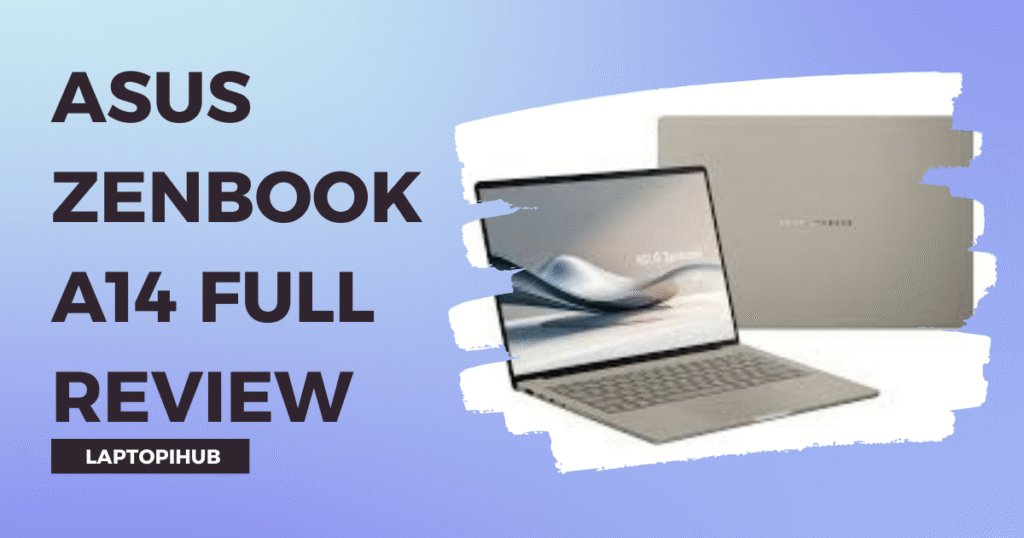
ASUS ZenBook 14

The ASUS ZenBook 14 offers excellent performance at a reasonable price. It is perfect for beginners and freelancers who want performance without spending too much.

Asus Zenbook A14 review covering design, OLED display, performance, battery life, and who should buy this ultra-light laptop.

Microsoft Surface Laptop

The Microsoft Surface Laptop is elegant, fast, and lightweight. It provides smooth performance and is perfect for daily marketing work.

How to Choose Based on Your Needs

Budget Considerations

Your budget plays a big role in choosing a laptop. If you have a higher budget, you can choose premium laptops that offer the best performance. If your budget is limited, there are still many good options available that provide strong performance and reliability.

Choosing the right laptop is about balancing performance and budget.

Work Type Considerations

Your work type also matters. If your work involves heavy tasks like video editing or graphic design, you need a more powerful laptop. If your work mainly involves browsing, content writing, and managing ads, a mid range laptop can handle it easily.

Understanding your needs helps you make the right decision.

Common Buying Mistakes

Many people make the mistake of choosing cheap laptops without considering performance. They focus only on price and ignore important features. This leads to slow performance and frustration later.

Another common mistake is ignoring display quality and battery life. These factors directly affect your comfort and productivity.

Buying the right laptop is an investment in your career.

Conclusion

Choosing the best laptop for digital marketing work can transform your productivity. A good laptop makes your work faster, smoother, and more enjoyable. It helps you focus on your work instead of worrying about performance issues.

Your laptop is like your business partner. It supports you, helps you grow, and plays a big role in your success. Investing in the right laptop is one of the smartest decisions you can make for your digital marketing career.

FAQs

Which laptop is best for digital marketing beginners

A mid range laptop like ASUS ZenBook is a great choice for beginners.

Is MacBook better than Windows for marketing

Both are excellent, but MacBook is known for smoother performance.

How much RAM is ideal for digital marketing

Higher RAM provides better multitasking and performance.

Can I do digital marketing on a budget laptop

Yes, but performance may be limited depending on the workload.

How long should a marketing laptop last

A good laptop can last several years with proper use.

Read More: Best Laptops for Everyday Office Tasks

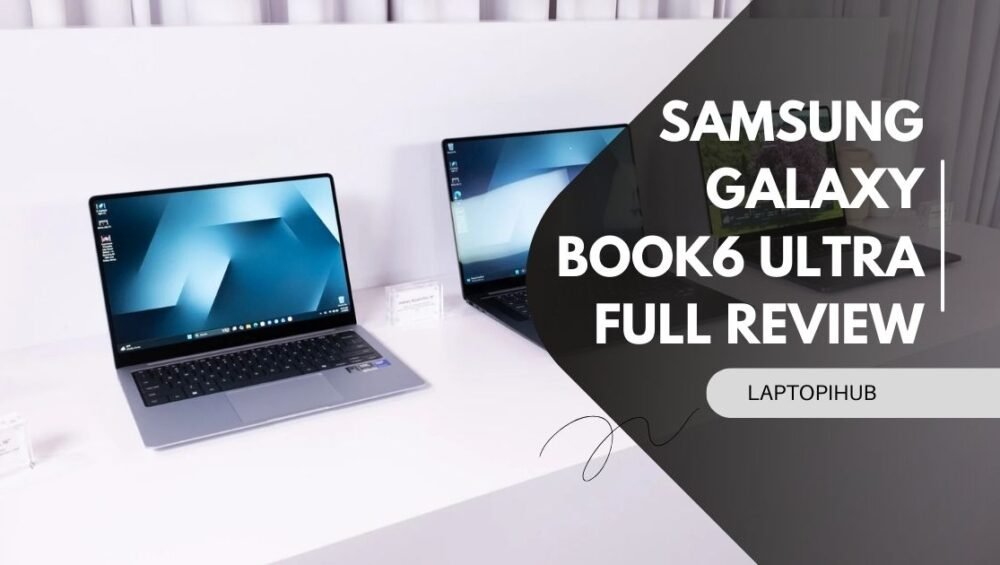
Samsung Galaxy Book6 Ultra full review covering design, performance, display, battery, and why it's perfect for creators and professionals.

Samsung Galaxy Book6 Ultra Full Review

Samsung Galaxy Book6 Ultra full review covering design, performance, display, battery, and why it’s perfect for creators and professionals.

Introduction to Samsung Galaxy Book6 Ultra

The Samsung Galaxy Book6 Ultra is not just another laptop. It feels like Samsung decided to challenge the biggest names in the laptop world and prove they belong at the top. When you first hear the name, you expect something premium. But when you actually use it, you realize it is more than just premium. It is powerful, elegant, and designed for serious work.

Whether you are a video editor, graphic designer, digital marketer, or business professional, this laptop promises to handle everything. But does it really deliver? Let’s dive deep and find out.

First Impressions and Design

Premium Build Quality

The moment you open the Samsung Galaxy Book6 Ultra, it gives you that wow feeling. The body feels solid, clean, and extremely premium. It has a sleek metal finish that instantly tells you this is a high end device. It does not look flashy, but it looks confident. It is like someone wearing a perfectly tailored suit. Simple, yet powerful.

Samsung Electronics clearly focused on making this laptop feel luxurious and professional.

Portability and Weight Experience

Despite its powerful hardware, the laptop feels surprisingly portable. It is thin, easy to carry, and perfect for people who work on the move. Carrying it feels effortless. Whether you are going to an office, café, or traveling, it fits perfectly into your routine.

It feels like carrying power in your backpack without feeling the weight.

Display Quality and Visual Experience

AMOLED Display Performance

This is where the laptop truly shines. The AMOLED display looks absolutely stunning. The colors pop. The blacks are deep. The visuals feel alive. Watching videos or editing content feels like looking through a window instead of a screen.

Everything looks sharper and more beautiful.

Color Accuracy and Brightness

For creative professionals, color accuracy is everything. This laptop delivers excellent color precision. Designers and editors will appreciate how real and accurate everything looks.

Even in bright environments, the screen remains clear and easy to see.

Performance and Hardware Overview

Processor Performance

The Galaxy Book6 Ultra is powered by advanced processors from Intel, and the performance feels incredibly fast. Opening apps, switching between tasks, and running heavy software feels smooth and effortless.

It feels like the laptop is always ready, always responsive.

Multitasking Capability

Multitasking feels easy. You can open multiple browser tabs, editing software, and meetings at the same time without slowing down. It handles pressure like a professional athlete. Calm, strong, and reliable.

There is no frustration. Only productivity.

GPU Performance for Creative Work

Graphics performance is powered by GPUs from NVIDIA, and this makes a huge difference. Creative tasks like video editing, rendering, and graphic designing feel smooth.

It gives creators the freedom to work without limits.

Real World Editing and Rendering

When editing videos or working on heavy projects, the laptop performs beautifully. Rendering is faster. Playback is smooth. There are no annoying lags.

It makes professional work feel easier.

RAM and Storage Performance

Speed and Responsiveness

The RAM ensures everything runs smoothly. Apps open instantly. Switching between tasks feels seamless.

It feels fast all the time.

Storage Benefits for Professionals

Storage speed is excellent. Files open quickly. Projects load faster. This improves productivity and saves time.

Time saved means more work done.

Battery Life and Charging

Real Life Battery Performance

Battery life is impressive. It easily lasts through a full workday. You can work for hours without worrying about charging.

It gives freedom to work anywhere.

Fast Charging Experience

Charging is fast and convenient. Even short charging sessions provide enough power to continue working.

It keeps you moving.

Keyboard and Trackpad Experience

Typing Comfort

Typing feels comfortable and smooth. The keys respond well. Writing long emails, blogs, or documents feels easy.

It makes typing enjoyable.

Trackpad Accuracy

The trackpad is large and accurate. Every gesture works perfectly. It feels responsive and precise.

It improves overall experience.

Cooling System and Noise

Cooling performance is excellent. Even during heavy work, the laptop stays cool. The fans are quiet and do not disturb your workflow.

It stays calm under pressure.

Software and User Experience

The software experience feels clean and smooth. Everything works well together. The system feels optimized and reliable.

It makes daily work easier.

Who Should Buy Samsung Galaxy Book6 Ultra

This laptop is perfect for professionals, creators, and serious users. If you edit videos, design graphics, or work on demanding tasks, this laptop is an excellent choice.

It is built for performance.

Pros and Cons Overview

The strengths of this laptop clearly stand out. Performance is fast. Display is beautiful. Build quality is premium. Battery life is strong.

The only limitation may be the price, but the value justifies the investment.

Final Verdict

The Samsung Galaxy Book6 Ultra feels like a complete package. It combines power, beauty, and reliability into one device. It performs like a professional tool and feels like a premium machine.

It is designed for people who want the best.

Conclusion

The Samsung Galaxy Book6 Ultra proves that Samsung is serious about high performance laptops. It delivers speed, beauty, and reliability. It supports professionals, creators, and anyone who demands performance.

Using it feels like unlocking your full potential. It removes limits and allows you to focus on your work.

If you want a laptop that feels powerful, premium, and future ready, this is one of the best options available today.

FAQs

Is Samsung Galaxy Book6 Ultra good for video editing

Yes, it offers excellent performance and smooth editing experience.

Is this laptop good for graphic designing

Yes, its display and performance make it ideal for designers.

How is the battery life of Galaxy Book6 Ultra

Battery life is strong and lasts through a full workday.

Is Samsung Galaxy Book6 Ultra good for students

Yes, especially for students in creative fields.

Is it worth buying Samsung Galaxy Book6 Ultra

Yes, it is a powerful and premium laptop worth the investment.

Read More: Best Laptops for Video Editing

Best Laptops for Everyday Office Tasks

Best laptops for everyday office work with expert guide, top picks, and tips to choose the perfect laptop for productivity.

Introduction

Let’s face it—your laptop is the heart of your daily office routine. It’s the first thing you open in the morning and the last thing you close before ending your workday. Whether you’re replying to emails, creating reports, attending Zoom meetings, or managing your business, your laptop plays a critical role in your productivity. A slow or unreliable laptop feels like working with a lazy assistant. It delays everything and drains your energy. On the other hand, the right laptop feels like a smart partner that makes your work faster, smoother, and stress-free.

But here’s the challenge. With so many options in the market, choosing the best laptop for office work can feel confusing. The good news is that you don’t need the most expensive machine. You just need the right combination of performance, comfort, and reliability.

In this guide, I’ll help you understand exactly which laptops are best and how to choose the perfect one for your needs.

What Makes a Laptop Good for Office Tasks

Before buying a laptop, it’s important to understand what actually makes it suitable for office work. Many people focus only on price or brand, but real performance depends on internal components and usability.

Performance Essentials

The processor and RAM are like the engine of your laptop. They determine how fast your system runs and how well it handles multitasking. For example, when you open multiple Chrome tabs, Excel sheets, and Zoom meetings at the same time, your laptop needs enough power to manage everything smoothly.

A laptop with at least Intel Core i5 or AMD Ryzen 5 and 8GB RAM ensures that your system runs without freezing or slowing down. SSD storage is another essential feature because it makes your laptop start faster and open applications instantly. It’s the difference between waiting and working.

Portability and Battery Life

If you carry your laptop to the office, meetings, or different locations, portability becomes extremely important. A lightweight laptop makes your life easier and prevents fatigue. At the same time, battery life plays a major role. Imagine sitting in a meeting and your laptop suddenly shuts down. It’s frustrating and unprofessional.

A good office laptop should offer at least 7 to 10 hours of battery life so you can work confidently without worrying about charging.

Display and Comfort

Office work means long screen hours. A clear Full HD display protects your eyes and improves your experience. Similarly, a comfortable keyboard makes typing easier, especially if your work involves writing emails, reports, or content. These small details make a big difference over time.

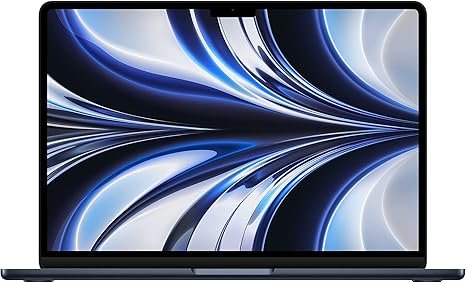
Apple MacBook Air M2

The Apple MacBook Air M2 is one of the most popular office laptops in the world, and for good reason. It combines power, beauty, and reliability in one slim package. The moment you start using it, you notice how smooth everything feels. Applications open instantly, switching between tasks feels effortless, and the system never slows down.

One of its biggest strengths is battery life. You can work the entire day without charging, which makes it perfect for professionals and business owners. Its lightweight design also makes it easy to carry anywhere. If you want a premium experience and long-term reliability, this laptop is an excellent choice.

Dell XPS 13

The Dell XPS 13 is another fantastic option for office users. It is known for its premium design and powerful performance. Despite its compact size, it delivers impressive speed and handles multitasking very well.

This laptop is ideal for professionals who attend meetings, travel frequently, or work remotely. It feels solid, looks professional, and performs consistently. Using it feels like driving a luxury car—smooth, fast, and dependable.

HP Pavilion 15

The HP Pavilion 15 is perfect for people who want strong performance at a reasonable price. It offers a larger display, which makes working on Excel sheets, documents, and presentations more comfortable.

This laptop handles everyday office tasks easily, including browsing, video calls, and multitasking. It is a great option for small business owners, office employees, and students who want value without spending too much money.

Lenovo IdeaPad Slim 5

The Lenovo IdeaPad Slim 5 is designed with productivity in mind. Its keyboard is comfortable, making typing easier during long work sessions. Performance is fast and reliable, which helps you complete tasks efficiently.

This laptop is especially useful for people who work from home or manage multiple tasks daily. It offers an excellent balance between price and performance, making it a smart investment.

ASUS Vivobook 15

The ASUS Vivobook 15 is one of the best budget laptops for office work. It delivers smooth performance for everyday tasks like Microsoft Office, internet browsing, and video meetings.

It may not be the most powerful laptop, but it is reliable and efficient. For beginners, freelancers, and office workers on a budget, it provides everything needed to work comfortably.

How to Choose the Right Laptop for Your Needs

Choosing the right laptop depends on your specific work style. Students usually need affordable and lightweight laptops that are easy to carry. Business professionals often prefer premium laptops that offer speed and reliability. Work-from-home users benefit from laptops with comfortable keyboards and larger displays.

Understanding your daily tasks helps you make the right decision.

Recommended Specifications for Office Work

A laptop with 8GB RAM and SSD storage is enough for basic office work. However, if you want smoother performance and longer usability, choosing 16GB RAM is a better option. It ensures your laptop stays fast even after years of use.

Think of it like buying a car with extra power. It performs better and lasts longer.

Common Mistakes to Avoid

Many people buy cheap laptops with low RAM or slow storage. These laptops struggle to handle multitasking and become slow quickly. Another mistake is ignoring battery life and build quality.

Saving money initially may cost you more later in frustration and replacement.

Future Proofing Your Laptop

Technology keeps evolving, and your laptop should be able to keep up. Choosing modern specifications ensures your system stays useful for years. A future-proof laptop protects your investment and gives you peace of mind.

Conclusion

Choosing the best laptop for everyday office work is one of the smartest decisions you can make for your productivity. The right laptop saves time, reduces stress, and helps you work efficiently. Whether you choose the MacBook Air for its premium performance, Dell XPS for its professional design, HP Pavilion for its value, Lenovo IdeaPad for productivity, or ASUS Vivobook for affordability, each option offers excellent benefits. Your laptop is more than just a device—it’s your daily work partner. Invest wisely, and it will support your success every day.

FAQs

Which laptop is best for office work overall

MacBook Air and Dell XPS are among the best options for performance and reliability.

Is 8GB RAM enough for office tasks

Yes, but 16GB RAM provides smoother performance and better future use.

How long should an office laptop last

A good laptop typically lasts 4 to 6 years with proper care.

Which processor is best for office work

Intel Core i5 or AMD Ryzen 5 offers excellent performance.

Are budget laptops good for office work

Yes, budget laptops like ASUS Vivobook are great for basic office tasks.

Read More: Tecno Spark Go 3 review

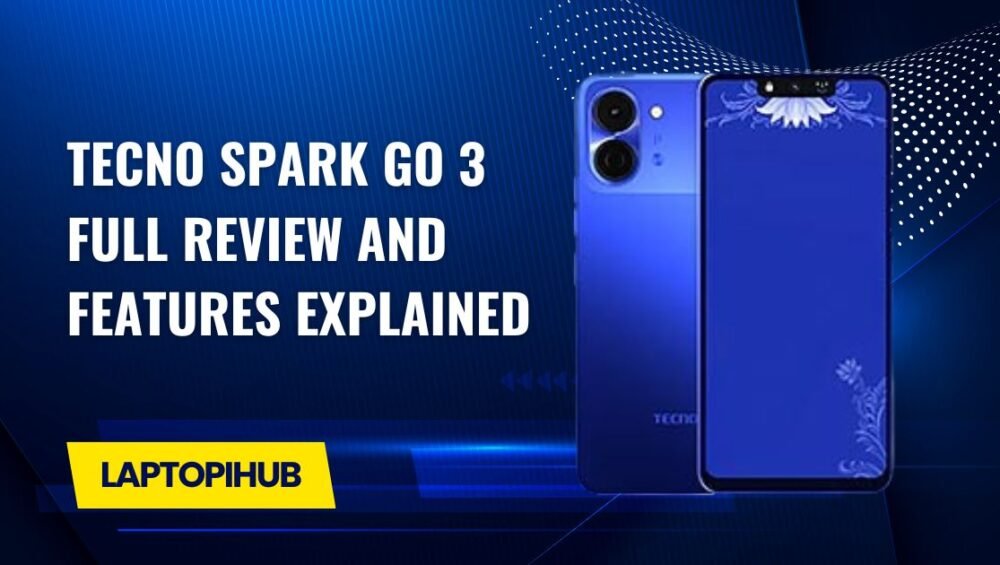
Tecno Spark Go 3 Full Review and Features Explained

Tecno Spark Go 3 review covering design, performance, camera, battery, price, and features. A complete budget smartphone overview.

Introduction to Tecno Spark Go 3

Looking for a budget smartphone that covers all the basics without emptying your wallet? The Tecno Spark Go 3 steps into the spotlight as an entry-level smartphone designed for everyday users. It’s built for people who want a reliable device for calls, social media, videos, and light apps—nothing fancy, just practical. Think of it as a dependable bicycle in a world full of sports cars.

Tecno Spark Go 3 Design and Build Quality

Overall Look and Feel

The Tecno Spark Go 3 may be budget-friendly, but it doesn’t scream “cheap.” The phone feels solid in hand, with a comfortable grip that makes one-handed use easy. The curved edges and balanced weight give it a surprisingly pleasant feel for daily use.

Colors and Finish Options

Tecno knows how to play with colors. The Spark Go 3 comes in eye-catching shades that reflect light nicely, giving it a modern look. It’s like wearing a simple outfit with stylish shoes—subtle yet appealing.

Display Quality of Tecno Spark Go 3

Screen Size and Resolution

The phone features a large display that’s perfect for watching videos, scrolling social media, or reading articles. While the resolution isn’t ultra-sharp, it’s more than sufficient for its price range.

Viewing Experience for Daily Use

For daily tasks like YouTube, WhatsApp, and browsing, the screen performs well. Colors look decent, brightness is acceptable indoors, and text remains readable. It’s not a cinema screen, but it gets the job done.

Performance and Processor Overview

Chipset and Daily Performance

Under the hood, the Tecno Spark Go 3 is powered by an entry-level processor designed for basic tasks. Apps open reasonably fast, and navigation feels smooth when expectations are realistic.

Multitasking and App Handling

Multitasking is fine as long as you don’t overload the phone. Switching between a few apps works well, but heavy apps running together may cause slowdowns. It’s like juggling—two balls are fine, five might be tricky.

RAM and Storage Options

Internal Storage Capacity

The Spark Go 3 comes with modest internal storage, suitable for essential apps, photos, and videos. It’s enough for users who don’t hoard data.

Expandable Storage Support

Running out of space? No worries. The phone supports a microSD card, allowing you to expand storage easily. This is a big win for budget users.

Tecno Spark Go 3 Software Experience

Android Version

The phone runs on a lightweight version of Android, optimized for smooth performance on entry-level hardware. This helps keep things responsive.

HiOS Features and Customization

Tecno’s HiOS adds useful features like smart gestures, app cloning, and theme customization. It’s like adding extra spices to a simple dish—small changes that improve the overall taste.

Camera Setup and Photography

Rear Camera Performance

The rear camera is suitable for daylight photography. Images come out decent with acceptable colors and clarity for social media sharing.

Front Camera for Selfies

Selfie lovers won’t be disappointed at this price. The front camera handles video calls and casual selfies well.

Camera Features and Modes

Features like beauty mode, HDR, and AI enhancements help improve photos, especially for beginners.

Battery Life and Charging

Battery Capacity

Battery life is one of the strong points of the Tecno Spark Go 3. It’s built to last a full day with ease under normal usage.

Real-Life Battery Performance

Whether you’re browsing, watching videos, or chatting, the battery keeps going. It’s like a reliable power bank built into your phone.

Audio and Multimedia Experience

Speaker Quality

The speaker is loud enough for calls, videos, and casual music listening. Don’t expect booming bass, but clarity is decent.

Headphone and Media Playback

With wired headphones, the audio experience improves, making it enjoyable for music and videos.

Connectivity and Sensors

Network and SIM Support

The phone supports standard connectivity options, including 4G, Wi-Fi, and Bluetooth. Dual SIM support is a plus.

Basic Sensors and Security

Basic sensors are present, ensuring smooth daily operation. Security features like face unlock add convenience.

Gaming Performance on Tecno Spark Go 3

Casual Gaming Experience

Casual games like puzzles and light action games run smoothly. Heavy games can run on low settings.

Heat Management and Stability

The phone manages heat well during normal use, maintaining stable performance.

Tecno Spark Go 3 Price and Availability

One of the biggest selling points is its affordability. The Tecno Spark Go 3 is widely available and priced to attract budget-conscious buyers.

Pros and Cons of Tecno Spark Go 3

Pros

  • Affordable price
  • Good battery life
  • Decent display for the price
  • Expandable storage

Cons

  • Limited performance for heavy tasks
  • Average camera in low light

Who Should Buy Tecno Spark Go 3

This phone is perfect for students, first-time smartphone users, or anyone needing a secondary device. If your needs are simple, this phone fits like a glove.

Final Verdict on Tecno Spark Go 3

The Tecno Spark Go 3 proves that you don’t need to spend a lot to get a reliable smartphone. It delivers solid basics, good battery life, and a user-friendly experience. While it won’t compete with premium devices, it shines where it matters most—value for money.

Conclusion

If you’re searching for a budget-friendly smartphone that handles everyday tasks without frustration, the Tecno Spark Go 3 is a smart choice. It’s simple, practical, and dependable—just like a good daily companion.

FAQs

1. Is Tecno Spark Go 3 good for daily use?

Yes, it’s ideal for calls, social media, browsing, and light apps.

2. Can Tecno Spark Go 3 handle gaming?

It can handle casual games smoothly but isn’t designed for heavy gaming.

3. Does Tecno Spark Go 3 support expandable storage?

Yes, it supports microSD cards for additional storage.

4. How is the battery life of Tecno Spark Go 3?

The battery easily lasts a full day with normal usage.

5. Who should buy Tecno Spark Go 3?

Students, beginners, and users looking for an affordable secondary phone.

Read More: Infinix GT 50 Pro Full Review and Features Explained

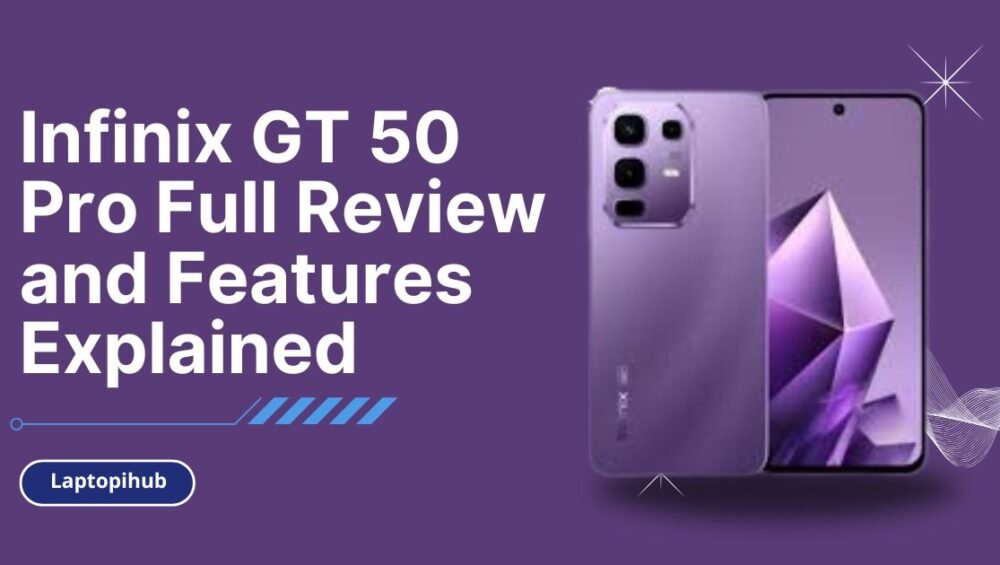
Infinix GT 50 Pro Full Review and Features Explained

Explore Infinix GT 50 Pro features, gaming performance, display, battery, and price in this detailed hands-on review.

Introduction to Infinix GT 50 Pro

The Infinix GT 50 Pro is not just another smartphone—it’s a bold statement aimed directly at mobile gamers and power users. Think of it as a sports car built for the digital battlefield. With aggressive styling, powerful internals, and gaming-focused software, Infinix is clearly saying, “Let’s play seriously.” But does it really deliver, or is it all flash and no fire? Let’s dive deep and find out.

Infinix GT Series and Its Gaming Vision

The GT series represents Infinix’s commitment to affordable gaming smartphones. Instead of chasing flagship prices, Infinix focuses on delivering maximum performance per dollar. The GT 50 Pro continues this tradition by blending raw power, cooling efficiency, and gamer-centric features into a surprisingly polished package.

Design and Build Quality

Futuristic Gaming-Inspired Design

One look at the Infinix GT 50 Pro, and you’ll know it’s built for gamers. Sharp edges, bold lines, and cyberpunk-style elements scream performance. It feels like holding a console in your hands rather than a typical smartphone.

Build Materials and Durability

Despite its aggressive design, the phone feels solid and well-balanced. The frame is sturdy, and the back panel resists fingerprints better than expected. It’s lightweight enough for long gaming sessions without causing hand fatigue.

RGB Lighting and Aesthetic Appeal

Yes, it has customizable RGB lighting. Love it or hate it, this feature adds personality and enhances the gaming vibe. It’s subtle enough not to feel gimmicky, yet eye-catching when it lights up during gameplay or notifications.

Display Performance

AMOLED Display Quality

The AMOLED display on the Infinix GT 50 Pro delivers vibrant colors, deep blacks, and excellent contrast. Whether you’re gaming, watching videos, or scrolling social media, everything looks sharp and immersive.

High Refresh Rate Experience

With a high refresh rate, scrolling feels buttery smooth, and games respond instantly. Once you experience this level of fluidity, going back to a standard display feels like walking after driving a sports bike.

Touch Sampling and Gaming Smoothness

High touch sampling ensures every swipe, tap, and flick registers instantly. In fast-paced games, this responsiveness can mean the difference between victory and defeat.

Performance and Hardware

Powerful Gaming Processor

Under the hood, the Infinix GT 50 Pro packs a gaming-optimized processor capable of handling demanding titles without breaking a sweat. From intense FPS games to open-world RPGs, it keeps things running smoothly.

RAM and Storage Variants

Multiple RAM and storage options ensure you can multitask freely and store plenty of games without constantly deleting files. Think of it as having a backpack that never feels full.

Thermal Management System

Gaming phones live or die by heat control, and Infinix nailed it here. The advanced cooling system keeps temperatures in check, even during extended gaming marathons.

Gaming Experience on Infinix GT 50 Pro

FPS Stability and Graphics

Frame rates remain stable, and graphics look crisp even at higher settings. There’s minimal lag, no annoying stutters, and a consistently smooth experience.

Dedicated Gaming Mode Features

The built-in gaming mode blocks distractions, boosts performance, and gives you real-time stats. It’s like having a pit crew tuning your phone while you race.

Camera Capabilities

Rear Camera Setup

While gaming is the main focus, the camera system doesn’t disappoint. Daylight photos come out sharp with accurate colors, making it a reliable everyday shooter.

Front Camera for Selfies

Selfies are clear and social-media ready. It’s not influencer-level perfection, but more than enough for video calls and quick snaps.

Video Recording Performance

Video stabilization is decent, and footage looks smooth for casual recording. Gamers who also create content will appreciate this balance.

Battery Life and Charging

Long-Lasting Battery Performance

The large battery easily lasts a full day, even with heavy gaming. It’s like having a power bank built into your phone.

Fast Charging Technology

Fast charging gets you back in action quickly. A short charge break is all you need before jumping back into your favorite game.

Software and User Interface

XOS Gaming Enhancements

The customized XOS interface is optimized for performance. It’s clean, responsive, and packed with gaming-centric tweaks.

Customization and User Controls

From themes to performance profiles, you can fine-tune the phone to match your style and usage habits.

Connectivity and Audio

5G, Wi-Fi, and Bluetooth Support

Fast connectivity ensures low-latency gaming and smooth streaming. Online matches feel responsive and stable.

Stereo Speakers and Audio Quality

The stereo speakers deliver loud, clear sound with punchy bass—perfect for immersive gaming without headphones.

Security and Sensors

Fingerprint and Face Unlock

Both unlocking methods are fast and reliable, keeping your data secure without slowing you down.

Gaming-Optimized Sensors

Accurate sensors enhance gameplay, especially in racing and shooting games where precision matters.

Price and Value for Money

Expected Price Range

The Infinix GT 50 Pro is priced aggressively, making it a strong contender in the mid-range gaming segment.

Comparison with Competitors

Compared to rivals, it offers better gaming features and performance at a similar—or lower—price point.

Who Should Buy the Infinix GT 50 Pro?

If you’re a mobile gamer, performance enthusiast, or someone who wants flagship-like features without flagship pricing, this phone is made for you.

Pros and Cons Overview

Pros

  • Excellent gaming performance
  • AMOLED high refresh rate display
  • Strong battery life
  • Gamer-focused design

Cons

  • Camera is good, not exceptional
  • Gaming aesthetics may not suit everyone

Final Verdict on Infinix GT 50 Pro

The Infinix GT 50 Pro is a powerful, stylish, and affordable gaming smartphone that punches well above its weight. It’s not trying to be everything for everyone—and that’s its biggest strength. For gamers and power users, it delivers exactly what matters most.

Conclusion

In a market crowded with lookalikes, the Infinix GT 50 Pro stands out like a neon-lit gaming rig in a sea of office laptops. It’s fast, fun, and focused on performance, making it one of the most exciting gaming phones in its category.

FAQs

1. Is the Infinix GT 50 Pro good for heavy gaming?

Yes, it’s built specifically for smooth and stable gaming performance.

2. Does the Infinix GT 50 Pro support fast charging?

Yes, it features fast charging to minimize downtime.

3. Is the display suitable for competitive gaming?

Absolutely, the high refresh rate and touch response make it ideal.

4. How is the battery life during gaming?

The battery easily lasts a full day with moderate to heavy gaming.

5. Is the Infinix GT 50 Pro worth buying?

If you want a budget-friendly gaming phone with premium features, it’s a great choice.

Read More: Mercedes-AMG Stealth 16 Gaming Laptop Revealed