Discover the best laptops for digital marketing work with fast performance, smooth multitasking, and long battery life for maximum productivity.

Best Laptops for Digital Marketing Work

Discover the best laptops for digital marketing work with fast performance, smooth multitasking, and long battery life for maximum productivity.

Introduction to Digital Marketing Laptop Needs

Digital marketing today is fast, competitive, and demanding. It is not just about posting on social media or writing content. It involves running ads, analyzing data, designing creatives, attending meetings, and managing multiple tools at the same time. Your laptop becomes your main workspace, your office, and your productivity partner. If your laptop is slow, your work suffers. If your laptop is fast and reliable, your work becomes smooth and efficient.

Think of your laptop like the engine of your car. If the engine is weak, you cannot win the race. But if the engine is powerful, everything becomes easier and faster.

Why Digital Marketers Need Powerful Laptops

Multitasking and Performance Requirements

Digital marketers rarely work on a single task. At any moment, you might be running Facebook Ads, checking Google Analytics, writing content, replying to emails, and attending a Zoom meeting. This level of multitasking requires a laptop that can handle pressure without slowing down. A slow laptop can freeze, crash, or delay your work, which can be frustrating and unprofessional.

A powerful laptop allows you to switch between tasks smoothly. It keeps your workflow uninterrupted and helps you stay productive throughout the day.

Handling Marketing and Creative Software

Digital marketing often involves heavy tools like graphic design software, video editing tools, and automation platforms. These tools require performance and speed. If your laptop cannot handle them, you will waste time waiting for files to load or software to respond.

A good laptop makes everything feel instant. It saves time, reduces stress, and improves your overall work experience.

Essential Features to Consider

Processor Importance

The processor is the brain of your laptop. It controls how fast your laptop performs tasks. A fast processor ensures your laptop runs smoothly without delays. Modern processors like Apple silicon chips or Intel Core i7 processors provide excellent performance for marketing work. A strong processor helps you work faster and more efficiently.

RAM and Multitasking Power

RAM plays a huge role in multitasking. It allows your laptop to handle multiple applications at the same time. If your RAM is low, your laptop will slow down when you open many tabs or software. More RAM means smoother performance and better multitasking. For digital marketing, higher RAM makes a big difference in productivity.

SSD Storage Benefits

Storage type affects speed. SSD storage is much faster than traditional storage. It allows your laptop to start quickly and open files instantly. It improves overall performance and makes your laptop feel fast and responsive.

Display Quality and Comfort

Digital marketers spend hours looking at their screens. A high quality display makes work easier and more comfortable. A good screen improves clarity, reduces eye strain, and makes design work more accurate. It improves your overall experience and helps you work longer without discomfort.

Battery Life Matters

Importance of Long Battery Life

Battery life is very important, especially for remote workers and freelancers. You may work from different places like cafes, offices, or while traveling. A laptop with long battery life allows you to work without worrying about charging constantly. It gives you freedom and flexibility.

A strong battery keeps your workflow smooth and uninterrupted.

Best Laptop Options for Digital Marketing

MacBook Pro

The MacBook Pro is one of the best laptops for digital marketing work. It offers excellent performance, smooth multitasking, and reliable battery life. It handles heavy tasks easily and provides a premium experience. Many professionals prefer it because it is fast, stable, and long lasting.

Dell XPS 15

The Dell XPS 15 is known for its powerful performance and beautiful display. It is perfect for multitasking and creative work. It offers speed, reliability, and a professional design. It is a great choice for serious marketers.

HP Spectre x360

The HP Spectre x360 combines style and performance. It is fast, lightweight, and easy to carry. It is ideal for freelancers and professionals who want both power and portability.

Lenovo ThinkPad X1 Carbon

The Lenovo ThinkPad X1 Carbon is famous for its durability and performance. It is designed for business users and heavy workloads. It provides comfort, reliability, and efficiency.

ASUS ZenBook 14

The ASUS ZenBook 14 offers excellent performance at a reasonable price. It is perfect for beginners and freelancers who want performance without spending too much.

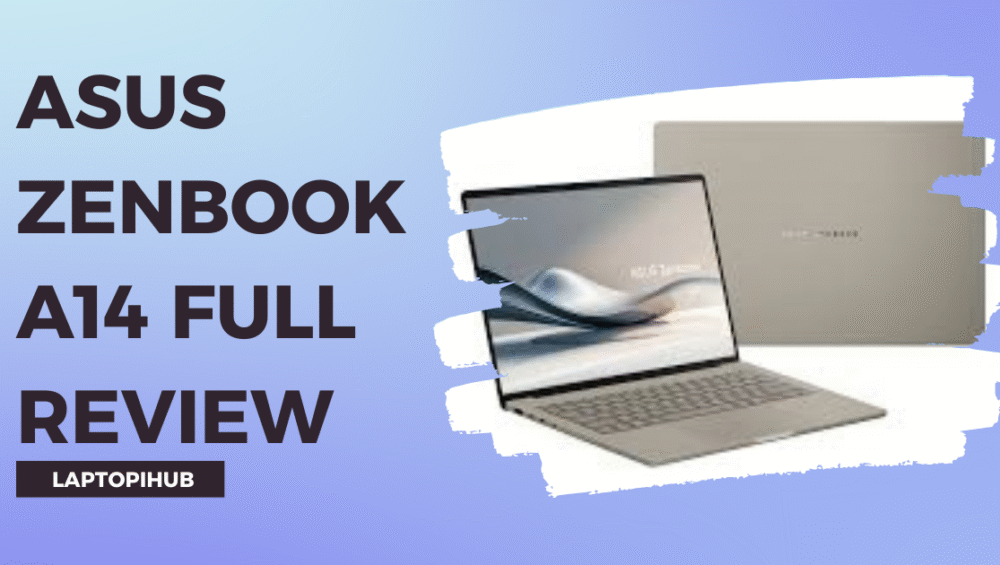
Asus Zenbook A14 review covering design, OLED display, performance, battery life, and who should buy this ultra-light laptop.

Microsoft Surface Laptop

The Microsoft Surface Laptop is elegant, fast, and lightweight. It provides smooth performance and is perfect for daily marketing work.

How to Choose Based on Your Needs

Budget Considerations

Your budget plays a big role in choosing a laptop. If you have a higher budget, you can choose premium laptops that offer the best performance. If your budget is limited, there are still many good options available that provide strong performance and reliability.

Choosing the right laptop is about balancing performance and budget.

Work Type Considerations

Your work type also matters. If your work involves heavy tasks like video editing or graphic design, you need a more powerful laptop. If your work mainly involves browsing, content writing, and managing ads, a mid range laptop can handle it easily.

Understanding your needs helps you make the right decision.

Common Buying Mistakes

Many people make the mistake of choosing cheap laptops without considering performance. They focus only on price and ignore important features. This leads to slow performance and frustration later.

Another common mistake is ignoring display quality and battery life. These factors directly affect your comfort and productivity.

Buying the right laptop is an investment in your career.

Conclusion

Choosing the best laptop for digital marketing work can transform your productivity. A good laptop makes your work faster, smoother, and more enjoyable. It helps you focus on your work instead of worrying about performance issues.

Your laptop is like your business partner. It supports you, helps you grow, and plays a big role in your success. Investing in the right laptop is one of the smartest decisions you can make for your digital marketing career.

FAQs

Which laptop is best for digital marketing beginners

A mid range laptop like ASUS ZenBook is a great choice for beginners.

Is MacBook better than Windows for marketing

Both are excellent, but MacBook is known for smoother performance.

How much RAM is ideal for digital marketing

Higher RAM provides better multitasking and performance.

Can I do digital marketing on a budget laptop

Yes, but performance may be limited depending on the workload.

How long should a marketing laptop last

A good laptop can last several years with proper use.

Read More: Best Laptops for Everyday Office Tasks

Samsung Galaxy Book6 Ultra full review covering design, performance, display, battery, and why it's perfect for creators and professionals.

Samsung Galaxy Book6 Ultra Full Review

Samsung Galaxy Book6 Ultra full review covering design, performance, display, battery, and why it’s perfect for creators and professionals.

Introduction to Samsung Galaxy Book6 Ultra

The Samsung Galaxy Book6 Ultra is not just another laptop. It feels like Samsung decided to challenge the biggest names in the laptop world and prove they belong at the top. When you first hear the name, you expect something premium. But when you actually use it, you realize it is more than just premium. It is powerful, elegant, and designed for serious work.

Whether you are a video editor, graphic designer, digital marketer, or business professional, this laptop promises to handle everything. But does it really deliver? Let’s dive deep and find out.

First Impressions and Design

Premium Build Quality

The moment you open the Samsung Galaxy Book6 Ultra, it gives you that wow feeling. The body feels solid, clean, and extremely premium. It has a sleek metal finish that instantly tells you this is a high end device. It does not look flashy, but it looks confident. It is like someone wearing a perfectly tailored suit. Simple, yet powerful.

Samsung Electronics clearly focused on making this laptop feel luxurious and professional.

Portability and Weight Experience

Despite its powerful hardware, the laptop feels surprisingly portable. It is thin, easy to carry, and perfect for people who work on the move. Carrying it feels effortless. Whether you are going to an office, café, or traveling, it fits perfectly into your routine.

It feels like carrying power in your backpack without feeling the weight.

Display Quality and Visual Experience

AMOLED Display Performance

This is where the laptop truly shines. The AMOLED display looks absolutely stunning. The colors pop. The blacks are deep. The visuals feel alive. Watching videos or editing content feels like looking through a window instead of a screen.

Everything looks sharper and more beautiful.

Color Accuracy and Brightness

For creative professionals, color accuracy is everything. This laptop delivers excellent color precision. Designers and editors will appreciate how real and accurate everything looks.

Even in bright environments, the screen remains clear and easy to see.

Performance and Hardware Overview

Processor Performance

The Galaxy Book6 Ultra is powered by advanced processors from Intel, and the performance feels incredibly fast. Opening apps, switching between tasks, and running heavy software feels smooth and effortless.

It feels like the laptop is always ready, always responsive.

Multitasking Capability

Multitasking feels easy. You can open multiple browser tabs, editing software, and meetings at the same time without slowing down. It handles pressure like a professional athlete. Calm, strong, and reliable.

There is no frustration. Only productivity.

GPU Performance for Creative Work

Graphics performance is powered by GPUs from NVIDIA, and this makes a huge difference. Creative tasks like video editing, rendering, and graphic designing feel smooth.

It gives creators the freedom to work without limits.

Real World Editing and Rendering

When editing videos or working on heavy projects, the laptop performs beautifully. Rendering is faster. Playback is smooth. There are no annoying lags.

It makes professional work feel easier.

RAM and Storage Performance

Speed and Responsiveness

The RAM ensures everything runs smoothly. Apps open instantly. Switching between tasks feels seamless.

It feels fast all the time.

Storage Benefits for Professionals

Storage speed is excellent. Files open quickly. Projects load faster. This improves productivity and saves time.

Time saved means more work done.

Battery Life and Charging

Real Life Battery Performance

Battery life is impressive. It easily lasts through a full workday. You can work for hours without worrying about charging.

It gives freedom to work anywhere.

Fast Charging Experience

Charging is fast and convenient. Even short charging sessions provide enough power to continue working.

It keeps you moving.

Keyboard and Trackpad Experience

Typing Comfort

Typing feels comfortable and smooth. The keys respond well. Writing long emails, blogs, or documents feels easy.

It makes typing enjoyable.

Trackpad Accuracy

The trackpad is large and accurate. Every gesture works perfectly. It feels responsive and precise.

It improves overall experience.

Cooling System and Noise

Cooling performance is excellent. Even during heavy work, the laptop stays cool. The fans are quiet and do not disturb your workflow.

It stays calm under pressure.

Software and User Experience

The software experience feels clean and smooth. Everything works well together. The system feels optimized and reliable.

It makes daily work easier.

Who Should Buy Samsung Galaxy Book6 Ultra

This laptop is perfect for professionals, creators, and serious users. If you edit videos, design graphics, or work on demanding tasks, this laptop is an excellent choice.

It is built for performance.

Pros and Cons Overview

The strengths of this laptop clearly stand out. Performance is fast. Display is beautiful. Build quality is premium. Battery life is strong.

The only limitation may be the price, but the value justifies the investment.

Final Verdict

The Samsung Galaxy Book6 Ultra feels like a complete package. It combines power, beauty, and reliability into one device. It performs like a professional tool and feels like a premium machine.

It is designed for people who want the best.

Conclusion

The Samsung Galaxy Book6 Ultra proves that Samsung is serious about high performance laptops. It delivers speed, beauty, and reliability. It supports professionals, creators, and anyone who demands performance.

Using it feels like unlocking your full potential. It removes limits and allows you to focus on your work.

If you want a laptop that feels powerful, premium, and future ready, this is one of the best options available today.

FAQs

Is Samsung Galaxy Book6 Ultra good for video editing

Yes, it offers excellent performance and smooth editing experience.

Is this laptop good for graphic designing

Yes, its display and performance make it ideal for designers.

How is the battery life of Galaxy Book6 Ultra

Battery life is strong and lasts through a full workday.

Is Samsung Galaxy Book6 Ultra good for students

Yes, especially for students in creative fields.

Is it worth buying Samsung Galaxy Book6 Ultra

Yes, it is a powerful and premium laptop worth the investment.

Read More: Best Laptops for Video Editing

Best Laptops for Everyday Office Tasks

Best laptops for everyday office work with expert guide, top picks, and tips to choose the perfect laptop for productivity.

Introduction

Let’s face it—your laptop is the heart of your daily office routine. It’s the first thing you open in the morning and the last thing you close before ending your workday. Whether you’re replying to emails, creating reports, attending Zoom meetings, or managing your business, your laptop plays a critical role in your productivity. A slow or unreliable laptop feels like working with a lazy assistant. It delays everything and drains your energy. On the other hand, the right laptop feels like a smart partner that makes your work faster, smoother, and stress-free.

But here’s the challenge. With so many options in the market, choosing the best laptop for office work can feel confusing. The good news is that you don’t need the most expensive machine. You just need the right combination of performance, comfort, and reliability.

In this guide, I’ll help you understand exactly which laptops are best and how to choose the perfect one for your needs.

What Makes a Laptop Good for Office Tasks

Before buying a laptop, it’s important to understand what actually makes it suitable for office work. Many people focus only on price or brand, but real performance depends on internal components and usability.

Performance Essentials

The processor and RAM are like the engine of your laptop. They determine how fast your system runs and how well it handles multitasking. For example, when you open multiple Chrome tabs, Excel sheets, and Zoom meetings at the same time, your laptop needs enough power to manage everything smoothly.

A laptop with at least Intel Core i5 or AMD Ryzen 5 and 8GB RAM ensures that your system runs without freezing or slowing down. SSD storage is another essential feature because it makes your laptop start faster and open applications instantly. It’s the difference between waiting and working.

Portability and Battery Life

If you carry your laptop to the office, meetings, or different locations, portability becomes extremely important. A lightweight laptop makes your life easier and prevents fatigue. At the same time, battery life plays a major role. Imagine sitting in a meeting and your laptop suddenly shuts down. It’s frustrating and unprofessional.

A good office laptop should offer at least 7 to 10 hours of battery life so you can work confidently without worrying about charging.

Display and Comfort

Office work means long screen hours. A clear Full HD display protects your eyes and improves your experience. Similarly, a comfortable keyboard makes typing easier, especially if your work involves writing emails, reports, or content. These small details make a big difference over time.

Apple MacBook Air M2

The Apple MacBook Air M2 is one of the most popular office laptops in the world, and for good reason. It combines power, beauty, and reliability in one slim package. The moment you start using it, you notice how smooth everything feels. Applications open instantly, switching between tasks feels effortless, and the system never slows down.

One of its biggest strengths is battery life. You can work the entire day without charging, which makes it perfect for professionals and business owners. Its lightweight design also makes it easy to carry anywhere. If you want a premium experience and long-term reliability, this laptop is an excellent choice.

Dell XPS 13

The Dell XPS 13 is another fantastic option for office users. It is known for its premium design and powerful performance. Despite its compact size, it delivers impressive speed and handles multitasking very well.

This laptop is ideal for professionals who attend meetings, travel frequently, or work remotely. It feels solid, looks professional, and performs consistently. Using it feels like driving a luxury car—smooth, fast, and dependable.

HP Pavilion 15

The HP Pavilion 15 is perfect for people who want strong performance at a reasonable price. It offers a larger display, which makes working on Excel sheets, documents, and presentations more comfortable.

This laptop handles everyday office tasks easily, including browsing, video calls, and multitasking. It is a great option for small business owners, office employees, and students who want value without spending too much money.

Lenovo IdeaPad Slim 5

The Lenovo IdeaPad Slim 5 is designed with productivity in mind. Its keyboard is comfortable, making typing easier during long work sessions. Performance is fast and reliable, which helps you complete tasks efficiently.

This laptop is especially useful for people who work from home or manage multiple tasks daily. It offers an excellent balance between price and performance, making it a smart investment.

ASUS Vivobook 15

The ASUS Vivobook 15 is one of the best budget laptops for office work. It delivers smooth performance for everyday tasks like Microsoft Office, internet browsing, and video meetings.

It may not be the most powerful laptop, but it is reliable and efficient. For beginners, freelancers, and office workers on a budget, it provides everything needed to work comfortably.

How to Choose the Right Laptop for Your Needs

Choosing the right laptop depends on your specific work style. Students usually need affordable and lightweight laptops that are easy to carry. Business professionals often prefer premium laptops that offer speed and reliability. Work-from-home users benefit from laptops with comfortable keyboards and larger displays.

Understanding your daily tasks helps you make the right decision.

Recommended Specifications for Office Work

A laptop with 8GB RAM and SSD storage is enough for basic office work. However, if you want smoother performance and longer usability, choosing 16GB RAM is a better option. It ensures your laptop stays fast even after years of use.

Think of it like buying a car with extra power. It performs better and lasts longer.

Common Mistakes to Avoid

Many people buy cheap laptops with low RAM or slow storage. These laptops struggle to handle multitasking and become slow quickly. Another mistake is ignoring battery life and build quality.

Saving money initially may cost you more later in frustration and replacement.

Future Proofing Your Laptop

Technology keeps evolving, and your laptop should be able to keep up. Choosing modern specifications ensures your system stays useful for years. A future-proof laptop protects your investment and gives you peace of mind.

Conclusion

Choosing the best laptop for everyday office work is one of the smartest decisions you can make for your productivity. The right laptop saves time, reduces stress, and helps you work efficiently. Whether you choose the MacBook Air for its premium performance, Dell XPS for its professional design, HP Pavilion for its value, Lenovo IdeaPad for productivity, or ASUS Vivobook for affordability, each option offers excellent benefits. Your laptop is more than just a device—it’s your daily work partner. Invest wisely, and it will support your success every day.

FAQs

Which laptop is best for office work overall

MacBook Air and Dell XPS are among the best options for performance and reliability.

Is 8GB RAM enough for office tasks

Yes, but 16GB RAM provides smoother performance and better future use.

How long should an office laptop last

A good laptop typically lasts 4 to 6 years with proper care.

Which processor is best for office work

Intel Core i5 or AMD Ryzen 5 offers excellent performance.

Are budget laptops good for office work

Yes, budget laptops like ASUS Vivobook are great for basic office tasks.

Read More: Tecno Spark Go 3 review

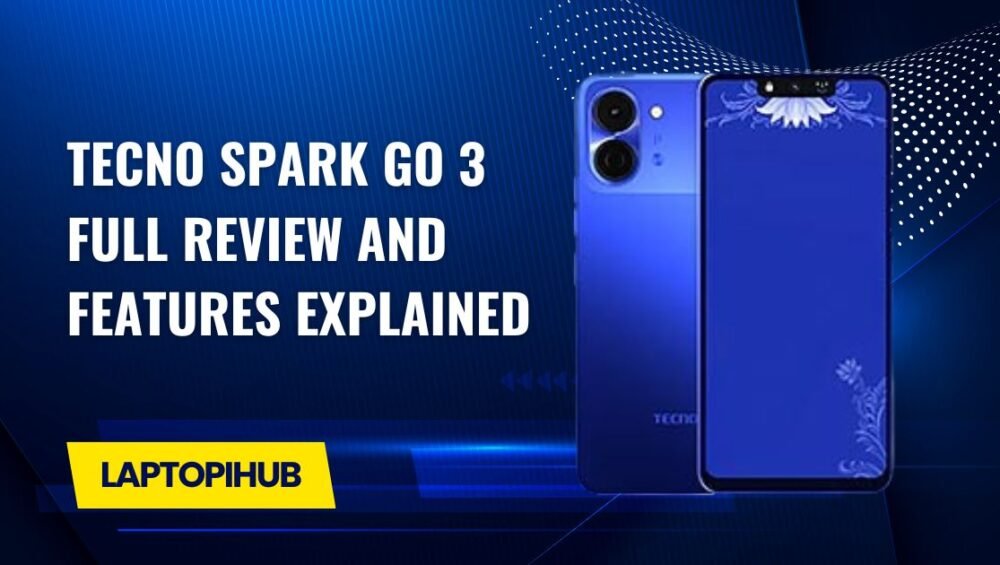
Tecno Spark Go 3 Full Review and Features Explained

Tecno Spark Go 3 review covering design, performance, camera, battery, price, and features. A complete budget smartphone overview.

Introduction to Tecno Spark Go 3

Looking for a budget smartphone that covers all the basics without emptying your wallet? The Tecno Spark Go 3 steps into the spotlight as an entry-level smartphone designed for everyday users. It’s built for people who want a reliable device for calls, social media, videos, and light apps—nothing fancy, just practical. Think of it as a dependable bicycle in a world full of sports cars.

Tecno Spark Go 3 Design and Build Quality

Overall Look and Feel

The Tecno Spark Go 3 may be budget-friendly, but it doesn’t scream “cheap.” The phone feels solid in hand, with a comfortable grip that makes one-handed use easy. The curved edges and balanced weight give it a surprisingly pleasant feel for daily use.

Colors and Finish Options

Tecno knows how to play with colors. The Spark Go 3 comes in eye-catching shades that reflect light nicely, giving it a modern look. It’s like wearing a simple outfit with stylish shoes—subtle yet appealing.

Display Quality of Tecno Spark Go 3

Screen Size and Resolution

The phone features a large display that’s perfect for watching videos, scrolling social media, or reading articles. While the resolution isn’t ultra-sharp, it’s more than sufficient for its price range.

Viewing Experience for Daily Use

For daily tasks like YouTube, WhatsApp, and browsing, the screen performs well. Colors look decent, brightness is acceptable indoors, and text remains readable. It’s not a cinema screen, but it gets the job done.

Performance and Processor Overview

Chipset and Daily Performance

Under the hood, the Tecno Spark Go 3 is powered by an entry-level processor designed for basic tasks. Apps open reasonably fast, and navigation feels smooth when expectations are realistic.

Multitasking and App Handling

Multitasking is fine as long as you don’t overload the phone. Switching between a few apps works well, but heavy apps running together may cause slowdowns. It’s like juggling—two balls are fine, five might be tricky.

RAM and Storage Options

Internal Storage Capacity

The Spark Go 3 comes with modest internal storage, suitable for essential apps, photos, and videos. It’s enough for users who don’t hoard data.

Expandable Storage Support

Running out of space? No worries. The phone supports a microSD card, allowing you to expand storage easily. This is a big win for budget users.

Tecno Spark Go 3 Software Experience

Android Version

The phone runs on a lightweight version of Android, optimized for smooth performance on entry-level hardware. This helps keep things responsive.

HiOS Features and Customization

Tecno’s HiOS adds useful features like smart gestures, app cloning, and theme customization. It’s like adding extra spices to a simple dish—small changes that improve the overall taste.

Camera Setup and Photography

Rear Camera Performance

The rear camera is suitable for daylight photography. Images come out decent with acceptable colors and clarity for social media sharing.

Front Camera for Selfies

Selfie lovers won’t be disappointed at this price. The front camera handles video calls and casual selfies well.

Camera Features and Modes

Features like beauty mode, HDR, and AI enhancements help improve photos, especially for beginners.

Battery Life and Charging

Battery Capacity

Battery life is one of the strong points of the Tecno Spark Go 3. It’s built to last a full day with ease under normal usage.

Real-Life Battery Performance

Whether you’re browsing, watching videos, or chatting, the battery keeps going. It’s like a reliable power bank built into your phone.

Audio and Multimedia Experience

Speaker Quality

The speaker is loud enough for calls, videos, and casual music listening. Don’t expect booming bass, but clarity is decent.

Headphone and Media Playback

With wired headphones, the audio experience improves, making it enjoyable for music and videos.

Connectivity and Sensors

Network and SIM Support

The phone supports standard connectivity options, including 4G, Wi-Fi, and Bluetooth. Dual SIM support is a plus.

Basic Sensors and Security

Basic sensors are present, ensuring smooth daily operation. Security features like face unlock add convenience.

Gaming Performance on Tecno Spark Go 3

Casual Gaming Experience

Casual games like puzzles and light action games run smoothly. Heavy games can run on low settings.

Heat Management and Stability

The phone manages heat well during normal use, maintaining stable performance.

Tecno Spark Go 3 Price and Availability

One of the biggest selling points is its affordability. The Tecno Spark Go 3 is widely available and priced to attract budget-conscious buyers.

Pros and Cons of Tecno Spark Go 3

Pros

  • Affordable price
  • Good battery life
  • Decent display for the price
  • Expandable storage

Cons

  • Limited performance for heavy tasks
  • Average camera in low light

Who Should Buy Tecno Spark Go 3

This phone is perfect for students, first-time smartphone users, or anyone needing a secondary device. If your needs are simple, this phone fits like a glove.

Final Verdict on Tecno Spark Go 3

The Tecno Spark Go 3 proves that you don’t need to spend a lot to get a reliable smartphone. It delivers solid basics, good battery life, and a user-friendly experience. While it won’t compete with premium devices, it shines where it matters most—value for money.

Conclusion

If you’re searching for a budget-friendly smartphone that handles everyday tasks without frustration, the Tecno Spark Go 3 is a smart choice. It’s simple, practical, and dependable—just like a good daily companion.

FAQs

1. Is Tecno Spark Go 3 good for daily use?

Yes, it’s ideal for calls, social media, browsing, and light apps.

2. Can Tecno Spark Go 3 handle gaming?

It can handle casual games smoothly but isn’t designed for heavy gaming.

3. Does Tecno Spark Go 3 support expandable storage?

Yes, it supports microSD cards for additional storage.

4. How is the battery life of Tecno Spark Go 3?

The battery easily lasts a full day with normal usage.

5. Who should buy Tecno Spark Go 3?

Students, beginners, and users looking for an affordable secondary phone.

Read More: Infinix GT 50 Pro Full Review and Features Explained

Infinix GT 50 Pro Full Review and Features Explained

Explore Infinix GT 50 Pro features, gaming performance, display, battery, and price in this detailed hands-on review.

Introduction to Infinix GT 50 Pro

The Infinix GT 50 Pro is not just another smartphone—it’s a bold statement aimed directly at mobile gamers and power users. Think of it as a sports car built for the digital battlefield. With aggressive styling, powerful internals, and gaming-focused software, Infinix is clearly saying, “Let’s play seriously.” But does it really deliver, or is it all flash and no fire? Let’s dive deep and find out.

Infinix GT Series and Its Gaming Vision

The GT series represents Infinix’s commitment to affordable gaming smartphones. Instead of chasing flagship prices, Infinix focuses on delivering maximum performance per dollar. The GT 50 Pro continues this tradition by blending raw power, cooling efficiency, and gamer-centric features into a surprisingly polished package.

Design and Build Quality

Futuristic Gaming-Inspired Design

One look at the Infinix GT 50 Pro, and you’ll know it’s built for gamers. Sharp edges, bold lines, and cyberpunk-style elements scream performance. It feels like holding a console in your hands rather than a typical smartphone.

Build Materials and Durability

Despite its aggressive design, the phone feels solid and well-balanced. The frame is sturdy, and the back panel resists fingerprints better than expected. It’s lightweight enough for long gaming sessions without causing hand fatigue.

RGB Lighting and Aesthetic Appeal

Yes, it has customizable RGB lighting. Love it or hate it, this feature adds personality and enhances the gaming vibe. It’s subtle enough not to feel gimmicky, yet eye-catching when it lights up during gameplay or notifications.

Display Performance

AMOLED Display Quality

The AMOLED display on the Infinix GT 50 Pro delivers vibrant colors, deep blacks, and excellent contrast. Whether you’re gaming, watching videos, or scrolling social media, everything looks sharp and immersive.

High Refresh Rate Experience

With a high refresh rate, scrolling feels buttery smooth, and games respond instantly. Once you experience this level of fluidity, going back to a standard display feels like walking after driving a sports bike.

Touch Sampling and Gaming Smoothness

High touch sampling ensures every swipe, tap, and flick registers instantly. In fast-paced games, this responsiveness can mean the difference between victory and defeat.

Performance and Hardware

Powerful Gaming Processor

Under the hood, the Infinix GT 50 Pro packs a gaming-optimized processor capable of handling demanding titles without breaking a sweat. From intense FPS games to open-world RPGs, it keeps things running smoothly.

RAM and Storage Variants

Multiple RAM and storage options ensure you can multitask freely and store plenty of games without constantly deleting files. Think of it as having a backpack that never feels full.

Thermal Management System

Gaming phones live or die by heat control, and Infinix nailed it here. The advanced cooling system keeps temperatures in check, even during extended gaming marathons.

Gaming Experience on Infinix GT 50 Pro

FPS Stability and Graphics

Frame rates remain stable, and graphics look crisp even at higher settings. There’s minimal lag, no annoying stutters, and a consistently smooth experience.

Dedicated Gaming Mode Features

The built-in gaming mode blocks distractions, boosts performance, and gives you real-time stats. It’s like having a pit crew tuning your phone while you race.

Camera Capabilities

Rear Camera Setup

While gaming is the main focus, the camera system doesn’t disappoint. Daylight photos come out sharp with accurate colors, making it a reliable everyday shooter.

Front Camera for Selfies

Selfies are clear and social-media ready. It’s not influencer-level perfection, but more than enough for video calls and quick snaps.

Video Recording Performance

Video stabilization is decent, and footage looks smooth for casual recording. Gamers who also create content will appreciate this balance.

Battery Life and Charging

Long-Lasting Battery Performance

The large battery easily lasts a full day, even with heavy gaming. It’s like having a power bank built into your phone.

Fast Charging Technology

Fast charging gets you back in action quickly. A short charge break is all you need before jumping back into your favorite game.

Software and User Interface

XOS Gaming Enhancements

The customized XOS interface is optimized for performance. It’s clean, responsive, and packed with gaming-centric tweaks.

Customization and User Controls

From themes to performance profiles, you can fine-tune the phone to match your style and usage habits.

Connectivity and Audio

5G, Wi-Fi, and Bluetooth Support

Fast connectivity ensures low-latency gaming and smooth streaming. Online matches feel responsive and stable.

Stereo Speakers and Audio Quality

The stereo speakers deliver loud, clear sound with punchy bass—perfect for immersive gaming without headphones.

Security and Sensors

Fingerprint and Face Unlock

Both unlocking methods are fast and reliable, keeping your data secure without slowing you down.

Gaming-Optimized Sensors

Accurate sensors enhance gameplay, especially in racing and shooting games where precision matters.

Price and Value for Money

Expected Price Range

The Infinix GT 50 Pro is priced aggressively, making it a strong contender in the mid-range gaming segment.

Comparison with Competitors

Compared to rivals, it offers better gaming features and performance at a similar—or lower—price point.

Who Should Buy the Infinix GT 50 Pro?

If you’re a mobile gamer, performance enthusiast, or someone who wants flagship-like features without flagship pricing, this phone is made for you.

Pros and Cons Overview

Pros

  • Excellent gaming performance
  • AMOLED high refresh rate display
  • Strong battery life
  • Gamer-focused design

Cons

  • Camera is good, not exceptional
  • Gaming aesthetics may not suit everyone

Final Verdict on Infinix GT 50 Pro

The Infinix GT 50 Pro is a powerful, stylish, and affordable gaming smartphone that punches well above its weight. It’s not trying to be everything for everyone—and that’s its biggest strength. For gamers and power users, it delivers exactly what matters most.

Conclusion

In a market crowded with lookalikes, the Infinix GT 50 Pro stands out like a neon-lit gaming rig in a sea of office laptops. It’s fast, fun, and focused on performance, making it one of the most exciting gaming phones in its category.

FAQs

1. Is the Infinix GT 50 Pro good for heavy gaming?

Yes, it’s built specifically for smooth and stable gaming performance.

2. Does the Infinix GT 50 Pro support fast charging?

Yes, it features fast charging to minimize downtime.

3. Is the display suitable for competitive gaming?

Absolutely, the high refresh rate and touch response make it ideal.

4. How is the battery life during gaming?

The battery easily lasts a full day with moderate to heavy gaming.

5. Is the Infinix GT 50 Pro worth buying?

If you want a budget-friendly gaming phone with premium features, it’s a great choice.

Read More: Mercedes-AMG Stealth 16 Gaming Laptop Revealed

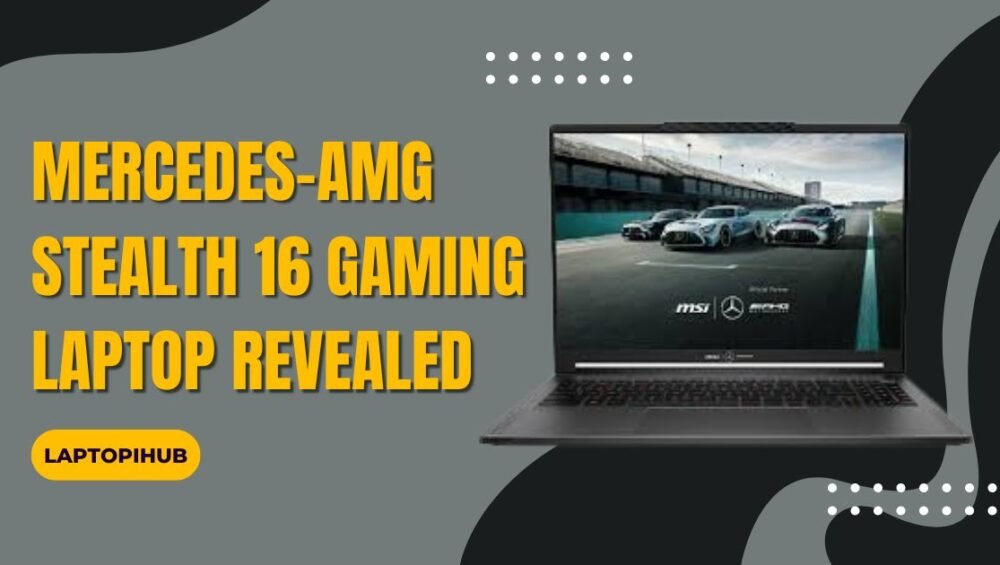
Mercedes-AMG Stealth 16 gaming laptop revealed with premium design, powerful performance, and immersive features for gamers and professionals alike.

Mercedes-AMG Stealth 16 Gaming Laptop Revealed

Mercedes-AMG Stealth 16 gaming laptop revealed with premium design, powerful performance, and immersive features for gamers and professionals alike.

Introduction to the Mercedes-AMG Stealth 16

When you hear the name Mercedes-AMG, raw power, luxury, and precision engineering instantly come to mind. Now imagine those same values packed into a gaming laptop. Sounds exciting, right? The Mercedes-AMG Stealth 16 gaming laptop has finally been revealed, and it’s turning heads in both the gaming and tech worlds. This isn’t just another gaming machine. It’s a statement, a blend of high-performance computing and motorsport-inspired design.

Mercedes-AMG and Gaming A Powerful Collaboration

Mercedes-AMG stepping into gaming hardware feels like a race car entering a new track. Bold, unexpected, but thrilling. By partnering with experienced gaming hardware engineers, AMG brings its performance DNA into the digital arena. The result is a laptop that doesn’t just play games, it dominates them with style and confidence.

Design Philosophy Inspired by AMG Performance

Sleek and Aggressive A True Stealth Look

The first thing you’ll notice about the Stealth 16 is its understated aggression. No flashy gimmicks, no over-the-top angles. It’s clean, sharp, and confident, much like an AMG coupe parked under city lights. The matte finish and slim profile give it a professional look while still whispering, “I’m built for speed.”

Premium Build Quality and Materials

This laptop feels solid in hand. The chassis uses high-grade metal alloys that add durability without making it bulky. Every edge feels intentional, every curve refined.

AMG Branding and Visual Details

Subtle AMG logos, precision-cut vents, and performance-inspired accents give the Stealth 16 a luxury vibe. It’s like wearing a tailored suit with racing shoes underneath. Elegant on the outside, explosive on the inside.

Display Technology Built for Gamers

Screen Size and Resolution

The 16-inch display strikes the perfect balance between immersion and portability. With a high-resolution panel, games look sharp, detailed, and lifelike. Whether you’re exploring open-world landscapes or editing high-resolution videos, the screen delivers crisp visuals every time.

Refresh Rate and Color Accuracy

High refresh rates ensure buttery-smooth gameplay. Fast-paced shooters feel responsive, and motion blur becomes a thing of the past. Colors are vibrant yet accurate, making this display equally suitable for creative professionals.

Why High Refresh Rates Matter

Think of refresh rate like engine RPMs. The higher it goes, the smoother the ride. Competitive gamers will immediately feel the difference, especially in reaction-based games.

Performance Under the Hood

Processor Options and Raw Power

At its core, the Mercedes-AMG Stealth 16 is built to perform. Equipped with the latest high-performance processors, it handles gaming, streaming, and multitasking like a champ. Switching between heavy applications feels effortless.

Graphics Card Capabilities

Powerful dedicated graphics ensure modern AAA games run smoothly at high settings. From realistic lighting to complex textures, this laptop doesn’t break a sweat.

Ray Tracing and AI Features

With ray tracing support and AI-enhanced performance, visuals feel more realistic than ever. Shadows, reflections, and lighting behave just like they would in the real world, adding depth and immersion to every game.

Cooling System Inspired by Motorsport

Advanced Thermal Design

Performance means nothing without proper cooling. The Stealth 16 uses a motorsport-inspired thermal system that efficiently dissipates heat. Multiple heat pipes and high-speed fans keep temperatures under control even during long gaming sessions.

Noise Control During Heavy Gaming

Despite its power, the laptop remains surprisingly quiet. Fan noise is well-managed, so you stay immersed in your game without sounding like a jet engine is taking off beside you.

Keyboard and Trackpad Experience

RGB Keyboard Customization

The RGB keyboard offers per-key customization, allowing you to match your setup or mood. The keys feel tactile and responsive, perfect for both gaming marathons and late-night work sessions.

Trackpad Precision and Comfort

The trackpad is smooth, accurate, and generously sized. Gestures feel natural, making everyday navigation a breeze.

Audio System Tuned for Immersion

Speaker Quality

The speakers deliver rich, clear sound with decent bass. Explosions feel impactful, and in-game audio cues are easy to pinpoint.

Microphone and Voice Clarity

Whether you’re chatting with teammates or attending virtual meetings, the built-in microphone ensures your voice comes through loud and clear.

Battery Life and Charging Speed

Real World Usage Expectations

Gaming laptops aren’t known for marathon battery life, but the Stealth 16 holds its own. For everyday tasks, it easily lasts several hours.

Fast Charging Support

Fast charging gets you back in action quickly. A short charge can give you enough power to get through meetings or casual gaming sessions.

Connectivity and Ports

Ports Selection

You’ll find all the essentials here. USB ports, HDMI, audio jack, and high-speed data ports make connecting accessories easy and hassle-free.

Wireless Connectivity Options

With the latest Wi-Fi and Bluetooth standards, online gaming and wireless peripherals work seamlessly.

Software and User Experience

Gaming Control Software

Custom software allows you to tweak performance modes, lighting, and fan behavior. It’s intuitive and beginner-friendly.

Productivity and Multitasking

Beyond gaming, this laptop shines as a productivity machine. Video editing, 3D rendering, and heavy workloads feel smooth and responsive.

Who Should Buy the Mercedes-AMG Stealth 16

This laptop is perfect for gamers who want power without sacrificing style. It’s also ideal for professionals who need performance but prefer a premium, understated design.

Price Expectations and Availability

While official pricing may vary, expect the Mercedes-AMG Stealth 16 to sit in the premium category. Considering its performance and design, it offers strong value for high-end users.

Final Thoughts on the AMG Stealth 16

The Mercedes-AMG Stealth 16 gaming laptop is more than just a gaming device. It’s a fusion of luxury, performance, and cutting-edge technology. If gaming laptops were cars, this one would be a finely tuned AMG roaring quietly until you hit the accelerator.

Conclusion

The Mercedes-AMG Stealth 16 proves that gaming laptops can be powerful, elegant, and versatile all at once. With its premium design, impressive performance, and immersive features, it sets a new benchmark for high-end gaming machines. If you want a laptop that feels as thrilling as driving a performance car, this one deserves your attention.

FAQs

1. Is the Mercedes-AMG Stealth 16 suitable for professional work?

Yes, it handles productivity tasks like video editing and design with ease.

2. Does the laptop support modern AAA games?

Absolutely, it’s built to run the latest games at high settings smoothly.

3. Is the design too flashy for office use?

No, the design is sleek and professional with subtle gaming accents.

4. How good is the cooling system during long gaming sessions?

The advanced cooling keeps temperatures stable and noise levels low.

5. Is this laptop worth the premium price?

If you value performance, design, and brand prestige, it offers excellent value.

Read More: ThinkBook Plus Gen 6 Rollable (14-16″ Intel)

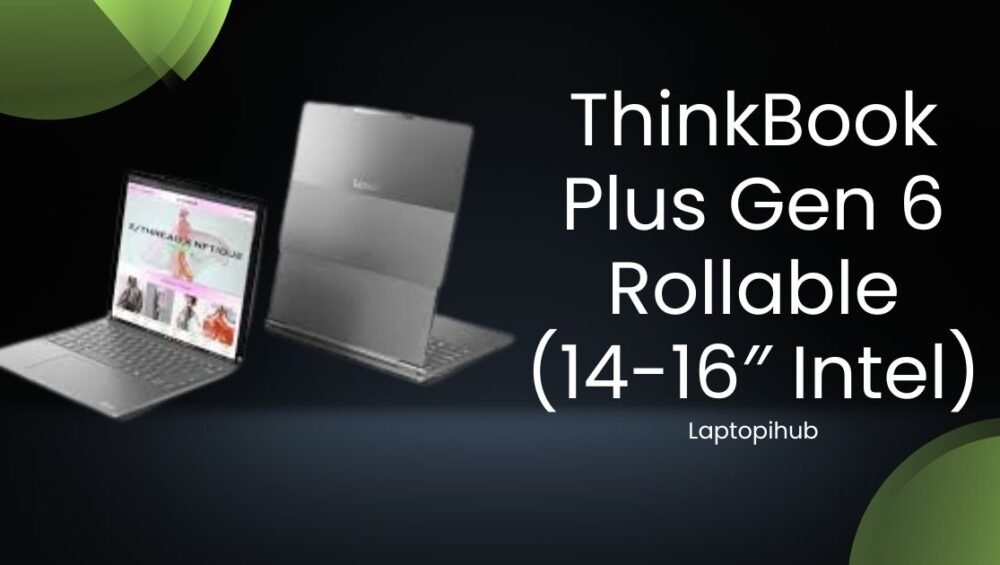
Explore ThinkBook Plus Gen 6 Rollable laptop with Intel power, expandable display, premium design, and next-gen productivity features.

ThinkBook Plus Gen 6 Rollable (14-16″ Intel)

Explore ThinkBook Plus Gen 6 Rollable laptop with Intel power, expandable display, premium design, and next-gen productivity features.

Introduction to the Rollable Laptop Era

Laptops haven’t changed much in years, right? Same clamshell design, same fixed screen size, same experience. But Lenovo decided to shake things up with the ThinkBook Plus Gen 6 Rollable, a laptop that literally grows when you need more space. Sounds futuristic? It absolutely is.

This laptop introduces a rollable display that expands from 14 inches to 16 inches at the press of a button. It’s not just a gimmick—it’s a real productivity booster designed for modern professionals who crave flexibility.

What Makes ThinkBook Plus Gen 6 Unique

At first glance, the ThinkBook Plus Gen 6 looks like a premium business laptop. But hidden beneath that clean design is a screen that can extend vertically, giving you extra real estate without carrying a bulky device.

Evolution of Rollable Display Technology

Rollable screens were once sci-fi dreams. We’ve seen foldables struggle with creases and durability issues. Lenovo took a different route—rolling instead of folding. This approach eliminates creases and feels surprisingly smooth.

Why Lenovo Took the Risk

Lenovo has always experimented with bold ideas. With professionals demanding more multitasking power, Lenovo saw an opportunity to redefine how screens work on laptops.

Design and Build Quality

Lenovo didn’t compromise on build quality here. The ThinkBook Plus Gen 6 screams premium from every angle.

Premium Materials Used

The chassis is crafted from high-grade aluminum, giving it a sturdy yet elegant feel. It doesn’t feel experimental—it feels refined.

Weight and Form Factor

Despite the advanced screen tech, the laptop remains reasonably lightweight. You can easily slip it into a backpack without feeling like you’re carrying a brick.

How It Feels in Daily Use

Opening the laptop and watching the screen extend feels magical, yet practical. It’s like unrolling a digital scroll right in front of you.

Rollable Display Explained

This is where the magic happens.

14 to 16 Inch Screen Transformation

With a simple gesture or button press, the screen smoothly expands upward, transforming from a standard 14-inch display into a tall 16-inch workspace. It’s perfect for reading documents, coding, or managing timelines.

Display Resolution and Aspect Ratio

The display remains sharp and vibrant in both modes. The taller aspect ratio is especially useful for productivity tasks, allowing you to see more content without scrolling.

Is the Rollable Mechanism Durable

Lenovo claims the mechanism is tested for thousands of roll cycles. In real-world use, it feels solid and reliable, not fragile or flimsy.

Performance and Intel Power

A cool design means nothing without solid performance, and Lenovo knows that.

Processor and Graphics Overview

Powered by Intel Core processors, the ThinkBook Plus Gen 6 handles everyday tasks with ease. From heavy spreadsheets to multiple browser tabs, it doesn’t break a sweat.

Intel Core Platform Benefits

Intel’s efficiency cores and performance cores work together beautifully, balancing power and battery life.

Multitasking and Productivity Tests

Switching between apps feels snappy. The extended screen gives multitasking a whole new meaning—email on top, document below, all in one view.

Keyboard, Touchpad, and User Comfort

Lenovo’s ThinkBook series is known for comfortable input devices, and this model continues that tradition.

Typing Experience for Long Hours

The keyboard offers satisfying key travel and tactile feedback, making long typing sessions comfortable and fatigue-free.

Touchpad Responsiveness

The touchpad is smooth, accurate, and supports all modern gestures without lag.

Ergonomics for Professionals

The taller screen reduces neck strain, especially for writers and developers who scroll a lot.

Battery Life and Charging

You might expect the rollable screen to drain battery fast, but Lenovo optimized it well.

Real World Battery Performance

In standard 14-inch mode, battery life easily lasts a full workday. Extended mode consumes more power but remains practical.

Fast Charging Capabilities

Fast charging support means you can get hours of use from a short charging session.

Power Efficiency of Rollable Display

The display only uses extra power when expanded, so you stay in control.

Connectivity and Ports

The ThinkBook Plus Gen 6 includes all essential ports, making dongles mostly unnecessary.

Wireless Performance

Wi-Fi and Bluetooth connectivity are fast and stable, perfect for remote work and video calls.

Use Cases and Target Audience

This laptop isn’t for everyone—and that’s okay.

Who Should Buy This Laptop

  • Business professionals
  • Content writers and editors
  • Developers and coders
  • Multitasking power users

If your work benefits from extra vertical screen space, this laptop feels like a blessing.

Pros and Cons Overview

Pros

  • Innovative rollable display
  • Premium build quality
  • Strong Intel performance
  • Excellent productivity boost

Cons

  • Premium price point
  • Not designed for gaming
  • New tech may take time to trust

Final Verdict

The ThinkBook Plus Gen 6 Rollable is more than a tech experiment—it’s a glimpse into the future of laptops. Lenovo successfully combined innovation with practicality, creating a device that genuinely enhances productivity. If you’re tired of traditional laptops and want something bold, flexible, and powerful, this machine is worth every glance.

FAQs

1. Is the rollable display safe for long-term use

Yes, Lenovo tested it extensively for durability and daily usage.

2. Does the screen crease like foldable displays

No, rolling eliminates creases completely.

3. Is this laptop good for students

It can be, but it’s more suited for professionals due to its premium pricing.

4. Can I disable the rollable feature

Yes, you can use it as a normal 14-inch laptop anytime.

5. Is ThinkBook Plus Gen 6 good for multitasking

Absolutely. The extended screen makes multitasking incredibly efficient.

Read More: Google Veo 3.1: The Future of AI Video Generation

Google Veo 3.1 is Google’s advanced AI video generator delivering cinematic, high-quality videos from simple text prompts.

Google Veo 3.1: The Future of AI Video Generation

Google Veo 3.1 is Google’s advanced AI video generator delivering cinematic, high-quality videos from simple text prompts.

Introduction to Google Veo 3.1

Imagine typing a few lines of text and watching them turn into a cinematic-quality video. Sounds like science fiction, right? Well, with Google Veo 3.1, that future is knocking on our doors right now. Google’s latest advancement in AI-powered video generation is pushing creative boundaries and redefining how videos are made.

Whether you’re a content creator, marketer, filmmaker, or just an AI enthusiast, Google Veo 3.1 feels like a powerful camera placed directly inside your imagination.

What Is Google Veo? A Quick Recap

Before diving into version 3.1, let’s rewind a little. Google Veo is an advanced AI video generation model developed by Google DeepMind. Its core purpose is simple but revolutionary: transform text prompts into high-quality, realistic videos.

Think of it as DALL·E for videos—but smarter, smoother, and more cinematic.

Evolution of Google Veo Technology

Google Veo didn’t become powerful overnight. Earlier versions focused on basic motion, short clips, and simple scenes. With each update, Google improved realism, camera movement, lighting, and consistency. Veo 3.1 represents a significant leap, like upgrading from a basic phone camera to a professional cinema rig.

Why Google Veo Matters in the AI World

AI-generated videos are the next big thing. Text, images, and audio were just the warm-up. Video is the final boss. Google Veo 3.1 matters because it makes high-quality video creation accessible, fast, and scalable—no expensive gear or editing skills required.

What’s New in Google Veo 3.1

So, what makes Veo 3.1 special? Short answer: polish, power, and precision.

Major Upgrades from Previous Versions

Google Veo 3.1 introduces smoother transitions, longer video coherence, and more accurate interpretations of complex prompts. You’re no longer fighting the AI to “understand” your idea—it feels like a creative partner.

Improved Video Realism and Motion Accuracy

Motion in Veo 3.1 feels natural. Characters move like real humans, objects follow physics, and scenes flow smoothly. No more robotic movements or awkward cuts. It’s like watching a short film instead of an AI experiment.

Advanced Scene Understanding

Veo 3.1 understands environments better. A “sunset beach scene” actually looks like golden-hour lighting with realistic reflections, shadows, and atmosphere.

Better Object Consistency Across Frames

One of the biggest challenges in AI video is consistency. Veo 3.1 keeps characters, objects, and environments stable across frames—no more disappearing hands or morphing faces.

Core Features of Google Veo 3.1

Let’s break down the powerhouse features that make Veo 3.1 stand out.

Text-to-Video Generation

Just type what you imagine. Whether it’s “a drone shot over snowy mountains” or “a cinematic city chase at night,” Veo 3.1 turns words into visuals like magic.

Cinematic Camera Controls

Veo understands camera language. You can request close-ups, wide shots, slow pans, or dynamic movements. It’s like directing a virtual film crew that never gets tired.

High-Resolution Output Capabilities

Google Veo 3.1 delivers high-resolution videos with impressive detail, making it suitable for professional use in marketing, social media, and even filmmaking concepts.

How Google Veo 3.1 Works

Behind the scenes, Veo 3.1 is a beast of machine learning.

AI Models Behind Veo 3.1

It’s powered by large-scale diffusion and transformer-based models trained on massive multimodal datasets. In simple words? It learns how the world looks, moves, and behaves.

Role of Large Multimodal Models

Veo doesn’t just read text—it understands context, emotion, and intent. That’s why prompts feel “understood” instead of mechanically followed.

Google Veo 3.1 vs Other AI Video Tools

Competition is heating up in the AI video space.

Comparison with OpenAI Sora

While OpenAI Sora focuses heavily on realism and long-form coherence, Google Veo 3.1 shines in cinematic control and visual polish. It feels more like a director’s tool.

Veo 3.1 vs Runway and Pika Labs

Runway and Pika are excellent for quick social content, but Veo 3.1 is built for quality-first creation. Think short films versus quick TikToks.

Use Cases of Google Veo 3.1

This is where things get exciting.

Content Creation and YouTube Videos

Creators can generate B-roll, intros, or even entire story visuals without filming a single frame.

Marketing and Advertising

Agencies can test multiple ad concepts quickly, saving time and money while boosting creativity.

Film, Animation, and Storyboarding

Veo 3.1 is perfect for pre-visualization. Directors can see scenes before they ever hit a real set.

Education and Training Videos

Complex topics become easier to understand with visually rich AI-generated explanations.

Benefits of Using Google Veo 3.1

Why are people excited? Let’s sum it up.

Time-Saving for Creators

What once took weeks can now be done in minutes.

Cost-Effective Video Production

No cameras, no crews, no locations—just ideas and prompts.

Creative Freedom Without Technical Barriers

You don’t need to be a video editor or filmmaker. If you can imagine it, you can create it.

Limitations and Challenges

Of course, it’s not perfect.

Ethical Concerns and Deepfakes

AI video raises serious questions about misinformation and misuse. Responsible usage is crucial.

Accessibility and Availability Issues

Google Veo 3.1 is still limited in access, and not everyone can use it just yet.

Future of Google Veo and AI Video

So, where does this road lead?

What to Expect After Veo 3.1

Expect longer videos, real-time editing, and even better realism in future updates.

Impact on the Creative Industry

AI won’t replace creators—it will supercharge them. Those who adapt early will have a massive advantage.

Conclusion

Google Veo 3.1 is more than just another AI tool—it’s a glimpse into the future of storytelling. By combining cinematic quality with AI efficiency, Google has created something truly powerful. While challenges remain, one thing is clear: video creation will never be the same again. The camera is no longer in your hands—it’s in your words.

FAQs

1. What is Google Veo 3.1 used for?

Google Veo 3.1 is used to generate high-quality videos from text prompts for content creation, marketing, education, and filmmaking.

2. Is Google Veo 3.1 better than previous versions?

Yes, Veo 3.1 offers improved realism, smoother motion, better consistency, and more cinematic control.

3. Can beginners use Google Veo 3.1?

Absolutely. No technical or video editing skills are required—just creativity.

4. Is Google Veo 3.1 available to everyone?

Currently, access is limited, but broader availability is expected in the future.

5. Will Google Veo replace human video creators?

No. It’s a creative assistant, not a replacement. Human ideas still drive the best results.

Read More: HP OmniBook 5 Review and Buying Guide

Apple AirPods Price in Pakistan 2026 – Latest Models & Buyer Guide


Apple AirPods Price in Pakistan (2026)|What’s Actually Worth Buying?

If you use earphones daily in Pakistan, you already know how important they’ve become. Calls, Zoom meetings, gym time, long drives, and YouTube before sleep, everything runs on audio now. Because of that, people don’t just want “good sound” anymore. They want something that connects fast, doesn’t drop calls, and doesn’t need fixing every other day. This is the reason Apple AirPods continue to maintain their popularity.

Not because they’re the loudest or the cheapest. For Apple users, they simply function flawlessly. You put them in, they connect, and you forget about them. That’s honestly their biggest strength.

In this post, I’m breaking down the Apple AirPods price in Pakistan, clearing up confusion about which models are actually available in 2026, and helping you decide which one makes sense for your use, not just on paper, but in real life.

Apple AirPods Models Available in 2026

First things first, let’s clean up the confusion.

As of 2026, Apple’s AirPods lineup is actually basic. There are no hidden versions or secret upgrades. Apple currently sells only three main AirPods types, with one of them having two variants.

Currently, the official models are

  • AirPods (4th generation)
  • AirPods (4th generation) with Active Noise Cancellation
  • AirPods Pro (2nd generation) with USB-C
  • AirPods Max with USB-C.

AirPods (4th Generation)

The standard AirPods (4th generation) are what most people end up buying, and honestly, that makes sense.

They use an open-ear design, so they don’t block your ears completely. This makes them comfortable for long use. You can wear them for calls, meetings, or even hours of casual listening without feeling pressure in your ears.

Sound quality is clean and balanced. Nothing extreme. Voices sound clear, which matters a lot for calls and meetings. Pairing is instant if you’re using an iPhone, and switching between Apple devices happens automatically in the background.

If you just want reliable AirPods that you can use all day without thinking about settings or modes, this model does the job.

The AirPods (4th Generation) 

Apple also sells a slightly upgraded version of the same AirPods (4th generation). Same shape. Same comfort. The difference is Active Noise Cancellation.

Now, let’s be real here. This is not the same noise cancellation you get on the Pro models. But it does help. Office noise, AC hum, background chatter—it tones all that down. You won’t feel completely cut off from the world, but distractions become less annoying. For people working in shared offices or cafés, this version makes sense.

If you like open-ear AirPods but want a bit more focus during the day, this variant is worth considering.

AirPods Pro (2nd Generation) 

If you want proper noise cancellation, there’s no shortcut.
You go for AirPods Pro (2nd generation). These come with silicone ear tips that sit inside your ear and create a seal. That seal is what makes the noise cancellation actually work. Traffic noise, office chatter, and background buzz—all of it drops down noticeably.

Transparency mode is also excellent. When it’s on, voices sound natural, not metallic. You can talk to someone without pulling the earbuds out. Apple updated the charging case to USB-C, which is convenient if you’re already using newer Apple devices. Sound-wise, this is still Apple’s most complete earbuds package.

If you travel often or wear AirPods for long hours, this is the safest long-term choice.

AirPods Max with USB-C

AirPods Max are a different kind of product. They’re big. They’re heavy. And they’re expensive. But they sound excellent. If you prefer over-ear headphones and want immersive sound, these deliver. Noise cancellation is strong, comfort is solid, and the sound feels wide and detailed. They’re better suited for home, office work, or long listening sessions rather than daily commuting.

Apple now sells them with a USB-C charging port, keeping them in line with newer products.

Apple AirPods Price in Pakistan 

Now let’s talk numbers.

The Apple AirPods price in Pakistan generally looks like this:

  • AirPods (4th generation) PKR 38,999
  • AirPods (4th generation) with Active Noise Cancellation  PKR 50,499
  • AirPods Pro (2nd generation) with USB-C PKR 62,999
  • Apple AirPods 3 price starts at Rs.50,999 PKR

Prices can move up or down depending on stock and exchange rates, but Mega.pk is one of the more reliable places to check updated pricing and availability.

Which AirPods Should You Buy?

If your main use is calls, meetings, and casual listening, the regular AirPods (4th generation) are more than enough. They’re comfortable, reliable, and easy to live with.

If you work around constant background noise, the ANC version gives you a noticeable improvement without changing the fit.

The second-generation AirPods Pro are well worth the extra cost if you want true noise cancellation and intend to use them for extended periods of time.

And if you’re someone who values immersive sound and prefers over-ear headphones, AirPods Max are there just not for everyone.

Apple AirPods aren’t perfect, but they’re consistent. They connect fast, work smoothly with Apple devices, and don’t create daily headaches. That’s why people keep buying them.

If you understand the Apple AirPods price in Pakistan and know which models are actually available in 2026, choosing the right one becomes much easier. For genuine products and up-to-date prices, Mega.pk remains a solid option in Pakistan.

Apple’s Best Products: Not Just Apple AirPods

People know Apple for more than just the Apple AirPods. The brand has a strong reputation thanks to other high-quality products like:

What features do Apple AirPods Pro 3 offer according to Apple?

Apple describes the AirPods Pro 3 as offering what it calls the world’s best in-ear Active Noise Cancellation, along with features like heart rate sensing during workouts and adaptive audio. These additions are designed to deliver clearer calls and a more immersive listening experience compared to earlier AirPods models.

What is the price range of Apple AirPods in Pakistan?

In Pakistan, Apple AirPods start from PKR 38,999 for standard AirPods 4 up to around PKR 87,999 for the advanced AirPods Pro 3. Prices may vary by seller, stock, and exchange rate conditions.

Which Apple AirPods models support spatial audio and adaptive tuning?

According to Apple officials, models such as AirPods 3 and AirPods Pro 3 use Personalized Spatial Audio and Adaptive EQ to fine-tune sound based on how the earbuds sit in your ears, making music and audio feel more balanced and immersive.

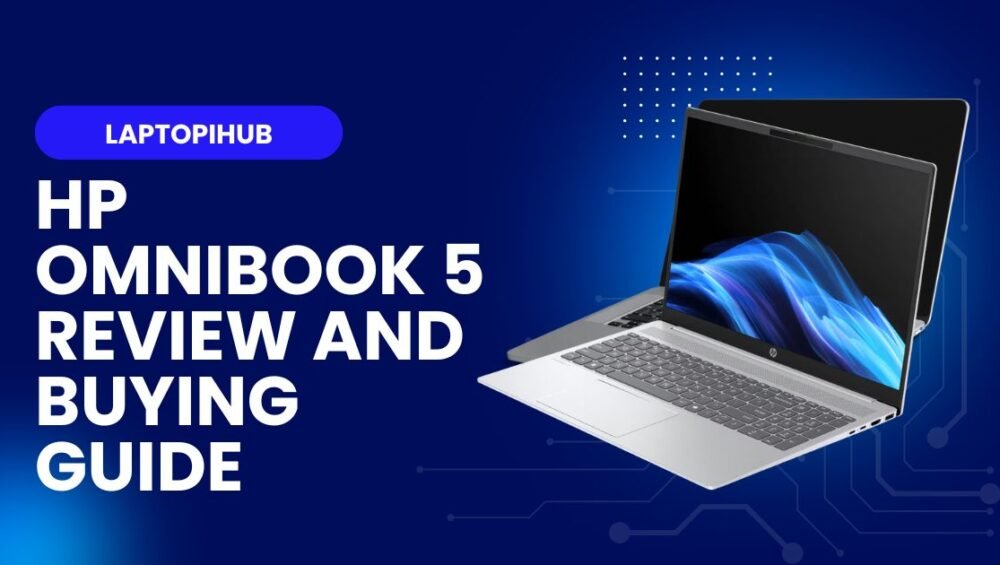
HP OmniBook 5 review: sleek design, solid performance, long battery life, and smart features—ideal for mobile pros and creators on the go.

HP OmniBook 5 Review and Buying Guide

HP OmniBook 5 review: sleek design, solid performance, long battery life, and smart features—ideal for mobile pros and creators on the go.

Introduction

The HP OmniBook 5 reintroduces a familiar name with modern thinking: thin, light, and smart for today’s mobile professional. If you remember the old OmniBook lineage, think of this as a respectful reboot—keeping the mobility-first spirit but packing in modern processors, improved battery life, and updated features. In this review I’ll walk through everything you care about: design, performance, battery, ports, and whether it’s worth your money. Ready? Let’s dive in.

A quick history of the OmniBook name

The OmniBook brand carries history. It used to signify ultraportable laptops in an era when thin and light meant something different. HP brings the name back with the goal of blending that portability heritage with current-day needs: content creation, video calls, and full workdays away from the desk.

From legacy to modern reboot

This reboot keeps the nostalgia but reimagines it. Where old Omnibooks traded features for featherweight status, the OmniBook 5 rebalances—keeping weight low but restoring enough ports, performance, and battery life so you don’t feel boxed in.

Who HP is targeting with OmniBook 5

Think road warriors, hybrid workers, students, and creators who aren’t running full-time render farms. It’s for anyone who wants a roomy screen and dependable performance without being tethered to a power outlet 24/7.

Design and build quality

HP’s design language for the OmniBook 5 leans clean and professional. The chassis feels premium without screaming luxury—matte finishes, subtle chamfers, and a hinge that opens smoothly.

Chassis materials and weight

HP mixes metal and reinforced polymer to keep the unit lightweight yet sturdy. The laptop is noticeably lighter than most 15-inch competitors, making it easy to carry in a backpack or briefcase. The balance is good: it doesn’t flex where it matters, and it manages to feel reliable.

Portability vs rigidity

HP carefully balances portability and rigidity. You get a device you’re happy to carry daily, but it still has enough structural integrity that you won’t worry about day-to-day knocks or travel.

Aesthetic and color options

The OmniBook 5 favors understated tones—soft gray, deep navy, and a muted silver—so it looks professional in meetings and sleek in casual settings. Small design touches, like narrow bezels and a centered logo, help it look modern without being flashy.

Display and multimedia

The display is a highlight. HP outfits the OmniBook 5 with a sharp IPS or OLED option depending on configuration, offering wide viewing angles and good color reproduction.

Panel type and resolution

You’ll find options from Full HD (1920×1080) to higher-res 2.8K panels. The higher-res choices are great for creators who need extra pixel real estate for editing, while Full HD keeps battery usage lower for general productivity.

Brightness, color accuracy and viewing angles

Brightness is ample for indoor use and decent for bright rooms. Color accuracy is solid out of the box on higher-tier panels, making the laptop suitable for photo editing and content review when paired with a color-calibrating workflow.

Speakers, webcam, and mics

HP engineers decent speakers with a surprisingly full midrange for such a thin chassis. The webcam supports 1080p on higher trims with noise-reducing microphones—handy for frequent video calls.

Performance and processors

Under the hood, OmniBook 5 offers Intel and AMD options, depending on region. These CPUs provide snappy everyday performance and competent multi-threaded results.

CPU options and real-world speed

For office work, the processors chew through browser tabs, streaming, and office suites with ease. For more demanding tasks like light video encoding, the higher-tier chips make a noticeable difference and reduce waiting time.

RAM and storage configurations

With configurations up to 32GB RAM and fast NVMe SSDs, the laptop handles multitasking and large files without breaking a sweat. Storage options are plenty—so whether you keep media local or stream, there’s flexibility.

Graphics and creative work

Graphics capability varies by SKU. Integrated graphics are fine for photo editing and casual games; discrete options add headroom for heavier creative tasks.

Integrated vs discrete GPU choices

Integrated GPUs are power-efficient and great for long battery life. Discrete GPUs bring faster exports, realtime AI effects, and smoother timelines for creators who need occasional GPU horsepower.

Video editing and light 3D work

If you edit 4K footage or use plug-ins that leverage the GPU, discrete configurations noticeably cut render times. Light 3D work is feasible, but heavy simulations are better suited to larger workstations.

Battery life and charging

Battery life is a strong suit. HP tunes the OmniBook 5 to last well into the workday on typical productivity loads.

Battery capacity and real-world endurance

Expect a full day of mixed use—emails, docs, meetings, and casual media—without chasing a charger. Even under heavier loads, a few hours of continuous editing or streaming is realistic.

Fast charging and port choices

Fast charging brings the battery up quickly for on-the-go bursts. The inclusion of USB-C Power Delivery and full-size USB ports means you can charge from modern USB-C chargers or connect older peripherals without adapters.

Thermals and noise

Cooling in this thin chassis is efficient. Fans ramp up under stress but remain within acceptable noise ranges for most users.

Cooling design and sustained loads

HP engineers a compact heat pipe solution that handles surge loads well, though under continuous heavy rendering you may notice thermal throttling—expected for ultraportable designs.

Connectivity and ports

The OmniBook 5 offers a balanced port selection: USB-A, multiple USB-C/Thunderbolt slots, HDMI, and an SD card reader on many models. Wi-Fi 6E and Bluetooth give reliable wireless performance.

Wireless, Bluetooth and I/O

Connectivity is modern and practical, supporting fast external displays and peripherals—useful for mobile professionals who connect to docks or external monitors often.

Software, security and extras

HP’s software adds convenience without bloat. You get utility apps for system tuning, display profiles, and battery modes, plus Windows features like BitLocker and Windows Hello for secure login.

Windows features and HP utilities

These extra apps are useful for quick optimizations—brightness presets, fan profiles, and battery health tools—helping you tune the laptop to your needs.

Security features for professionals

Fingerprint readers and IR cameras offer secure, fast logins; TPM and other enterprise features make it practical for business deployments too.

Pricing and value

The OmniBook 5 spans a range of price points depending on CPU, display, and GPU choices. It competes well by delivering a mix of portability, performance, and battery life at a price that reflects its feature set—especially when you factor in durability and display quality.

Who should buy the HP OmniBook 5

Buy the OmniBook 5 if you want a genuinely portable 15–16-inch experience, reliable battery life, and a display that helps you work without squinting. It’s perfect for hybrid workers, traveling creatives, and students who value a premium-feeling laptop without the extra bulk.

Conclusion

The HP OmniBook 5 blends heritage with modern sensibilities. It balances sleek, lightweight design with enough performance for everyday to semi-professional tasks, and its display and battery life make it a compelling pick for mobile users. If your daily life demands portability and dependable performance, the OmniBook 5 is worth a close look.

Frequently Asked Questions

Is the HP OmniBook 5 good for video editing?

Yes, especially configurations with discrete GPUs and higher RAM; it handles editing and exports well for mobile creators.

How long does the OmniBook 5 battery last?

Under typical office workloads you can expect a full workday; heavier tasks reduce runtime but fast charging helps.

Is the OmniBook 5 durable for travel?

Yes, its reinforced chassis and careful design make it suitable for frequent travel, though it isn’t a ruggedized model.

Can I connect multiple external monitors?

Yes, with Thunderbolt/USB-C and HDMI options you can drive multiple displays depending on your chosen ports and adapters.

Should I choose integrated or discrete graphics?

Choose integrated for best battery life and light tasks; pick discrete if you regularly edit video, use GPU-accelerated apps, or want occasional gaming performance.

Read More: LG gram pro 17 Review and Buying Guide