
A hands-on look at the Acer Aspire 16 AI — design, display, AI features, performance, battery life, and who should buy it. Practical, friendly review.
Quick Snapshot
Who is this laptop for?
Looking for a roomy 16-inch laptop that blends everyday power with built-in AI features? The Acer Aspire 16 AI aims to be a practical choice for students, content creators, and professionals who want smart helpers baked into the system without paying sky-high premium prices. Think of it as a multitool: solid for many tasks, with a few clever AI tricks to speed up your workflows.
Top specs at a glance
At a glance, the Aspire 16 AI typically pairs a modern Intel or AMD CPU with a midrange GPU option, a 16-inch IPS (or better) panel, fast NVMe SSDs, and memory options up to 32GB. The exact configuration varies by market, but the focus is clear: balance performance with sensible AI assistance.
Design and Build
Chassis, materials and feel
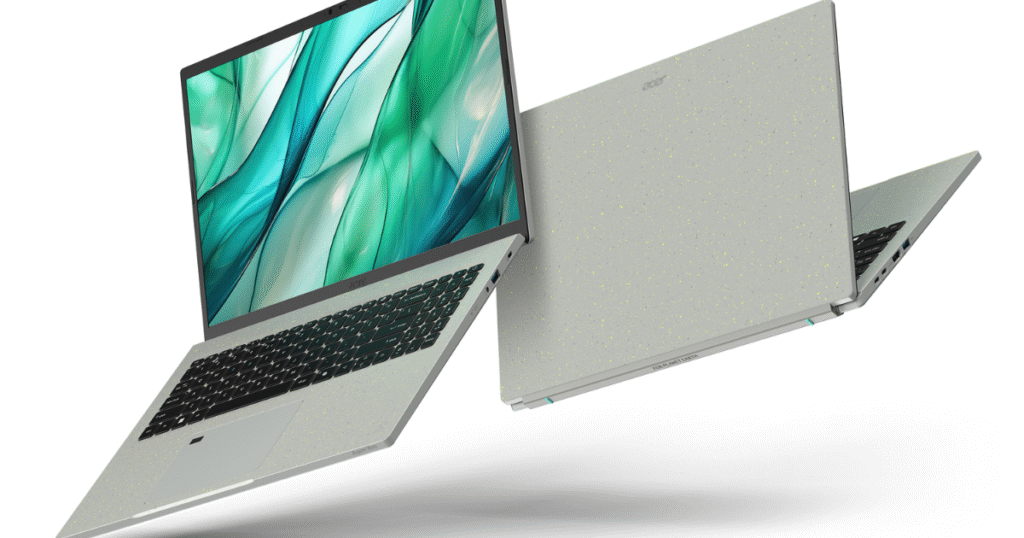
Acer keeps the Aspire lineup practical — the chassis uses lightweight aluminum accents with a mostly polycarbonate body. It feels sturdy for daily use, not fragile, and the lid resists fingerprints better than glossy plastics. It’s not a designer showpiece, but it’s built like a dependable commuter: subtle, unflashy, and functional.
Port layout and everyday use
Ports matter, right? The Aspire 16 AI usually gives you a healthy selection: USB-A, USB-C with power/dock support, HDMI, an SD card reader in some models, and a headphone jack. That means fewer dongles during lectures or client meetings — a small convenience that becomes huge over time.
Display and Visuals
Panel quality and brightness
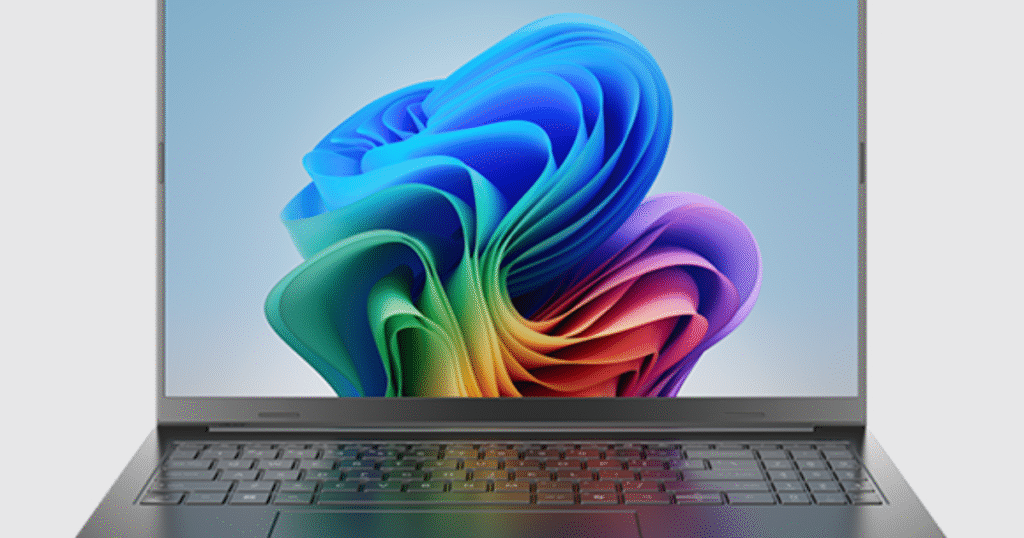
The 16-inch panel is the laptop’s star. Expect a sharp 1080p or 2.5K option with good color accuracy for everyday photo editing and streaming. Brightness tends to be generous enough for indoor use; outdoor performance depends on the variant you pick. If you’re into color-critical work, check the panel spec (sRGB coverage matters).
AI-driven display enhancements
Acer bundles AI features that tune visuals automatically — think adaptive brightness, smart color boosts for videos, or low-blue-light modes that adjust by content. It’s like having a tiny director inside the laptop that gently tweaks visuals so movies look better and your eyes don’t tire as quickly.
Performance and AI Features
CPU, GPU and benchmarks
Under the hood, the Aspire 16 AI runs recent Intel or AMD silicon. In everyday tasks — multitasking, browser work, light photo editing — it feels snappy. For heavier content creation or gaming, the GPU option determines capability: integrated graphics for casual users, discrete GPUs for power users. Benchmarks show respectable midrange performance: not a workstation powerhouse, but more than enough for most creators.
On-device AI tools and real-world gains
This model shines with integrated AI utilities: things like real-time noise reduction during calls, AI-accelerated image upscaling, and quick transcription for meetings. These features are the difference between doing things manually and letting the laptop handle repetitive tasks. The real-world effect? Fewer fiddly steps and more time to focus on creative work.
Thermals and sustained performance
Acer’s thermal design keeps the CPU cool with a mix of heat pipes and tuned fans. Under long loads, you’ll see fan activity — audible but not raucous — and performance may throttle slightly to maintain safe temps. For most users, sustained performance is solid, but power users pushing extended renders may notice the limits.
Battery Life and Charging
Battery endurance in real tasks
Battery life is a realistic mix: expect a full day of light work (8+ hours) with power-efficient settings, or 4–6 hours under heavier creative loads. That’s typical for a large screen laptop balancing performance and size. If you travel a lot, plan on packing the charger for long editing sessions.
Fast charging and daily routine
Acer includes decent fast-charge tech via USB-C on many models — a quick top-up between meetings can get you hours of extra use. That’s a nice life hack: a 30-minute charge can save your day.
Keyboard, Trackpad and Webcam
Typing comfort and shortcuts
The keyboard is roomy and comfortable, with good travel and feedback for long typing sessions. Acer often includes handy shortcuts for AI features, screen recording, or quick mute. The backlight is useful for late-night writing marathons.
Camera + AI improvements for calls
The webcam is average hardware, but AI enhancements — background blur, automatic framing, low-light correction — upgrade the experience. If your camera is a weak point, the AI fixes are a welcome band-aid that make video calls look cleaner.
Connectivity and Ports
Wi-Fi, Bluetooth and ports list
Modern Wi-Fi 6 or better and Bluetooth 5.x are commonly included, giving fast wireless connections and reliable pairing. The port selection (as noted) is convenient: HDMI for external displays, USB-C for docks and charging, and an SD slot for creators who shoot on the go.
Software and Security
AI utilities, bloatware and useful apps
Acer bundles an AI utility suite that integrates features like voice dictation, camera improvements, and performance profiles. There’s a little preinstalled software, but nothing too intrusive — and many useful tools are optional. If you prefer a clean system, a quick uninstall pass gets you a minimalist workspace.
Privacy and biometric options
Security features like a fingerprint reader and TPM are often available, and AI features respect local processing where possible (on-device processing keeps sensitive data off cloud servers). For privacy-conscious users, these on-device options are reassuring.
Who Should Buy It?
Pros for creatives, pros for students
Buy this if you want a large, useful screen with smart AI helpers for video calls, quick edits, and productivity boosts. Students will love the balance of price and features; creators on a budget will appreciate the display and AI tooling.
When to choose something else
If you need workstation-level rendering power, top-tier GPU performance, or ultra-thin portability, a different line (Predator, XPS, or a lightweight ultrabook) might serve you better. Aspire 16 AI is a strong all-rounder, not a specialist.
Final Verdict
The Acer Aspire 16 AI is a pragmatic, sensible laptop that blends solid hardware with practical AI features. It won’t steal the show on raw benchmarks, but its thoughtful software helpers and balanced design make day-to-day life smoother. It’s like upgrading from a basic toolset to a toolkit with a few smart gadgets — you still do the work, but the laptop removes small frictions along the way.
Conclusion
If you want a 16-inch laptop that feels modern without being fussy, the Acer Aspire 16 AI is worth a look. It’s roomy, capable, and comes with on-device AI that does useful things — improving calls, easing edits, and speeding repetitive tasks. For students, creators, and professionals who want smarter everyday computing without paying premium prices, this is a compelling option.
FAQs
Q1: Is the Acer Aspire 16 AI good for photo editing?
Yes — the display and performance suit light to moderate photo editing. For color-critical pro work, choose the higher-spec panel and calibrate the display.
Q2: Does the AI run locally or in the cloud?
Most consumer AI features on the Aspire 16 AI run on-device to preserve privacy and reduce latency; check your specific model’s settings for cloud options.
Q3: Can I replace or upgrade RAM and storage?
Many Aspire models allow upgrades to RAM and NVMe storage, but confirm the spec sheet for your configuration before buying.
Q4: How loud are the fans under load?
Fans become noticeable during heavy tasks but are generally not overly loud — audible but not distracting in most environments.
Q5: Is the webcam good enough for professional video calls?
The raw webcam is average, but AI improvements (low-light correction, background blur) make it perfectly acceptable for professional calls.