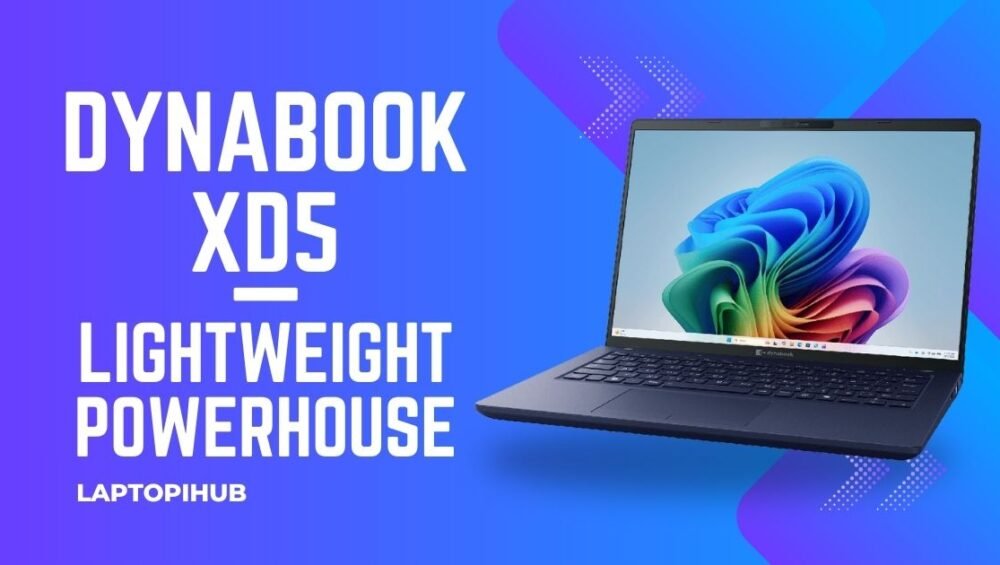
Dynabook XD5 blends thin-and-light design with solid performance, long battery life, and business-friendly features — a smart pick for mobile professionals.
Introduction: Why the Dynabook XD5 matters
If you’re hunting for a laptop that balances portability with dependable performance, the Dynabook XD5 deserves a spot on your shortlist. It’s like the reliable commuter bike of laptops — not the flashiest, but it gets you where you need to go efficiently and comfortably. The XD5 targets people who work on the move: think consultants, hybrid workers, and students who value a slim footprint without giving up usable power.
Design and Build Quality
Materials and feel
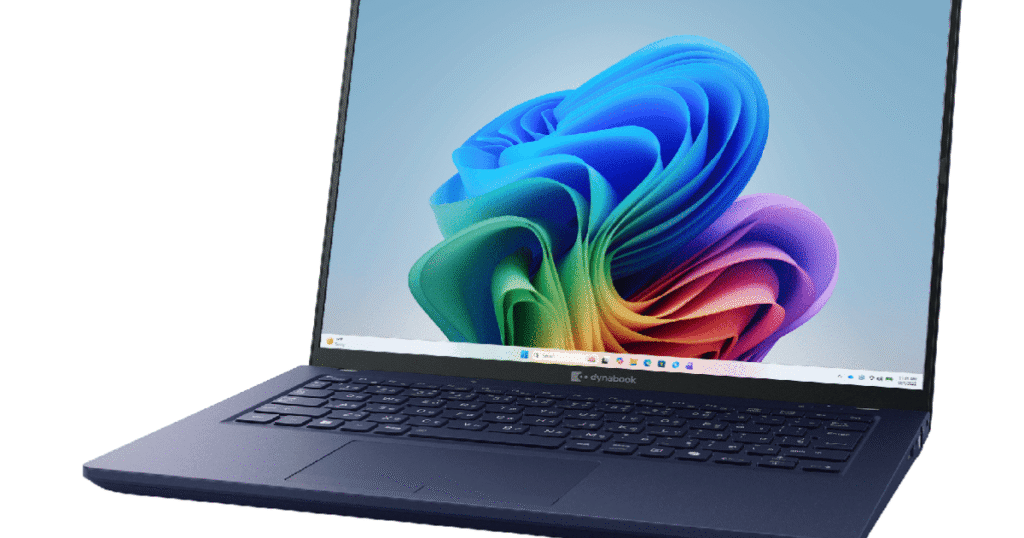
The XD5 typically favors a minimalist aesthetic: clean lines, a matte finish, and a sturdy hinge. The chassis aims to be durable without being heavy — a welcome trait when you’re carrying it all day. Expect a professional look that won’t draw attention but won’t look out of place in a meeting with clients.
Portability and weight
Portability is one of the XD5’s selling points. It’s built to slip into a backpack or briefcase easily, making it suitable for commuters and travelers. If mobility is a top priority for you, the XD5’s size and weight strike a sensible compromise between screen real estate and easy carry.
Display and Visuals
Resolution and brightness
Dynabook usually outfits its devices with crisp displays that balance resolution and battery life. On the XD5, you can expect a sharp 1080p option as the baseline — more than enough for spreadsheets, web work, and streaming videos without burning battery life.
Color and touch options
Depending on configuration, the XD5 may offer non-touch and touch variants. If you do casual photo editing or content consumption, the color reproduction is good enough. Professionals doing color-sensitive work might prefer an external monitor, but for everyday tasks the screen holds up well.
Performance and Hardware
Processor options
The XD5 is designed for everyday productivity. It typically ships with modern efficient processors that handle office apps, browser tabs, and light multitasking smoothly. Think of it as a dependable engine under the hood — not a race car, but more than capable for most business workflows.
Memory and storage
Configurations commonly include SSD storage and healthy RAM options. An SSD delivers snappy boot times and file access, while adequate RAM keeps multitasking fluid. If you multitask heavily, choose higher RAM and NVMe SSD options where possible.
Battery Life and Charging
Typical real-world endurance
One of the XD5’s strengths is practical battery life. In real-world use — office apps, video calls, and web browsing — expect all-day usage under reasonable settings. It’s ideal for long meetings and flights where charging isn’t guaranteed.
Charging speed and features
Fast-charge support and USB-C charging on many models means you can top the battery quickly and use compact chargers. The convenience of USB-C also lets you use common laptop chargers or power banks when you’re traveling light.
Connectivity and Ports
I/O variety
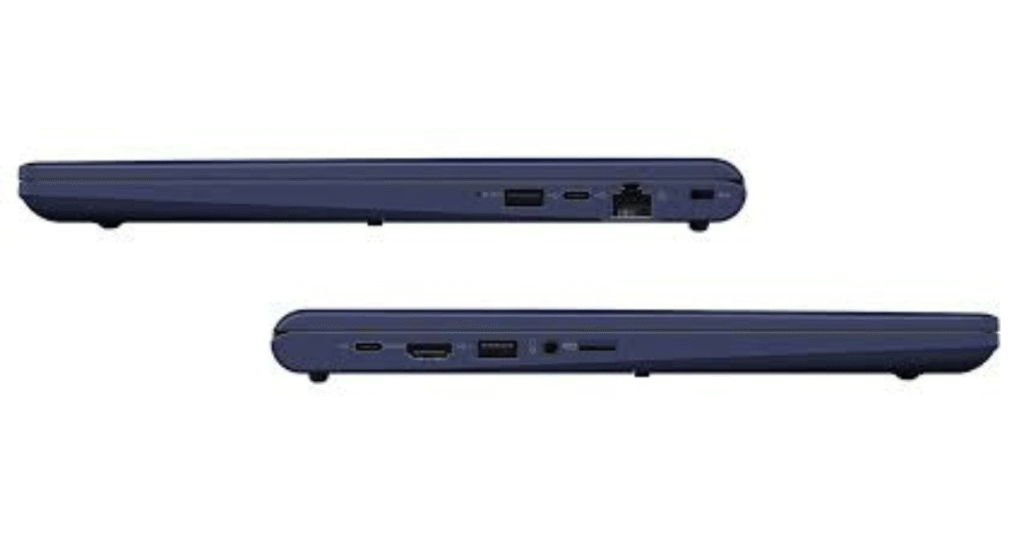
The XD5 is generous where it matters: a few USB-A ports, at least one USB-C, HDMI or DisplayPort options, and a headphone jack. This mix makes it simple to connect to projectors, external drives, or an extra monitor without hunting for adapters.
Wireless features
Expect modern Wi-Fi and Bluetooth performance for stable conferencing and accessory pairing. Solid wireless connectivity is a cornerstone for hybrid workers, and the XD5 aims to deliver it.
Keyboard, Trackpad, and Input
Typing experience
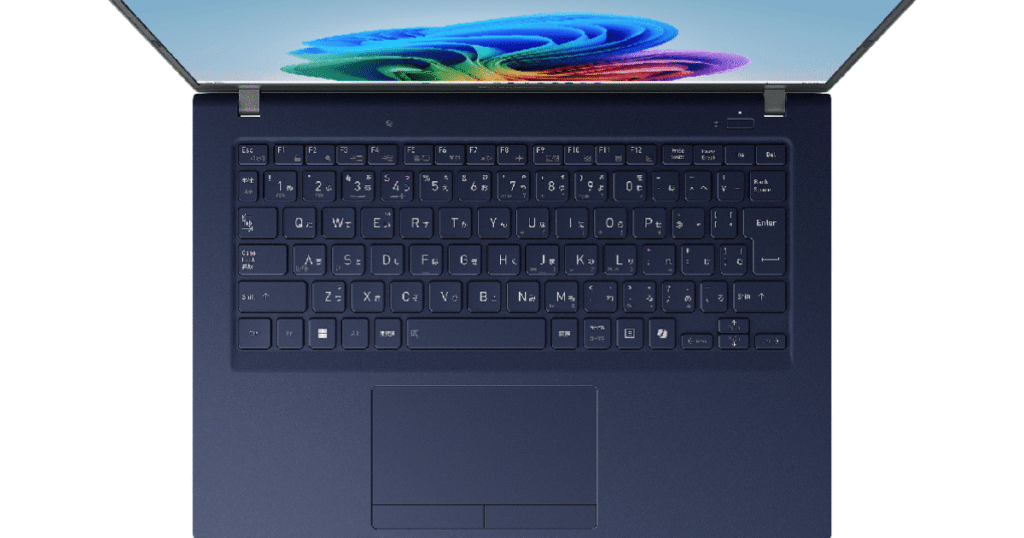
The keyboard is made for real typing — with travel and feedback tuned for longer sessions. If you write reports or code, the XD5’s keyboard should keep you comfortable. The trackpad is precise and responsive, making navigation frictionless.
Security features (fingerprint, TPM)
Security is business-minded: fingerprint readers and TPM chips are commonly included to keep your data secure. Combine that with Windows Hello and easy manageability, and IT teams will sleep easier.
Software and Business Features
Windows and bloatware
Dynabook typically ships with Windows set up for business users and minimal bloatware. That means faster out-of-box performance and a cleaner experience — a bonus for users who dislike uninstalling trial software.
Manageability for IT teams
For companies, manageability features like remote provisioning and enterprise-grade security options make enrollment and maintenance less of a headache. The XD5 is built to slot smoothly into corporate fleets.
Who Should Buy the Dynabook XD5
Students
If you’re a student who needs a dependable machine for notes, research, and streaming, the XD5 delivers the essentials without unnecessary cost.
Business users
Mobile professionals will appreciate the solid battery life, security features, and the professional build — it’s a sensible tool for remote work days and client meetings.
Content creators (lightweight tasks)
Casual creators who edit photos or cut short videos will find the XD5 serviceable, though heavy video editors may want a machine with a stronger GPU.
Comparisons and Alternatives
Vs. ultrabooks in same tier
Compared with premium ultrabooks, the XD5 typically offers better value for money — slightly fewer bells and whistles, but focused on reliability and serviceability.
Value play vs premium brands
If you want the highest performance-per-dollar and straightforward business features, the XD5 competes well against more expensive brand-name alternatives.
Tips to Get the Most from Your XD5
Storage upgrades
If you plan to keep large media libraries, upgrade the SSD capacity at purchase or afterwards if possible — it’s an affordable performance upgrade.
Battery care
To prolong battery health, avoid keeping it at 100% plugged in constantly; cycle it occasionally and use battery saver profiles when on the go.
Conclusion
The Dynabook XD5 is a practical, no-nonsense laptop built for people who value mobility, reliability, and sensible business features. It’s not trying to be flashy; it’s designed to be useful, durable, and efficient. If your daily life demands a trustworthy machine that won’t slow you down, the XD5 should be on your radar.
FAQs
Q1: Is the Dynabook XD5 good for gaming?
A1: The XD5 is optimized for productivity and portability rather than gaming. Casual games run fine, but serious gaming needs a dedicated GPU found in gaming laptops.
Q2: Can I upgrade RAM or storage in the XD5?
A2: Many configurations allow storage upgrades and sometimes RAM expansion — check your exact model before buying if upgradability is important.
Q3: How does the XD5 compare to other business laptops?
A3: It competes strongly on price-to-performance, battery life, and manageability features. Premium ultrabooks may offer sleeker designs or higher-end displays, but the XD5 often wins on value.
Q4: Is the XD5 durable enough for travel?
A4: Yes — the chassis is designed for mobility and everyday wear. For heavy travel, consider a protective sleeve and routine maintenance.
Q5: What accessories should I get with the XD5?
A5: A USB-C dock, a lightweight travel charger, and an external SSD or monitor are handy accessories that extend the XD5’s versatility and productivity.