
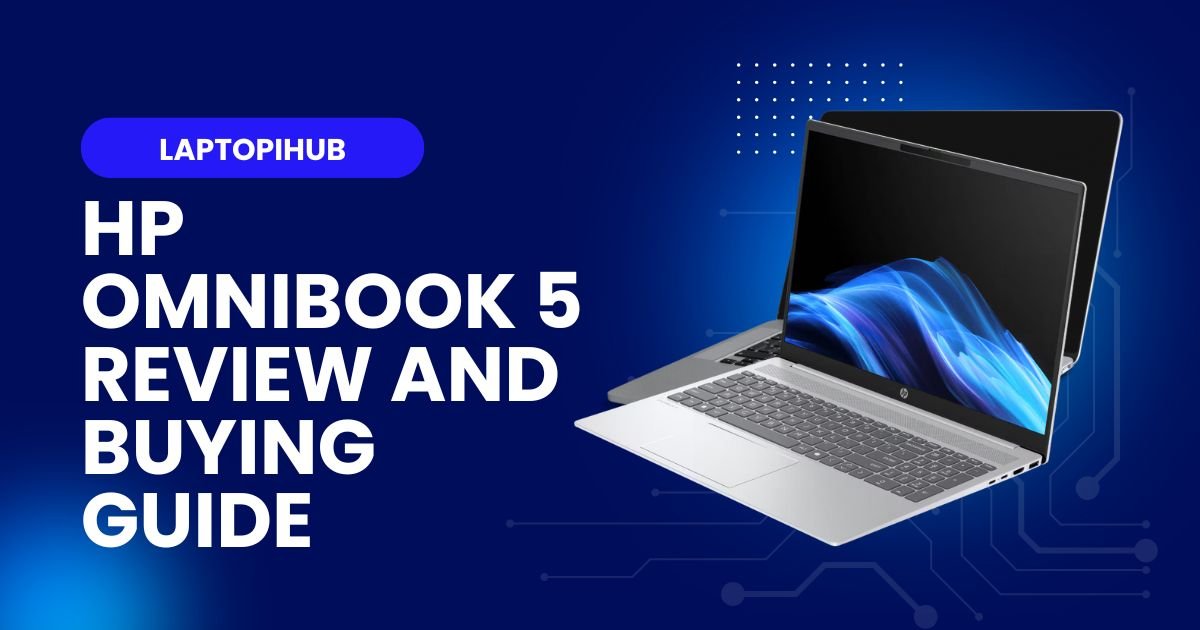
HP OmniBook 5 review: sleek design, solid performance, long battery life, and smart features—ideal for mobile pros and creators on the go.
Introduction
The HP OmniBook 5 reintroduces a familiar name with modern thinking: thin, light, and smart for today’s mobile professional. If you remember the old OmniBook lineage, think of this as a respectful reboot—keeping the mobility-first spirit but packing in modern processors, improved battery life, and updated features. In this review I’ll walk through everything you care about: design, performance, battery, ports, and whether it’s worth your money. Ready? Let’s dive in.
A quick history of the OmniBook name
The OmniBook brand carries history. It used to signify ultraportable laptops in an era when thin and light meant something different. HP brings the name back with the goal of blending that portability heritage with current-day needs: content creation, video calls, and full workdays away from the desk.
From legacy to modern reboot
This reboot keeps the nostalgia but reimagines it. Where old Omnibooks traded features for featherweight status, the OmniBook 5 rebalances—keeping weight low but restoring enough ports, performance, and battery life so you don’t feel boxed in.
Who HP is targeting with OmniBook 5
Think road warriors, hybrid workers, students, and creators who aren’t running full-time render farms. It’s for anyone who wants a roomy screen and dependable performance without being tethered to a power outlet 24/7.
Design and build quality
HP’s design language for the OmniBook 5 leans clean and professional. The chassis feels premium without screaming luxury—matte finishes, subtle chamfers, and a hinge that opens smoothly.
Chassis materials and weight
HP mixes metal and reinforced polymer to keep the unit lightweight yet sturdy. The laptop is noticeably lighter than most 15-inch competitors, making it easy to carry in a backpack or briefcase. The balance is good: it doesn’t flex where it matters, and it manages to feel reliable.
Portability vs rigidity
HP carefully balances portability and rigidity. You get a device you’re happy to carry daily, but it still has enough structural integrity that you won’t worry about day-to-day knocks or travel.
Aesthetic and color options
The OmniBook 5 favors understated tones—soft gray, deep navy, and a muted silver—so it looks professional in meetings and sleek in casual settings. Small design touches, like narrow bezels and a centered logo, help it look modern without being flashy.
Display and multimedia
The display is a highlight. HP outfits the OmniBook 5 with a sharp IPS or OLED option depending on configuration, offering wide viewing angles and good color reproduction.
Panel type and resolution
You’ll find options from Full HD (1920×1080) to higher-res 2.8K panels. The higher-res choices are great for creators who need extra pixel real estate for editing, while Full HD keeps battery usage lower for general productivity.
Brightness, color accuracy and viewing angles
Brightness is ample for indoor use and decent for bright rooms. Color accuracy is solid out of the box on higher-tier panels, making the laptop suitable for photo editing and content review when paired with a color-calibrating workflow.
Speakers, webcam, and mics
HP engineers decent speakers with a surprisingly full midrange for such a thin chassis. The webcam supports 1080p on higher trims with noise-reducing microphones—handy for frequent video calls.
Performance and processors
Under the hood, OmniBook 5 offers Intel and AMD options, depending on region. These CPUs provide snappy everyday performance and competent multi-threaded results.
CPU options and real-world speed
For office work, the processors chew through browser tabs, streaming, and office suites with ease. For more demanding tasks like light video encoding, the higher-tier chips make a noticeable difference and reduce waiting time.
RAM and storage configurations
With configurations up to 32GB RAM and fast NVMe SSDs, the laptop handles multitasking and large files without breaking a sweat. Storage options are plenty—so whether you keep media local or stream, there’s flexibility.
Graphics and creative work
Graphics capability varies by SKU. Integrated graphics are fine for photo editing and casual games; discrete options add headroom for heavier creative tasks.
Integrated vs discrete GPU choices
Integrated GPUs are power-efficient and great for long battery life. Discrete GPUs bring faster exports, realtime AI effects, and smoother timelines for creators who need occasional GPU horsepower.
Video editing and light 3D work
If you edit 4K footage or use plug-ins that leverage the GPU, discrete configurations noticeably cut render times. Light 3D work is feasible, but heavy simulations are better suited to larger workstations.
Battery life and charging
Battery life is a strong suit. HP tunes the OmniBook 5 to last well into the workday on typical productivity loads.
Battery capacity and real-world endurance
Expect a full day of mixed use—emails, docs, meetings, and casual media—without chasing a charger. Even under heavier loads, a few hours of continuous editing or streaming is realistic.
Fast charging and port choices
Fast charging brings the battery up quickly for on-the-go bursts. The inclusion of USB-C Power Delivery and full-size USB ports means you can charge from modern USB-C chargers or connect older peripherals without adapters.
Thermals and noise
Cooling in this thin chassis is efficient. Fans ramp up under stress but remain within acceptable noise ranges for most users.
Cooling design and sustained loads
HP engineers a compact heat pipe solution that handles surge loads well, though under continuous heavy rendering you may notice thermal throttling—expected for ultraportable designs.
Connectivity and ports
The OmniBook 5 offers a balanced port selection: USB-A, multiple USB-C/Thunderbolt slots, HDMI, and an SD card reader on many models. Wi-Fi 6E and Bluetooth give reliable wireless performance.
Wireless, Bluetooth and I/O
Connectivity is modern and practical, supporting fast external displays and peripherals—useful for mobile professionals who connect to docks or external monitors often.
Software, security and extras
HP’s software adds convenience without bloat. You get utility apps for system tuning, display profiles, and battery modes, plus Windows features like BitLocker and Windows Hello for secure login.
Windows features and HP utilities
These extra apps are useful for quick optimizations—brightness presets, fan profiles, and battery health tools—helping you tune the laptop to your needs.
Security features for professionals
Fingerprint readers and IR cameras offer secure, fast logins; TPM and other enterprise features make it practical for business deployments too.
Pricing and value
The OmniBook 5 spans a range of price points depending on CPU, display, and GPU choices. It competes well by delivering a mix of portability, performance, and battery life at a price that reflects its feature set—especially when you factor in durability and display quality.
Who should buy the HP OmniBook 5
Buy the OmniBook 5 if you want a genuinely portable 15–16-inch experience, reliable battery life, and a display that helps you work without squinting. It’s perfect for hybrid workers, traveling creatives, and students who value a premium-feeling laptop without the extra bulk.
Conclusion
The HP OmniBook 5 blends heritage with modern sensibilities. It balances sleek, lightweight design with enough performance for everyday to semi-professional tasks, and its display and battery life make it a compelling pick for mobile users. If your daily life demands portability and dependable performance, the OmniBook 5 is worth a close look.
Frequently Asked Questions
Is the HP OmniBook 5 good for video editing?
Yes, especially configurations with discrete GPUs and higher RAM; it handles editing and exports well for mobile creators.
How long does the OmniBook 5 battery last?
Under typical office workloads you can expect a full workday; heavier tasks reduce runtime but fast charging helps.
Is the OmniBook 5 durable for travel?
Yes, its reinforced chassis and careful design make it suitable for frequent travel, though it isn’t a ruggedized model.
Can I connect multiple external monitors?
Yes, with Thunderbolt/USB-C and HDMI options you can drive multiple displays depending on your chosen ports and adapters.
Should I choose integrated or discrete graphics?
Choose integrated for best battery life and light tasks; pick discrete if you regularly edit video, use GPU-accelerated apps, or want occasional gaming performance.
Leave a Comment
Your email address will not be published. Required fields are marked *